Join us at FabCon Atlanta from March 16 - 20, 2026, for the ultimate Fabric, Power BI, AI and SQL community-led event. Save $200 with code FABCOMM.
Register now!Vote for your favorite vizzies from the Power BI Dataviz World Championship submissions. Vote now!
hi can some one help me with this it is really very imp for me
https://drive.google.com/file/d/1BmG-flA6TE0v_sbka6rRtY0Aa2h8EsVT/view?usp=sharing
i am using the below formulas to display my data for past 2 months nd current month based on month slicer selection
but i am unable to view my data.
can someone help me with dax query or a offset may also work to display my data.
Solved! Go to Solution.
Hi @Anonymous ,
Please check:
1. Create another Dates table.
Dates =
ADDCOLUMNS (
CALENDAR ( DATE ( 2020, 1, 1 ), DATE ( 2020, 12, 31 ) ),
"Year", YEAR ( [Date] ),
"Month", MONTH ( [Date] ),
"MonthName", FORMAT ( [Date], "mmmm" )
)
2. Create columns in your Query table.
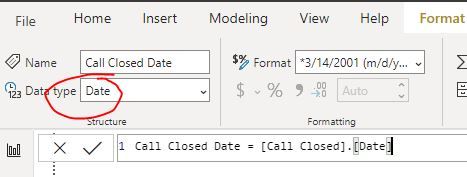
Call Closed Date = [Call Closed].[Date]
YearMonth = FORMAT([Call Closed Date],"YYYY MMMM")
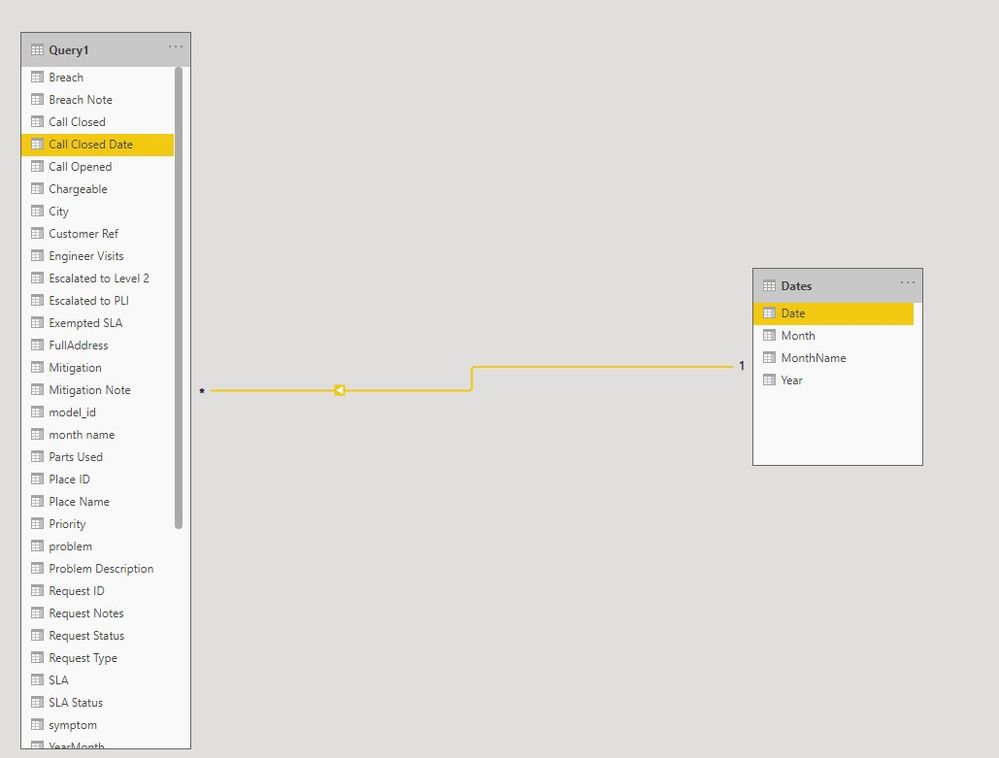
3. Create relationship between the two tables.
4. Create measures.
M.SLA% 2 = CALCULATE([M.SLA%],DATESINPERIOD ( Dates[Date], MAX ( Dates[Date]), -3 , MONTH ))RAW SLA% 2 = CALCULATE([RAW SLA%],DATESINPERIOD ( Dates[Date], MAX ( Dates[Date]), -3 , MONTH ))Count of Call Closed = CALCULATE(COUNT(Query1[Call Closed]),DATESINPERIOD ( Dates[Date], MAX ( Dates[Date]), -3 , MONTH ))
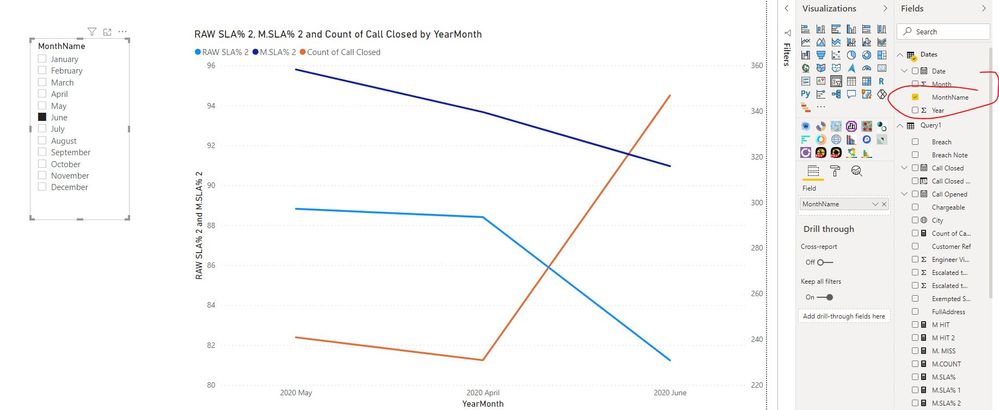
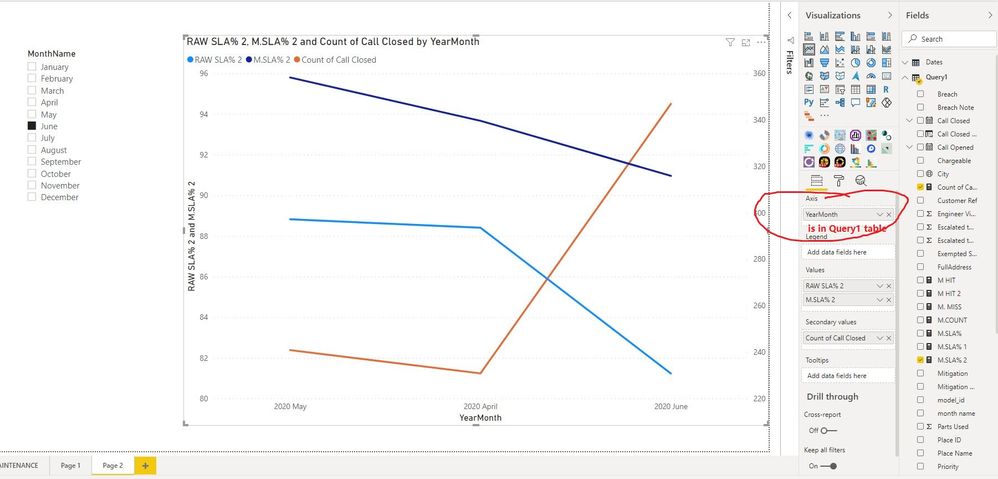
5. Create visuals.
In addition, please change the slicer field to "MonthName" of "Dates" table.
Best regards
Icey
If this post helps,then consider Accepting it as the solution to help other members find it faster.
Hi @Anonymous ,
Please check:
1. Create another Dates table.
Dates =
ADDCOLUMNS (
CALENDAR ( DATE ( 2020, 1, 1 ), DATE ( 2020, 12, 31 ) ),
"Year", YEAR ( [Date] ),
"Month", MONTH ( [Date] ),
"MonthName", FORMAT ( [Date], "mmmm" )
)
2. Create columns in your Query table.
Call Closed Date = [Call Closed].[Date]
YearMonth = FORMAT([Call Closed Date],"YYYY MMMM")
3. Create relationship between the two tables.
4. Create measures.
M.SLA% 2 = CALCULATE([M.SLA%],DATESINPERIOD ( Dates[Date], MAX ( Dates[Date]), -3 , MONTH ))RAW SLA% 2 = CALCULATE([RAW SLA%],DATESINPERIOD ( Dates[Date], MAX ( Dates[Date]), -3 , MONTH ))Count of Call Closed = CALCULATE(COUNT(Query1[Call Closed]),DATESINPERIOD ( Dates[Date], MAX ( Dates[Date]), -3 , MONTH ))
5. Create visuals.
In addition, please change the slicer field to "MonthName" of "Dates" table.
Best regards
Icey
If this post helps,then consider Accepting it as the solution to help other members find it faster.
Hi @Anonymous ,
The immediate issue that appears in your calculation is that you are trying to compare [Call Closed].[MonthNo] with [month name] i.e. it appears as though you are trying to compare a number to a text value, akin to 'Is 5 >= Apple?'.
You need to ensure you are comparing similar data types then, if your output isn't what you need, add some further information in this thread around exactly what you are trying to achieve and expected output value(s).
Pete
Proud to be a Datanaut!
Vote for your favorite vizzies from the Power BI World Championship submissions!
If you love stickers, then you will definitely want to check out our Community Sticker Challenge!
Check out the January 2026 Power BI update to learn about new features.
| User | Count |
|---|---|
| 56 | |
| 53 | |
| 40 | |
| 17 | |
| 16 |
| User | Count |
|---|---|
| 122 | |
| 108 | |
| 44 | |
| 32 | |
| 26 |