Get certified for free when you join Fabric Data Days 2026 and dive into Fabric, Power BI, SQL, AI, and other essential data skills.
Join nowData Days is here! Join us now for 60+ days of learning, challenges, and connection. Learn more
Hi
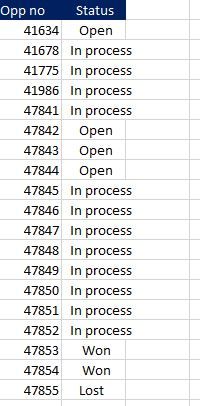
i have two tables here below. From the first table, i want to count the opp no. but just status of won,open and lost.
Then I want to calculate the average no. of opportunity by month (of just won, open and lost) by distinct count the "month/year" from date table so I can visualise the number as a card visual. Please help me with this!
I want to count the number of opportunity id of just open, lost and in porocess
Dates table
Solved! Go to Solution.
Hi v-piga-msft. Thanks for your answer but that wasn't exactly the answer I was looking for.
I instead found out the funciton.
Hi @Anonymous ,
Have you solved your problem?
If you have solved, please accept the replies making sense as solution to your question so that people who may have the same question can get the solution directly.
If you still need help, please feel free to ask.
Best Regards,
Cherry
Hi v-piga-msft. Thanks for your answer but that wasn't exactly the answer I was looking for.
I instead found out the funciton.
Hi @Anonymous,
If you only want to calculate the count of opportunity id of open, lost and in porocess.
You have two ways to achieve that.
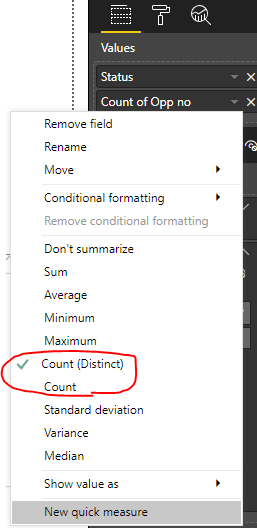
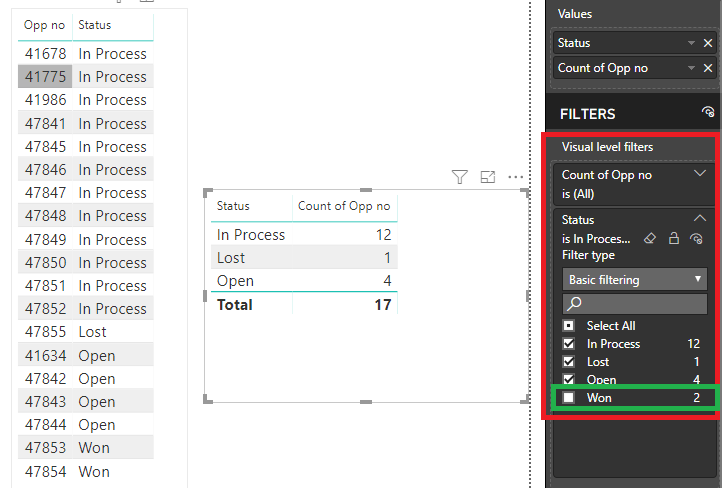
1. Drag the Status column to filed and select Count.
Then unclick Won under visual level filter as below.
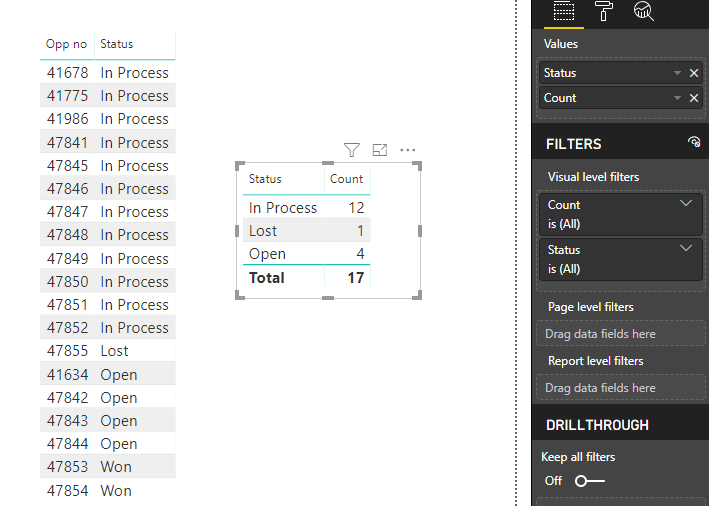
2. Create the measure directly.
Count =
CALCULATE (
COUNT ( 'Table1'[Opp no] ),
FILTER ( 'Table1', 'Table1'[Status] <> "Won" )
)
If you want to calculate the average no. of opportunity by month, I'm afraid that you should have a relationship between the two tables, but I cannot find the date column in your first table so it seems that we cannot create the relationship between the two tables.
Best Regards,
Cherry
Don't miss out on Data Days, June 15 through August 7. Learn Fabric, Power BI, SQL, AI and more.
Check out the May 2026 Power BI update to learn about new features.
| User | Count |
|---|---|
| 23 | |
| 23 | |
| 21 | |
| 17 | |
| 13 |
| User | Count |
|---|---|
| 58 | |
| 50 | |
| 37 | |
| 29 | |
| 24 |