Join us at FabCon Atlanta from March 16 - 20, 2026, for the ultimate Fabric, Power BI, AI and SQL community-led event. Save $200 with code FABCOMM.
Register now!The Power BI Data Visualization World Championships is back! Get ahead of the game and start preparing now! Learn more
Hi,
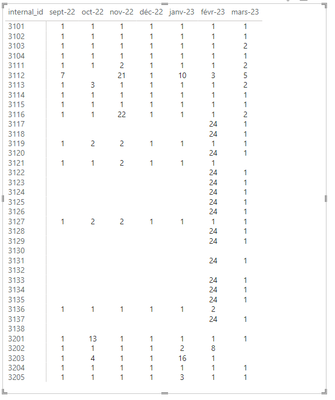
I've got a matrix that display a measure that is the first day in the month where i've data in my dataset
i'd like to format the cells when the value is empty or greater than 4 in red.
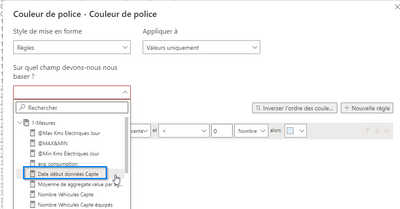
for that i try to select the measure in the conditionnal formatting but PBI doesn't allow it.
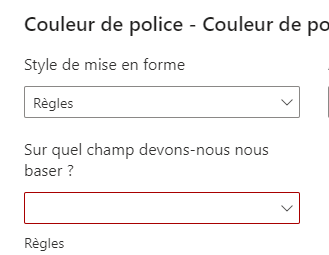
When i click on the measure, the field remains empty
it is possible to select a measure ?
do i have to set the styles in rules or field values ?
Thanks !
Solved! Go to Solution.
Hope this helps: Also this video, not entirely related might give an idea: https://www.youtube.com/watch?v=7veYU1EeO6w
These two videos would help with the concept:
Hope this helps: Also this video, not entirely related might give an idea: https://www.youtube.com/watch?v=7veYU1EeO6w
Hello @Padycosmos
Thanks for your suggestion.
unfortunately, it doesn't work for me.
my measure is considered as string
i tried to convert it to integer but without success so far
perhaps because i have null values
i'm still trying
The Power BI Data Visualization World Championships is back! Get ahead of the game and start preparing now!
| User | Count |
|---|---|
| 54 | |
| 42 | |
| 34 | |
| 34 | |
| 21 |
| User | Count |
|---|---|
| 143 | |
| 125 | |
| 100 | |
| 81 | |
| 63 |