Join us at FabCon Atlanta from March 16 - 20, 2026, for the ultimate Fabric, Power BI, AI and SQL community-led event. Save $200 with code FABCOMM.
Register now!Learn from the best! Meet the four finalists headed to the FINALS of the Power BI Dataviz World Championships! Register now
Hello all,
I am using Power BI with financial sheets. I want to present the digits like 100.000 instead of the default presentation in power bi of 100,000 . Can someone help me how to change it?
Thanks in advance.
@0xygen27,
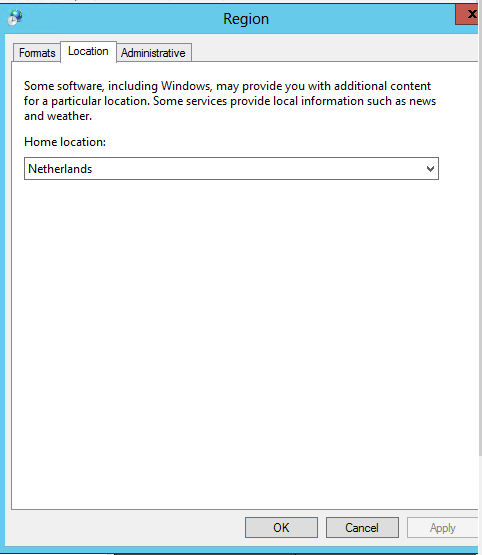
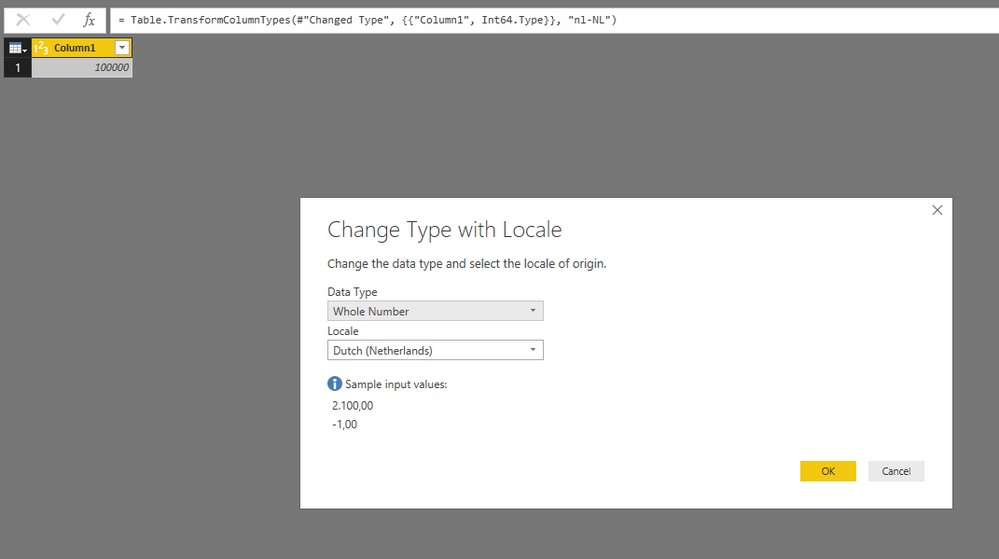
Please make sure that you have changed the region settings(Location and Formats) in your computer to Dutch, and in Power BI Desktop, you have changed the Locale of your column to Dutch. For more details, please review the following example.
Regards,
Are you in Europe? I believe Power BI desktop will follow your regional settings.
It was english at first, but I changed it to dutch. However the presentation didn't change.
Share feedback directly with Fabric product managers, participate in targeted research studies and influence the Fabric roadmap.
Check out the February 2026 Power BI update to learn about new features.
| User | Count |
|---|---|
| 61 | |
| 59 | |
| 42 | |
| 18 | |
| 15 |
| User | Count |
|---|---|
| 109 | |
| 102 | |
| 39 | |
| 29 | |
| 29 |