Join us at FabCon Atlanta from March 16 - 20, 2026, for the ultimate Fabric, Power BI, AI and SQL community-led event. Save $200 with code FABCOMM.
Register now!The Power BI Data Visualization World Championships is back! Get ahead of the game and start preparing now! Learn more
Hi,
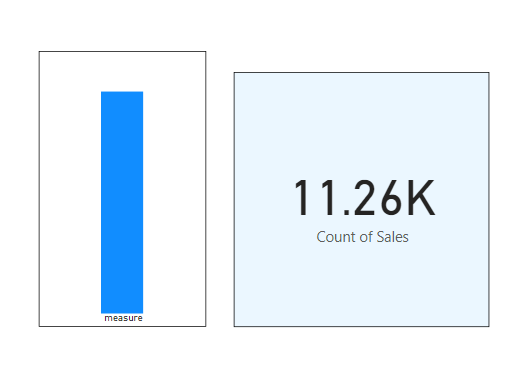
i want to change the background color of card on selection of bar chart which is using measure not colum.
i used below Dax
if(isfiltered(Table[Column]) , "Green", "Blue")
But the issue is i have measure not colum. measure is not allowed in filter function. how can i solve it.
i have attached a picture for your refference
Solved! Go to Solution.
@HassanAli123 , Take a dummy column, We can not capture the click of measure.
Create a table with single column using enter data and use that as axis
Else give button use bookmark and button
Hi @HassanAli123 ,
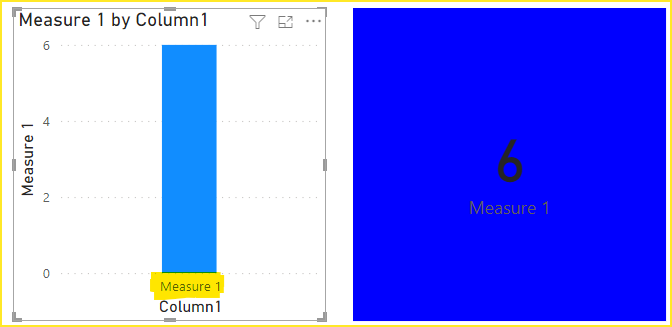
Please create a new single-column table.
And put it into the axis of the bar chart.
Create a measure.
colour = IF(ISFILTERED('Table'[Column1]),"Green","Red")
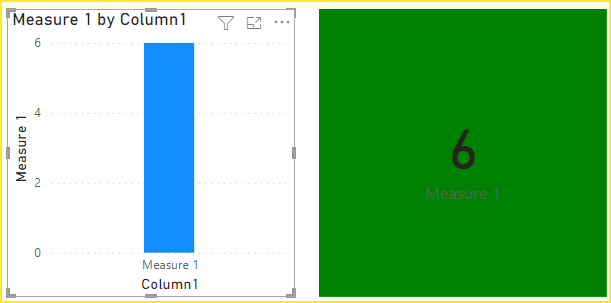
When you click on the bar, the color of the card changes to green.
Attach the pbix file for reference. Hope it helps.
Best Regards,
Community Support Team_Gao
If there is any post helps, then please consider Accept it as the solution to help the other members find it more quickly. If I misunderstand your needs or you still have problems on it, please feel free to let us know. Thanks a lot!
Hi @HassanAli123 ,
Please create a new single-column table.
And put it into the axis of the bar chart.
Create a measure.
colour = IF(ISFILTERED('Table'[Column1]),"Green","Red")
When you click on the bar, the color of the card changes to green.
Attach the pbix file for reference. Hope it helps.
Best Regards,
Community Support Team_Gao
If there is any post helps, then please consider Accept it as the solution to help the other members find it more quickly. If I misunderstand your needs or you still have problems on it, please feel free to let us know. Thanks a lot!
@HassanAli123 , Take a dummy column, We can not capture the click of measure.
Create a table with single column using enter data and use that as axis
Else give button use bookmark and button
The Power BI Data Visualization World Championships is back! Get ahead of the game and start preparing now!
Check out the November 2025 Power BI update to learn about new features.
| User | Count |
|---|---|
| 59 | |
| 46 | |
| 42 | |
| 23 | |
| 18 |
| User | Count |
|---|---|
| 193 | |
| 124 | |
| 101 | |
| 67 | |
| 49 |