cancel
Showing results for 
Search instead for 
Did you mean: 

A new Data Days event is coming soon! This time we’re going bigger than ever. Fabric, Power BI, SQL, AI and more. Don't miss out.

Reply
Anonymous
Not applicable

cannot disable interaction between visuals

Hello,


I have a page with two sections, each section has multiple visuals and one slicer. 

Each section (therefore each slicer) is independant from the the other. 


At every interaction with one of visual or slicer, all visuals on the page start to refresh, how can I deactivate this ?


Additional information : 

- Interactions between visuals are disabled using "edit interaction" 

- "Disabling cross highlighting/filtering by default" option is activated 

- Section 1 uses data in import mode, section 2 in Direct Query mode


Thanks a lot in advance.

6 REPLIES 6
amitchandak
Super User
Super User

@Anonymous , not very clear. Sometime, if visuals are overlapping(Or near to top or bottom edge), then you might not see the interaction signs. just adjust a bit and check

Share with Power BI Enthusiasts: Full Power BI Video (20 Hours) YouTube
Microsoft Fabric Series 60+ Videos YouTube
Microsoft Fabric Hindi End to End YouTube
Anonymous
Not applicable

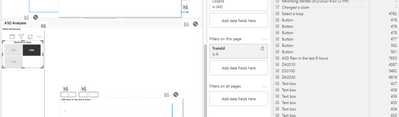
See attached image : 


Slicer "select a loop" should be disconnected from visual below.

But in performance analyzer tool, query behind that graph is still executed on slicer interaction. 


ourmel_0-1599065760797.png


Anonymous
Not applicable

@Anonymous 

Could you upload a sample pbix to show that issue, so can have a look, I cannot reproduce that interaction loop issue with my tests.


Regards
Paul

Anonymous
Not applicable

Will do that ASAP thanks !

A general question: is it a normal behaviour from powerbi that all visuals on a page reload at each slicer interaction even if interactions are disabled between slicers and visual ?

Greg_Deckler
Community Champion
Community Champion

@Anonymous - So generally, you go to View tab, Edit Interactions. You select a visual. You click the ghostbuster symbol on all your other visuals. Is this not working?


Follow on LinkedIn
@ me in replies or I'll lose your thread!!!
Instead of a Kudo, please vote for this idea
Become an expert!: Enterprise DNA
External Tools: MSHGQM
YouTube Channel!: Microsoft Hates Greg
Latest book!:
DAX For Humans

DAX is easy, CALCULATE makes DAX hard...
Anonymous
Not applicable

unfortnately not, I do not see any difference between those active and not active. 

Helpful resources

Announcements
May Power BI Update Carousel

Power BI Monthly Update - May 2026

Check out the May 2026 Power BI update to learn about new features.

Fabric SQL PBI Data Days

Data Days 2026 coming soon!

Sign up to receive a private message when registration opens and key events begin.

New to Fabric survey Carousel

New to Fabric Survey

If you have recently started exploring Fabric, we'd love to hear how it's going. Your feedback can help with product improvements.

Power BI DataViz World Championships carousel

Power BI DataViz World Championships - June 2026

A new Power BI DataViz World Championship is coming this June! Don't miss out on submitting your entry.