cancel
Showing results for 
Search instead for 
Did you mean: 

A new Data Days event is coming soon! This time we’re going bigger than ever. Fabric, Power BI, SQL, AI and more. Don't miss out.

Reply
Anonymous
Not applicable

bookmarks

hi Experts


how would you use a bookamrk to proform the following two steps.


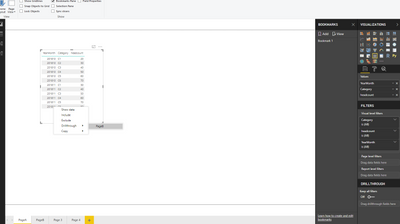
1. i have drill through from page A into page B. on the drill thorugh i want to remove the filter Date Calculation. which i can do. but the problem is that i do not want the filter for the period to revert back to the month when the bookmark was create. So if i filter from page A with the period OCT 2018 and then click the button to run the book mark i do not want to see April 2018 ..


Capture.PNG


1 ACCEPTED SOLUTION
v-yulgu-msft
Microsoft Employee
Microsoft Employee

Hi @Anonymous,


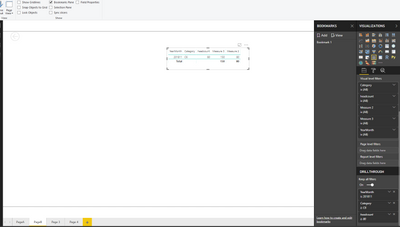
Do you want to keep the filter state when you add a bookmark based on the report page that you drill through to? In my test, Power BI desktop does that as expected.

1.PNG2.PNG


Best regards,

Yuliana Gu

Community Support Team _ Yuliana Gu
If this post helps, then please consider Accept it as the solution to help the other members find it more quickly.

View solution in original post

3 REPLIES 3
Anonymous
Not applicable

https://docs.microsoft.com/en-us/power-bi/desktop-bookmarks


When you create a bookmark, the following elements are saved with the bookmark:

  • The current page
  • Filters
  • Slicers, including slicer type (for example, dropdown or list) and slicer state
  • Visual selection state (such as cross-highlight filters)
  • Sort order
  • Drill location
  • Visibility (of an object, using the Selection pane)
  • The focus or Spotlight modes of any visible object


Limitations and considerations

In this release of the bookmarks, there are a few limitations and considerations to keep in mind.

  • Most custom visuals should work well with bookmarking. If you run into trouble with bookmarking and a custom visual, contact the creator of that custom visual and ask them to add support for bookmarks to their visual.
  • If you add a visual on a report page after creating a bookmark, the visual will be displayed in its default state. This also means that if you introduce a slicer into a page where you previously created bookmarks, the slicer will behave in its default state.
  • Moving around visuals after a bookmark has been created will be reflected in the bookmark.
v-yulgu-msft
Microsoft Employee
Microsoft Employee

Hi @Anonymous,


Do you want to keep the filter state when you add a bookmark based on the report page that you drill through to? In my test, Power BI desktop does that as expected.

1.PNG2.PNG


Best regards,

Yuliana Gu

Community Support Team _ Yuliana Gu
If this post helps, then please consider Accept it as the solution to help the other members find it more quickly.
Anonymous
Not applicable

hi Yuliana Gu


Sorry accidentailly accepted the question. No. thats where i get stuck.

Helpful resources

Announcements
May Power BI Update Carousel

Power BI Monthly Update - May 2026

Check out the May 2026 Power BI update to learn about new features.

Fabric SQL PBI Data Days

Data Days 2026 coming soon!

Sign up to receive a private message when registration opens and key events begin.

New to Fabric survey Carousel

New to Fabric Survey

If you have recently started exploring Fabric, we'd love to hear how it's going. Your feedback can help with product improvements.

Power BI DataViz World Championships carousel

Power BI DataViz World Championships - June 2026

A new Power BI DataViz World Championship is coming this June! Don't miss out on submitting your entry.