cancel
Showing results for 
Search instead for 
Did you mean: 

Next up in the FabCon + SQLCon recap series: The roadmap for Microsoft SQL and Maximizing Developer experiences in Fabric. All sessions are available on-demand after the live show. Register now

Reply
RBunting
Advocate III
Advocate III

Windows 10 screen recording no longer works in PBI Desktop (XBOX Game DVR Console).

In the past with Window 10, I have been able to use the Xbox application, Game bar, to record apps with their audio and also over the mic.  This still works for me at home (with a slightly older version of PBI Desktop).  However, at work, I can't get the recordings to function anymore.  Now I just get a pop up that states "This game does not allow recording."


I'm quite dissappointed, I have been intending on creating some tutorials with this tool, but now it seems disabled.  Any reason why?  Or dos anyone know of a quick fix to this problem?


Thanks so much!


7 REPLIES 7
Anonymous
Not applicable

I am using November 2024 version and it's not working either. The issue was raised in 2019 and still has not been fixed!

peterwak
Frequent Visitor

I have a current version of Power BI (Version: 2.90.1081.0 64-bit (February 2021))

and Game Bar will not record a screen demo of it, as described above.

Pete

v-lili6-msft
Community Support
Community Support

hi, @RBunting 

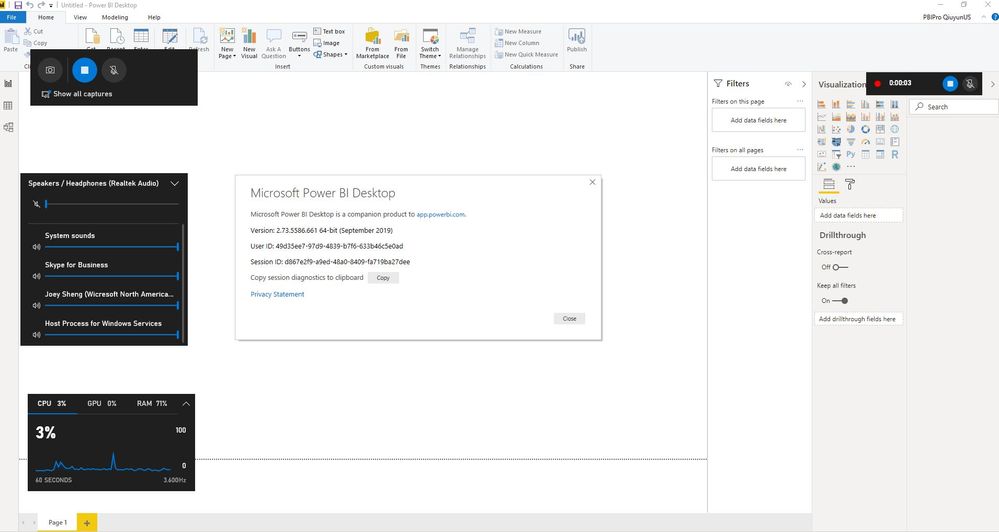
I have test on my side, it works well.

Version: 2.73.5586.661 64-bit (September 2019)

Capture.JPG7.JPG


and if you uninstall and install Aug-2019 version and try it again.

https://docs.microsoft.com/en-us/power-bi/desktop-latest-update-archive


Best Regards,

Lin


Community Support Team _ Lin
If this post helps, then please consider Accept it as the solution to help the other members find it more quickly.
Anonymous
Not applicable

Hi Lin,

This is a horrible suggestion. If it worked and doesn't work now, its a bug. We have to keep up with the latest releases of the PBI Desktop and not being able to easily share video clips of cool things you can do is a pain.

Thanks,
Bill

Could this depend on if yu have installed power BI as a ModernApp from the store och not?

Thanks for your advice.


I downloaded the August version of PowerBI Desktop.  I found that the gamebar recording worked well.  This was no surprise, as I  have been using the Xbox recording tools successfully prior to the September update.


Then I uninstalled all instances of PowerBI, reinstalled the September version, and again, Gamebar doesn't work.  Perhaps the problem is some setting on the DVR Console.


I'll find some other workaround.  Thanks for your time, but I cannot mark this as a solution.  Suggesting that I rollback to prior versions does not really help me work with *this* version, does it?

hi, @RBunting 

Rollback to prior versions is a workaround for you.

And Gamebar works well in September version on my side, not sure why doesn't work for you.

For your case, you could create a support ticket in Power BI Support to get further help to check what is the reason for it.

Best Regards,
Lin


Community Support Team _ Lin
If this post helps, then please consider Accept it as the solution to help the other members find it more quickly.

Helpful resources

Announcements
New to Fabric survey Carousel

New to Fabric Survey

If you have recently started exploring Fabric, we'd love to hear how it's going. Your feedback can help with product improvements.

Power BI DataViz World Championships carousel

Power BI DataViz World Championships - June 2026

A new Power BI DataViz World Championship is coming this June! Don't miss out on submitting your entry.

Join our Fabric User Panel

Join our Fabric User Panel

Share feedback directly with Fabric product managers, participate in targeted research studies and influence the Fabric roadmap.

March Power BI Update Carousel

Power BI Community Update - March 2026

Check out the March 2026 Power BI update to learn about new features.