This is best Fabric, Power BI, SQL and AI community event. How do we know? The last event sold out! Save €200 with code FABCMTY200.
Register nowA new Data Days event is coming soon! This time we’re going bigger than ever. Fabric, Power BI, SQL, AI and more. Don't miss out.
Hi
I am reading this article
https://docs.microsoft.com/en-us/power-query/connectors/web/web-by-example
and trying to connect to this website
https://www.microsoft.com/store/top-paid/games/xbox?category=classics
usign Excel Power Query
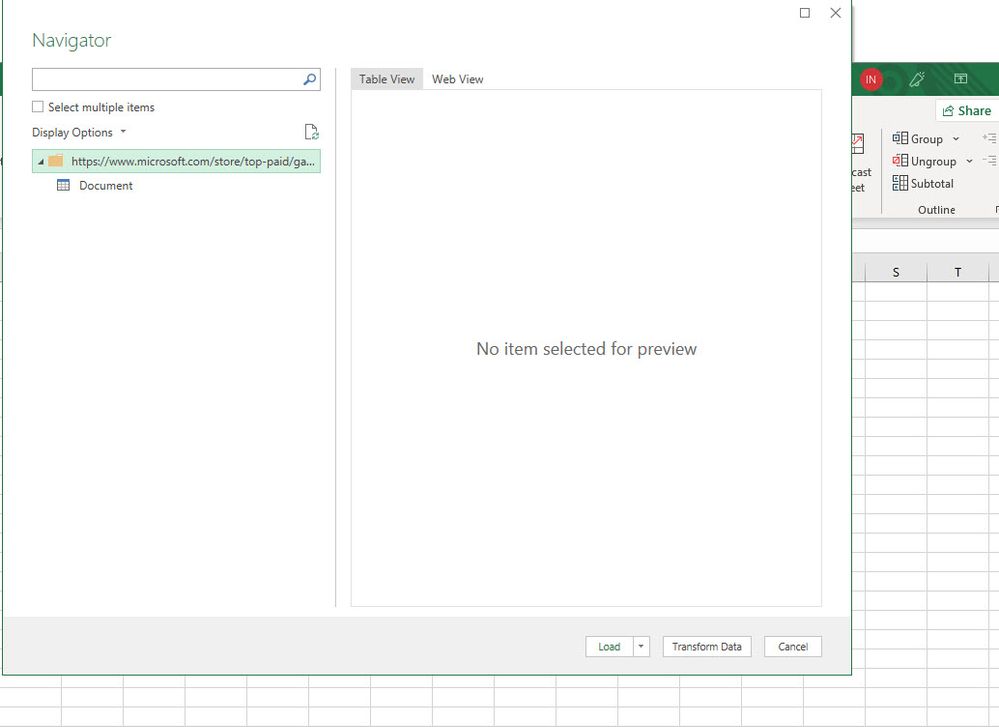
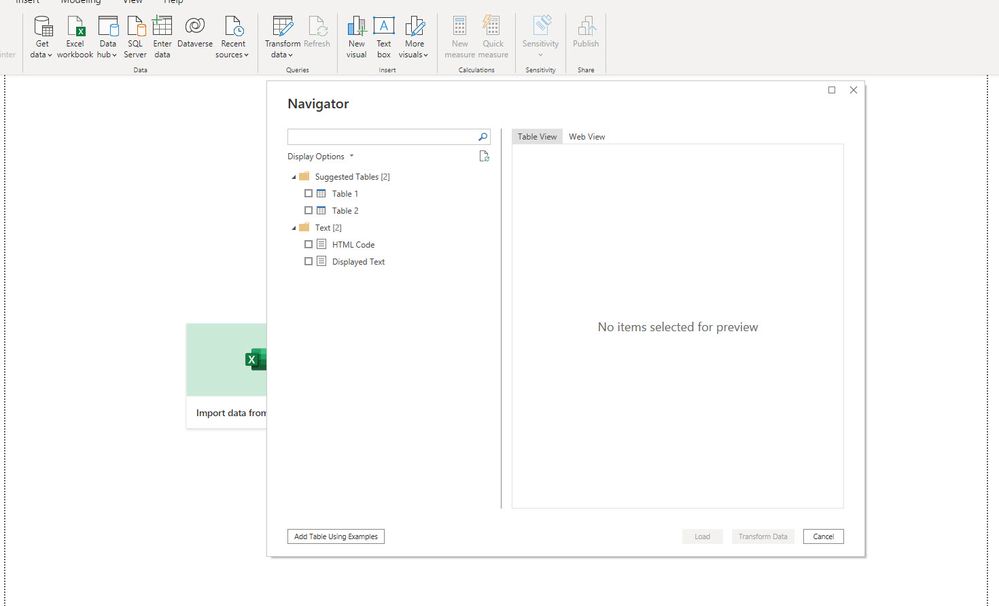
But I can not find any table but when I used PBI power query, I see the list of all tables, please see screenshots. Why I do not see tables when I use Excel Power Query? Thank you very much.
++++++++++++++++
Solved! Go to Solution.
Hi @lastnn30 .
The Power Query has different developments in Power BI and in Excel, also in different versions of Excel you have a different development, so there is no direct match between the two, altough they are the "same" program.
Depending on the version you are on Excel or Power BI you have different options and connectors.
Regards
Miguel Félix
Proud to be a Super User!
Check out my blog: Power BI em PortuguêsHi @lastnn30 .
The Power Query has different developments in Power BI and in Excel, also in different versions of Excel you have a different development, so there is no direct match between the two, altough they are the "same" program.
Depending on the version you are on Excel or Power BI you have different options and connectors.
Regards
Miguel Félix
Proud to be a Super User!
Check out my blog: Power BI em PortuguêsSign up to receive a private message when registration opens and key events begin.
If you have recently started exploring Fabric, we'd love to hear how it's going. Your feedback can help with product improvements.
| User | Count |
|---|---|
| 33 | |
| 25 | |
| 23 | |
| 20 | |
| 15 |
| User | Count |
|---|---|
| 64 | |
| 41 | |
| 27 | |
| 22 | |
| 22 |