
Don't miss your chance to take the Fabric Data Engineer (DP-700) exam on us!
Learn moreWe've captured the moments from FabCon & SQLCon that everyone is talking about, and we are bringing them to the community, live and on-demand. Starts on April 14th. Register now
Hello Everyone! Hoping you can help.
I have a column I created that gets the Day of Week from a Date. I'd like to sort that Day of Week in my visual by date from oldest to newest and not by weekday. I'm tyring to show the last 7 days but by Weekday instead of an actual date, but the Weekday either sorts alphabetically or numberically (1, 2, 3, ect..). How can I get it to sort by the actual date?
Note, that I'm working in Direct Query
Thank you!
Hi @ThisIsIt ,
quick and dirty.
Put the date in the tooltip and sort by the Earliest date.
If I answered your question, please mark my post as solution, this will also help others.
Please give Kudos for support.
Marcus Wegener works as Full Stack Power BI Engineer at BI or DIE.
His mission is clear: "Get the most out of data, with Power BI."
twitter - LinkedIn - YouTube - website - podcast - Power BI Tutorials
Hi @ThisIsIt ,
has your question been answered?
If I answered your question, please mark my post as solution, this will also help others.
Please give Kudos for support.
Marcus Wegener works as Full Stack Power BI Engineer at BI or DIE.
His mission is clear: "Get the most out of data, with Power BI."
twitter - LinkedIn - YouTube - website - podcast - Power BI Tutorials
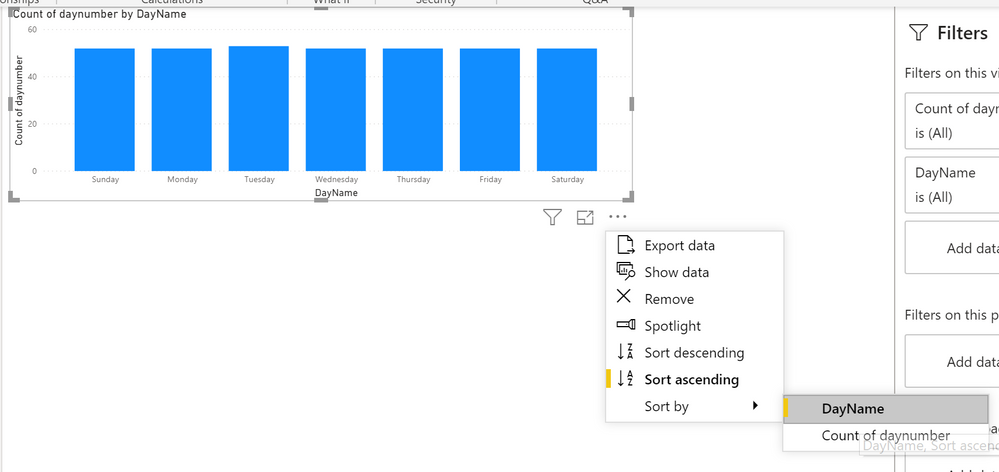
You can change the 'Sort by' of a column. In your case, you could create a new table with daynumber - dayname rows (so 7 rows), and then create a relationship between that table and you real table. (based on dayname). Then select the dayname column (in Dataview), and select 'Sort by' daynumber. In your visual, insert the dayname column of the new table as axis, and values from your original table. Then sort the visual on dayname (which sorts it to daynumber).:
Kind regards
Djerro123
-------------------------------
If this answered your question, please mark it as the Solution. This also helps others to find what they are looking for.
Keep those thumbs up coming! 🙂
Proud to be a Super User!
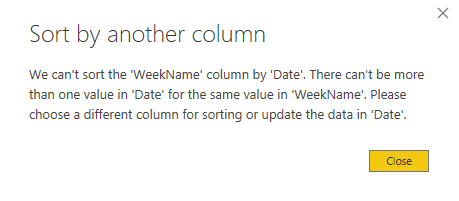
Unless I'm missing what you are saying, I'm actually trying to sort by Date and not Number. I have my visual set for a relative date of 1 week. I'd like to have the most recent date to the right and the oldest to the left, but displayed by WeekDay instead of date. I tried selecting the WeekDay column and changing the sort by from the modeling tab but it threw an error (see below).
These should be reversed if sorted correctly by Date as opposed to WeekDay Name
Hi @ThisIsIt ,
according to my understanding, @JarroVGIT suggestion is right.
First on power query, arrange your date in ascending order or descending order
Then have an index column that corresponds to your Weekname.
Then on Modeling tab, you can use the sort the week by the index column you made.
or
Simply have a date table.
If you have recently started exploring Fabric, we'd love to hear how it's going. Your feedback can help with product improvements.
A new Power BI DataViz World Championship is coming this June! Don't miss out on submitting your entry.
Share feedback directly with Fabric product managers, participate in targeted research studies and influence the Fabric roadmap.
| User | Count |
|---|---|
| 53 | |
| 37 | |
| 35 | |
| 19 | |
| 17 |
| User | Count |
|---|---|
| 74 | |
| 70 | |
| 39 | |
| 35 | |
| 23 |