This is best Fabric, Power BI, SQL and AI community event. How do we know? The last event sold out! Save €200 with code FABCMTY200.
Register nowA new Data Days event is coming soon! This time we’re going bigger than ever. Fabric, Power BI, SQL, AI and more. Don't miss out.
Hi,
I have read a few posts on this site and also other sites about the inability to custom sort the Breakdown of a Waterfall chart.
I have tried sorting the Breakdown by custom sorting the value set table. (Sort by column option) It does not work. It always shows breakdown in descending order by values, never by value set.
Is there any method to sort the Breakdown of a waterfall chart? Or is this feature in development?
Thanks.
Imre
Solved! Go to Solution.
Hi @ImreP ,
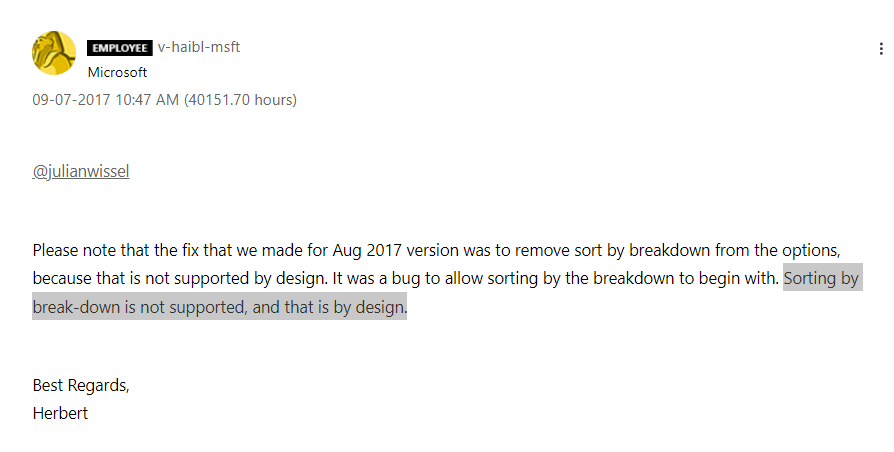
Sorting by breakdown in Waterfall chart is not supported by design.
Reference: Sorting on breakdown attribue of waterfall chart not working
Best Regards,
Icey
If this post helps, then please consider Accept it as the solution to help the other members find it more quickly.
Unfortunately, the sorting of breakdowns is not directly available in the current context. However, you can create a chart with Python using Plotly, which allows you to sort the breakdown data as desired.
Please let me know if you need assistance with the code implementation or any further details.
Hi @ImreP ,
Sorting by breakdown in Waterfall chart is not supported by design.
Reference: Sorting on breakdown attribue of waterfall chart not working
Best Regards,
Icey
If this post helps, then please consider Accept it as the solution to help the other members find it more quickly.
I think there are very valid reasons to sort by breakdown.
I created the idea at https://ideas.fabric.microsoft.com/ideas/idea/?ideaid=a950946a-b7ca-ee11-92bd-000d3ad9d8ca please vote and add your comments there.
Check out the May 2026 Power BI update to learn about new features.
Sign up to receive a private message when registration opens and key events begin.
If you have recently started exploring Fabric, we'd love to hear how it's going. Your feedback can help with product improvements.
| User | Count |
|---|---|
| 26 | |
| 25 | |
| 22 | |
| 19 | |
| 17 |
| User | Count |
|---|---|
| 42 | |
| 41 | |
| 40 | |
| 21 | |
| 20 |