Join us at FabCon Atlanta from March 16 - 20, 2026, for the ultimate Fabric, Power BI, AI and SQL community-led event. Save $200 with code FABCOMM.
Register now!View all the Fabric Data Days sessions on demand. View schedule
I have two different measure and wanted get two measure in matrix table based on sigle selection in slicer.
There is slicer if I will one category will give amount and if I will select anther category will give accounts inside the above matrix table.
Thank you !
Solved! Go to Solution.
Hi @Roshan_201295 ,
From what I am understaning, you want to display different results on the matrix depending on the slicer selection.
Here's my solution.
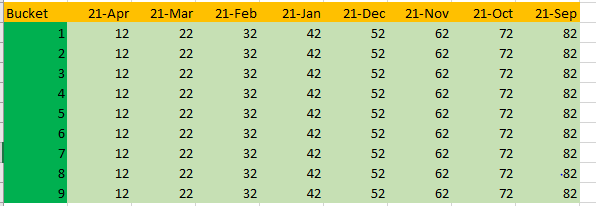
Sample data:
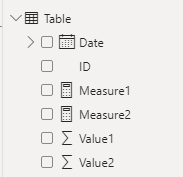
From what you describe, there are two measures.
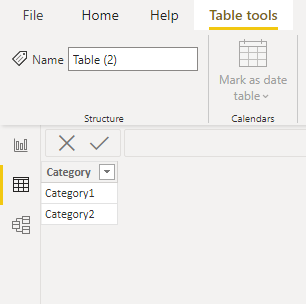
1.Create a category table by entering data.
2.Create a measure for the slicer to select.
Measure = SWITCH(SELECTEDVALUE('Table (2)'[Category]),"Category1",[Measure1],"Category2",[Measure2])
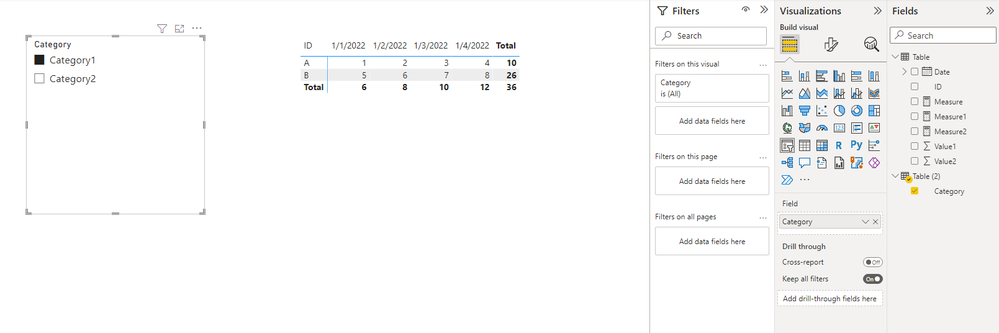
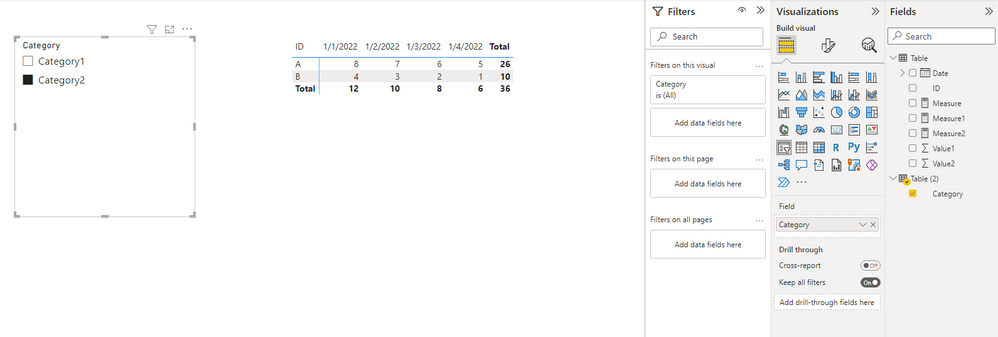
The results are below.
When 'Category1' is selected,
When 'Category2' is selected,
Reference: SWITCH function (DAX) - DAX | Microsoft Docs
Best Regards,
Stephen Tao
If this post helps, then please consider Accept it as the solution to help the other members find it more quickly.
Hi @Roshan_201295 ,
From what I am understaning, you want to display different results on the matrix depending on the slicer selection.
Here's my solution.
Sample data:
From what you describe, there are two measures.
1.Create a category table by entering data.
2.Create a measure for the slicer to select.
Measure = SWITCH(SELECTEDVALUE('Table (2)'[Category]),"Category1",[Measure1],"Category2",[Measure2])
The results are below.
When 'Category1' is selected,
When 'Category2' is selected,
Reference: SWITCH function (DAX) - DAX | Microsoft Docs
Best Regards,
Stephen Tao
If this post helps, then please consider Accept it as the solution to help the other members find it more quickly.
Check out the November 2025 Power BI update to learn about new features.
Advance your Data & AI career with 50 days of live learning, contests, hands-on challenges, study groups & certifications and more!