Share feedback directly with Fabric product managers, participate in targeted research studies and influence the Fabric roadmap.
Sign up nowGet Fabric certified for FREE! Don't miss your chance! Learn more
Hey!
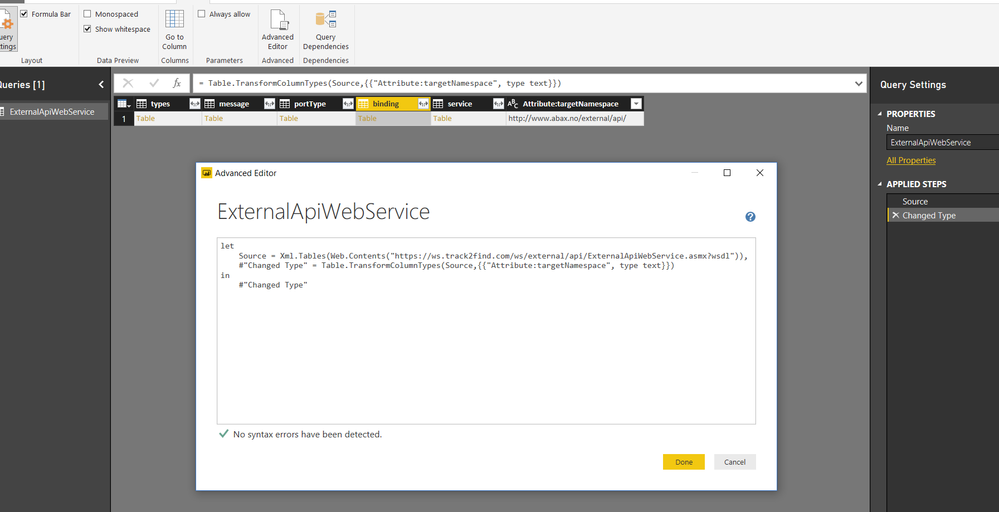
Our service provider for our GPS devices has a web resource that I have managed to connect with in Power Bi.
I have entered the login information, but I only see a list of commands and URLs in the Query Editor tables.
It seems like I have to ask for a specific table to get it, below is the command I need to make a request for, how can I do it?
GetTriplogUnitPositions
Gets the current position of all triplog units.
Request
Name Type Description
SessionId String From login
Response
List of GpsPosition containing the following properties
Name Type Description
SerialNo String Unit Serial Number
UnitName String Unit Name
Latitude Double Latitude WGS84 Degrees
Longitude Double Longitude WGS84 Degrees
Course Double Course in degrees
Speed Double Speed (always 0)
PositionTimeStamp Date Timestamp of the recorded position
GetEquipmentUnitPositions
Gets the current position of all equipment control units.
Regards Erik
You may do research into the function Web.Contents.
Great, can someone help me were to enter the query command and how ?
If you love stickers, then you will definitely want to check out our Community Sticker Challenge!
Check out the January 2026 Power BI update to learn about new features.
| User | Count |
|---|---|
| 62 | |
| 62 | |
| 42 | |
| 20 | |
| 18 |