Join us at FabCon Atlanta from March 16 - 20, 2026, for the ultimate Fabric, Power BI, AI and SQL community-led event. Save $200 with code FABCOMM.
Register now!The Power BI Data Visualization World Championships is back! Get ahead of the game and start preparing now! Learn more
I'm new to Power BI so I walked through the self-guided tutorials from the site.
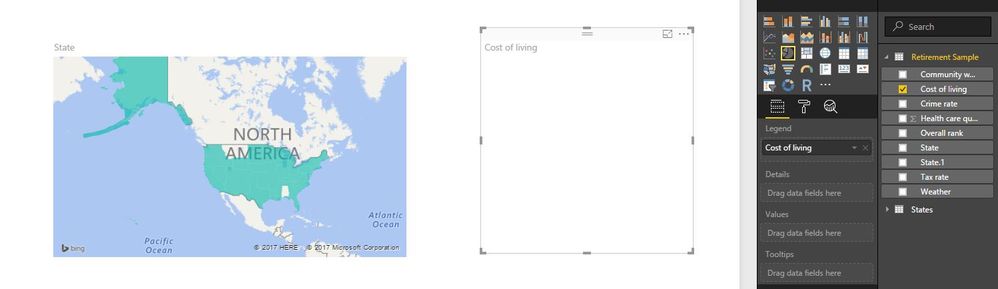
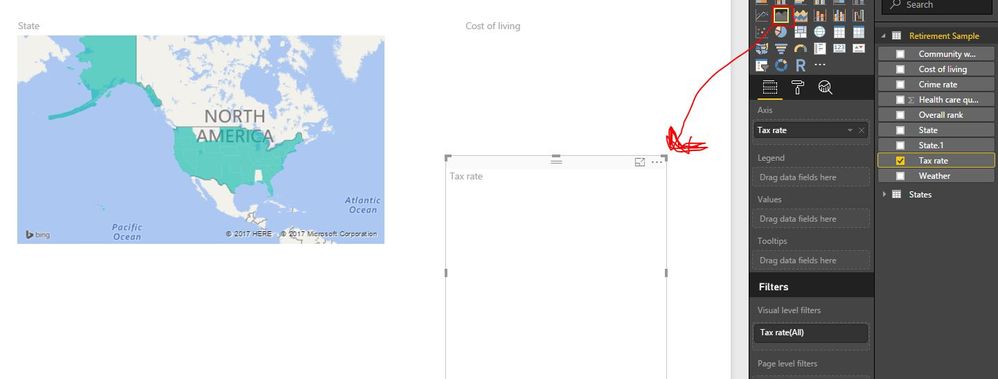
When I associate any visual with my data, it does display. the only visualizations that appear are the table and map visualization. I've tried using different types of data sources and I still can't access any other visulaization. I've used small data set and more complicated ones and still nothing.
I've included some screenshots for refernce. Please help if you can. I have deadlines :-(.
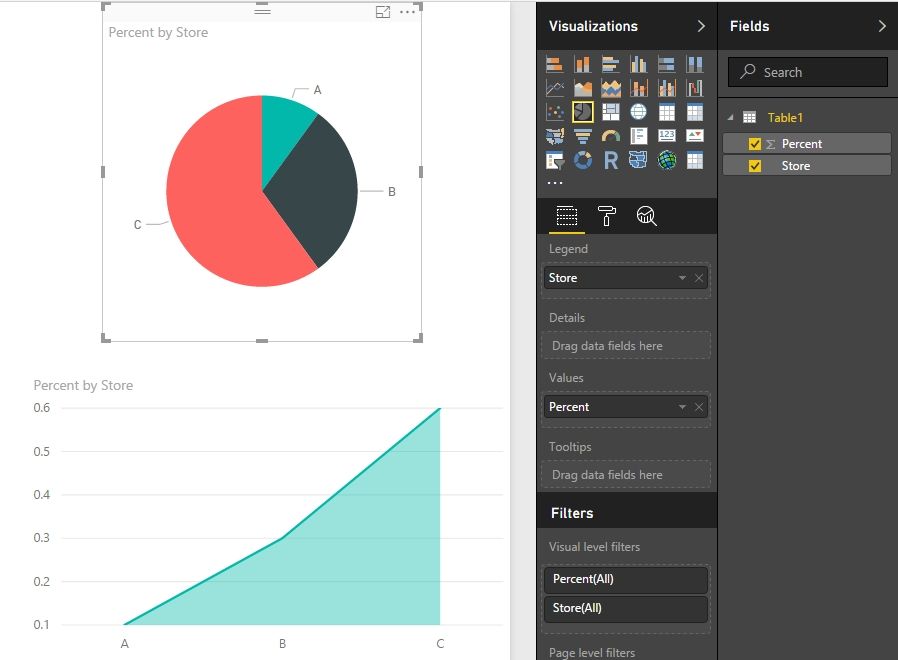
You need to drag the proper column into Values field and other fields if needed. Please see my screenshot below.
These two documents should also be helpful to you.
https://powerbi.microsoft.com/en-us/documentation/powerbi-service-tutorial-doughnut-charts/
https://powerbi.microsoft.com/en-us/documentation/powerbi-service-tutorial-basic-area-chart/
Best Regards,
Herbert
The Power BI Data Visualization World Championships is back! Get ahead of the game and start preparing now!
| User | Count |
|---|---|
| 39 | |
| 35 | |
| 33 | |
| 32 | |
| 27 |
| User | Count |
|---|---|
| 136 | |
| 96 | |
| 77 | |
| 67 | |
| 65 |