Share feedback directly with Fabric product managers, participate in targeted research studies and influence the Fabric roadmap.
Sign up nowGet Fabric certified for FREE! Don't miss your chance! Learn more
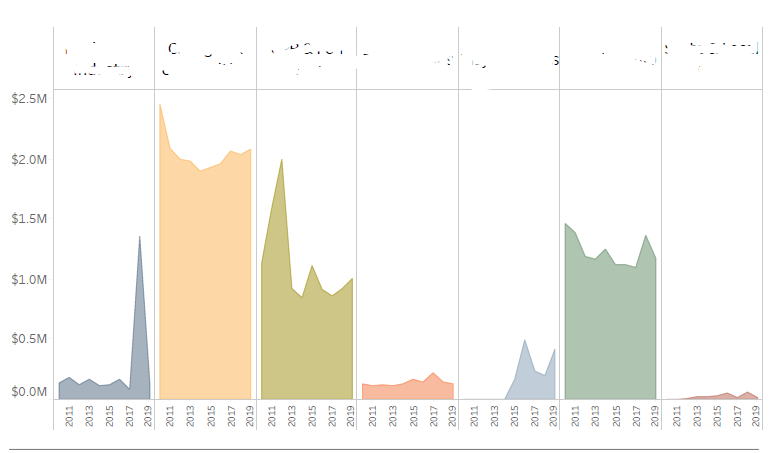
Hi I would like to show exactly same visual in my report, i would highly appreciate if anyone could help me?
Solved! Go to Solution.
@mohammedkhan , I think this a tableau visual. I tried the same stuff with bar visual in my series Tableau vs Power bi- Check this out https://www.youtube.com/watch?v=2P5BBRN853c
I tried changing it to Area. It only gives, marker as colored not area.
You can check some custom visual https://appsource.microsoft.com/en-us/marketplace/apps?product=power-bi-visuals
@mohammedkhan , I think this a tableau visual. I tried the same stuff with bar visual in my series Tableau vs Power bi- Check this out https://www.youtube.com/watch?v=2P5BBRN853c
I tried changing it to Area. It only gives, marker as colored not area.
You can check some custom visual https://appsource.microsoft.com/en-us/marketplace/apps?product=power-bi-visuals
Share feedback directly with Fabric product managers, participate in targeted research studies and influence the Fabric roadmap.
If you love stickers, then you will definitely want to check out our Community Sticker Challenge!
Check out the January 2026 Power BI update to learn about new features.
| User | Count |
|---|---|
| 63 | |
| 62 | |
| 42 | |
| 20 | |
| 18 |