Get certified for free when you join Fabric Data Days 2026 and dive into Fabric, Power BI, SQL, AI, and other essential data skills.
Join nowTry your skills in the Power BI Dataviz World Championship! Round one ends June 26. Join now
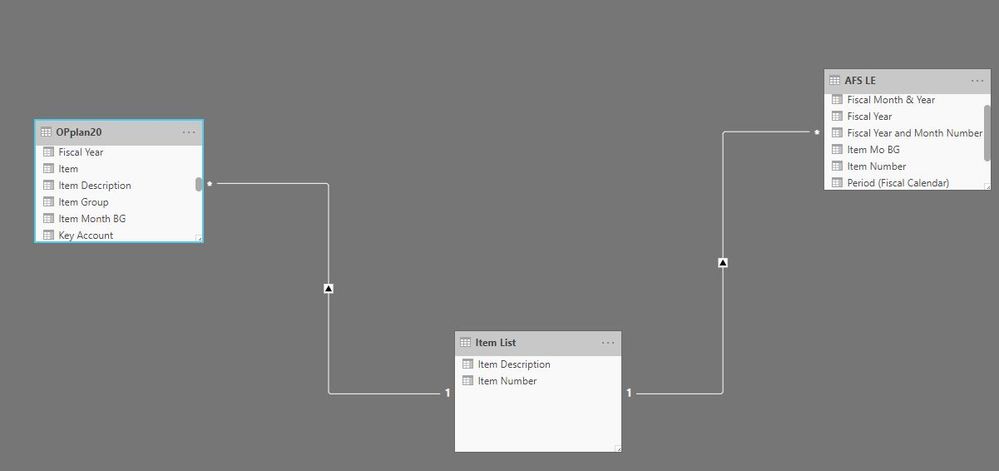
I have 3 data sets. One set is the unique identifier values. I have created the relationships and they appear to be working correctly. However when I go to create a table, when I attempt to bring in values from one of the data sets I receive the error that the visual cannot be displayed. I have cleaned the data, ensured there are no duplicates, and ensured that the relationships are flowing one to many. Any ideas why I would get this error?
Solved! Go to Solution.
@Anonymous I updated my Power BI with most current version yesterday...thought that might solve the issues I was having.
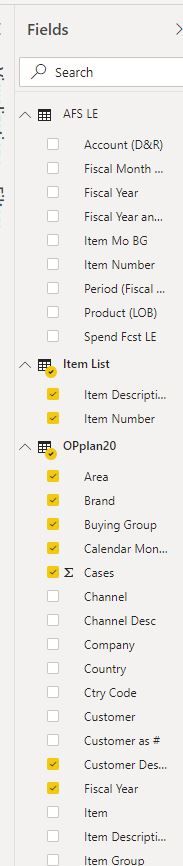
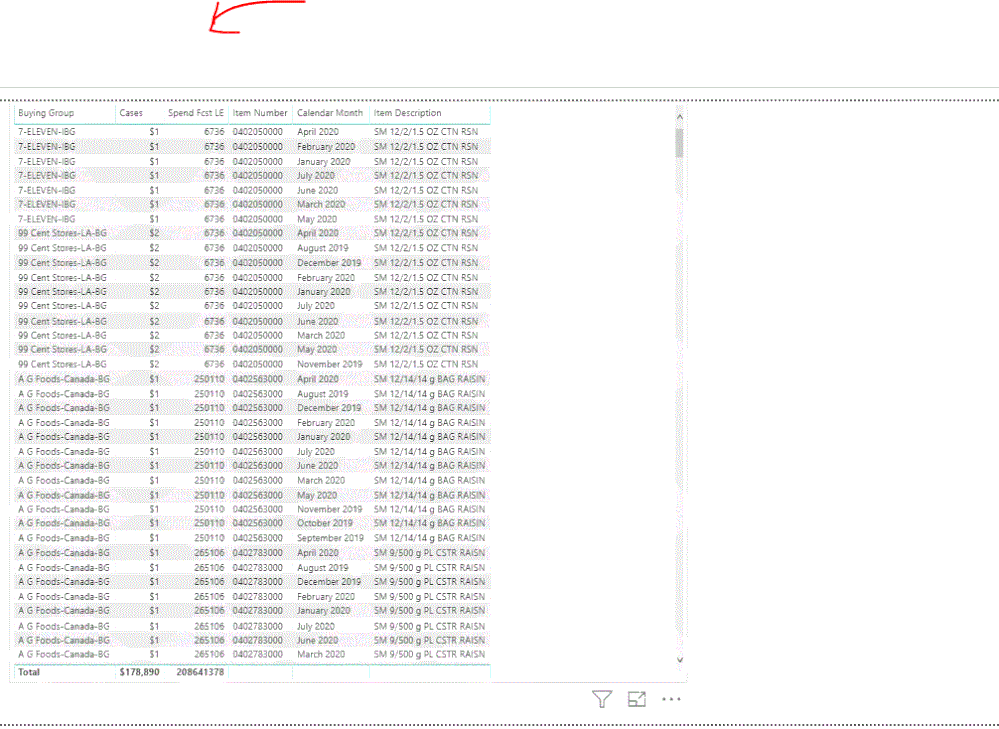
@Anonymous I am just trying to create a table, it is very basic, I just need to have one variable (spend fcst LE) being pulled into the Op Plan 20 table. However I continue to receive the visual cannot be displayed error.
I can provide you a DL link in a DM shortly.
@Anonymous I updated my Power BI with most current version yesterday...thought that might solve the issues I was having.
Don't miss out on Data Days, June 15 through August 7. Learn Fabric, Power BI, SQL, AI and more.
Check out the May 2026 Power BI update to learn about new features.
| User | Count |
|---|---|
| 24 | |
| 22 | |
| 20 | |
| 18 | |
| 13 |
| User | Count |
|---|---|
| 68 | |
| 57 | |
| 42 | |
| 42 | |
| 30 |