Don't miss your chance to take the Fabric Data Engineer (DP-600) exam for FREE! Find out how by attending the DP-600 session on April 23rd (pacific time), live or on-demand.
Learn moreJoin the FabCon + SQLCon recap series. Up next: Power BI, Real-Time Intelligence, IQ and AI, and Data Factory take center stage. All sessions are available on-demand after the live show. Register now
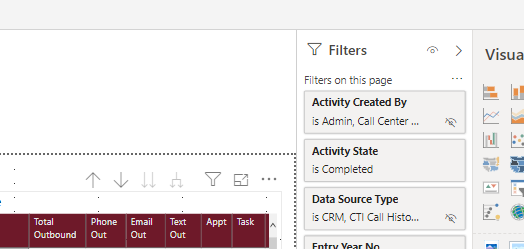
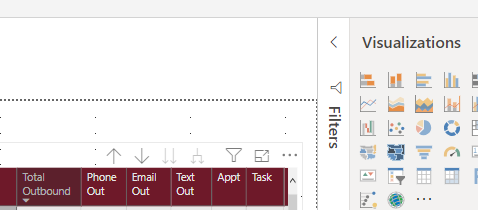
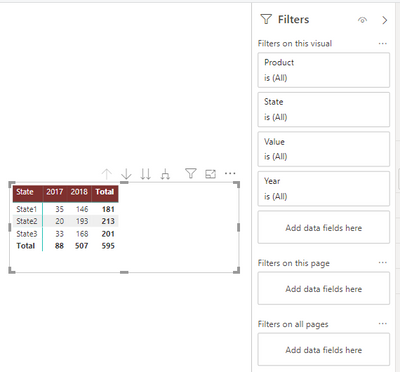
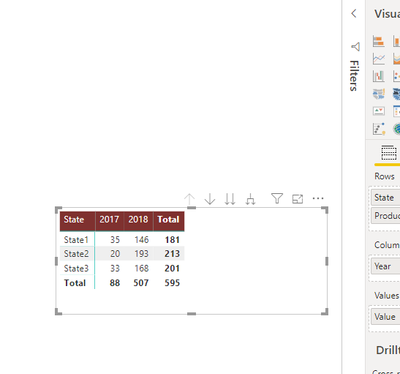
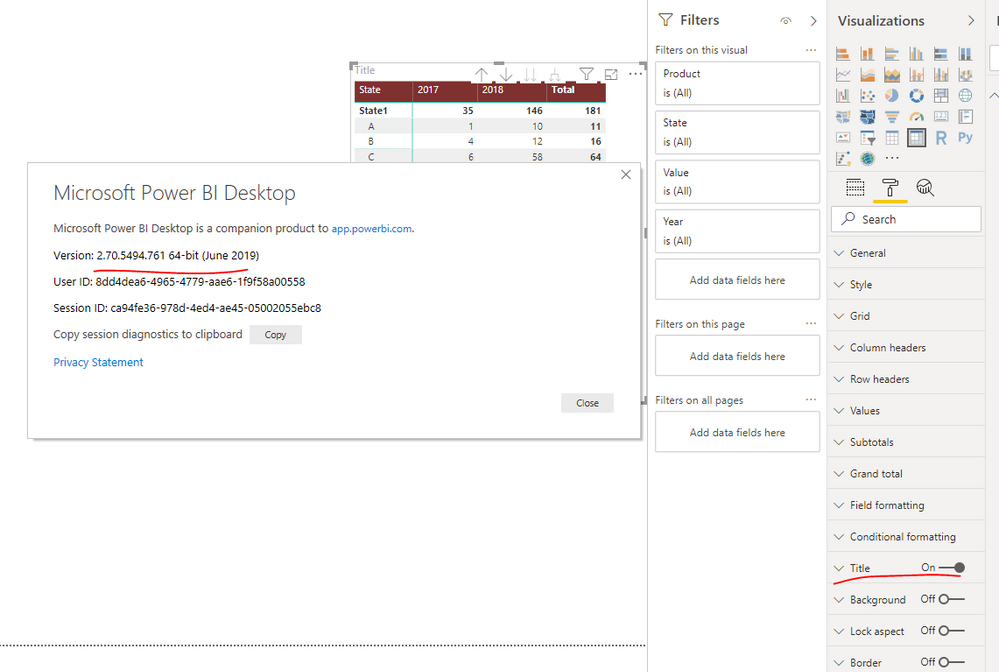
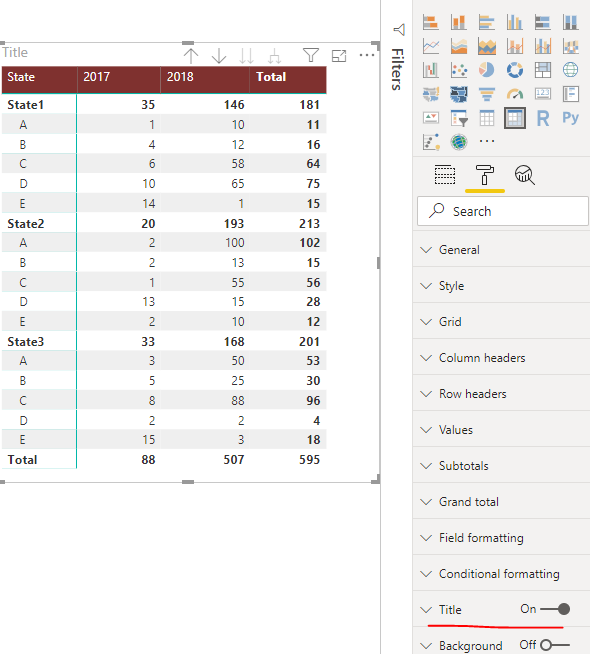
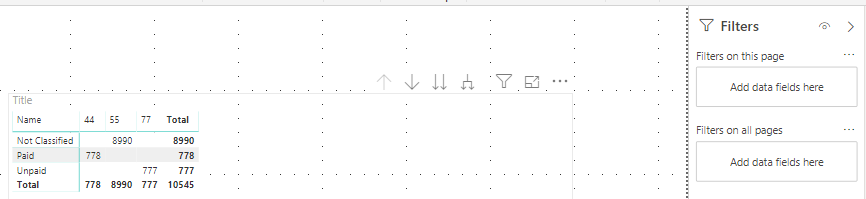
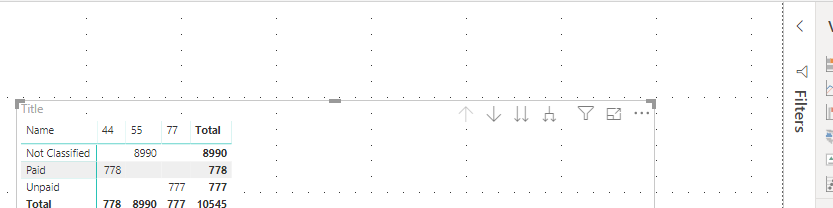
Power BI desktop and service. If the main window is not maximized and the filters tab is open, the visual toolbar is displayed on top of visual controls instead of within the title region.
If you close the filters tab it is then displayed correctly. Also maximizing the main window, it displays correctly as well.
Hi @Anonymous ,
I was not able to reproduce this problem on my side.
Please update your desktop to the latest version for a try.
Best regards,
Yuliana Gu
I am using the latest version. My example didn't show the grid titles because I only copied a portion of the grid. To see the issue you also need to have title turned on and give it a value.
Hi @Anonymous ,
I was still not able to reproduce this behavior on my side. Would you please send me a sample .pbix file for a check?
Best regards,
Yuliana Gu
I still see it happening with the latest version. Need to make sure that Power BI window is not maximized. Then close and open the Filter pane.
https://drive.google.com/file/d/1lgX3LyAJ4NOshPRLQuGnsSPsYDR3Q5Vx/view?usp=sharing
I am having the exact same issue. I am using Version: 2.81.5831.761 64-bit (May 2020)
Check out the April 2026 Power BI update to learn about new features.
If you have recently started exploring Fabric, we'd love to hear how it's going. Your feedback can help with product improvements.
A new Power BI DataViz World Championship is coming this June! Don't miss out on submitting your entry.
| User | Count |
|---|---|
| 48 | |
| 40 | |
| 37 | |
| 20 | |
| 16 |
| User | Count |
|---|---|
| 68 | |
| 67 | |
| 30 | |
| 26 | |
| 26 |