Don't miss your chance to take exam DP-600 or DP-700 on us!
Request nowLearn from the best! Meet the four finalists headed to the FINALS of the Power BI Dataviz World Championships! Register now
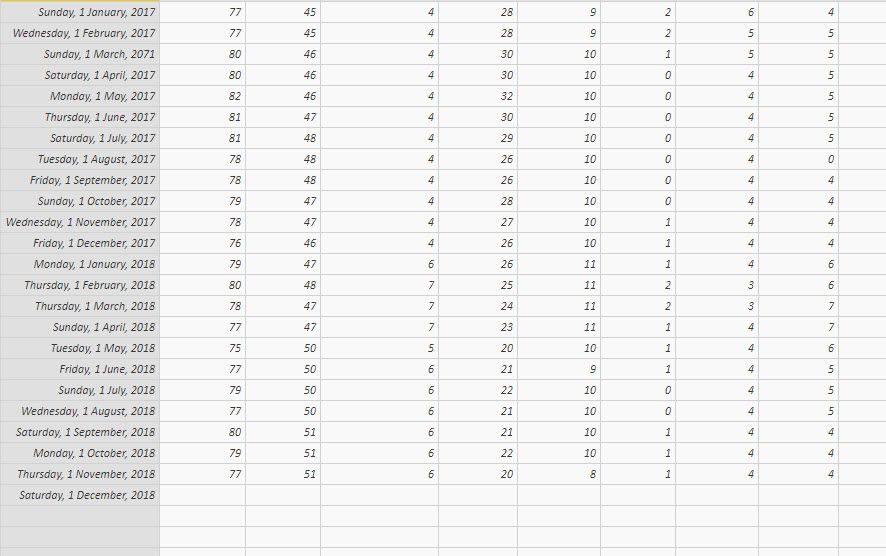
I have what i think is a very simple dataset.
First column is the date and the rest is differnet values for each date.
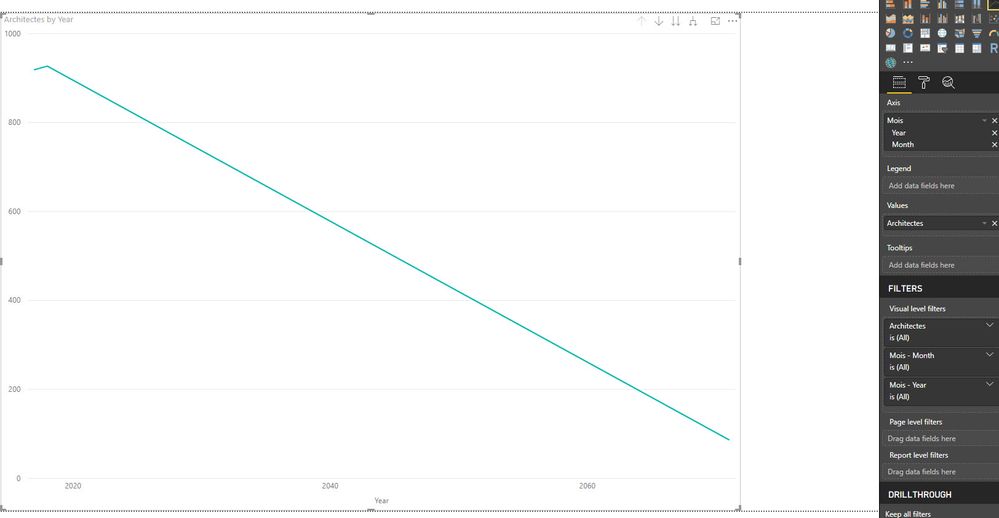
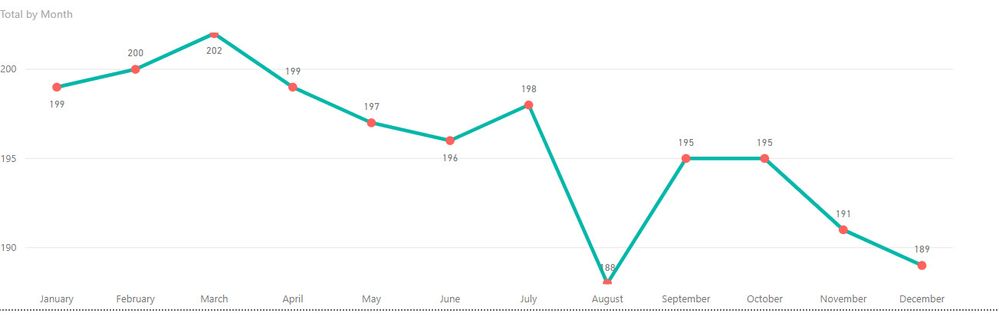
I want to do some basic lines chart using a value for each month but...
i drop a first value then i add the Date field and click on Line Chart but...
it jsut goes award 🙂
What am i missing?
Thanks for any help
Solved! Go to Solution.
Hi @Anonymous,
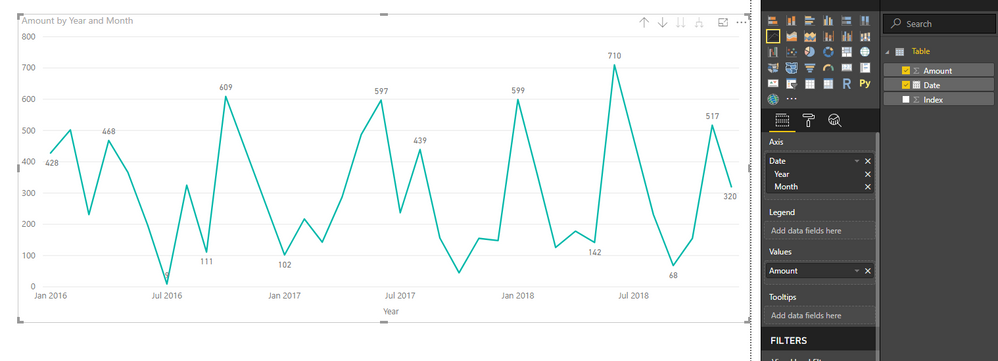
You can try to use date column on axis with hierarchy mode and keep 'year, month' level fields. Then expand each hierarchy level records and you will see you wanted.
Regards,
Xiaoxin Sheng
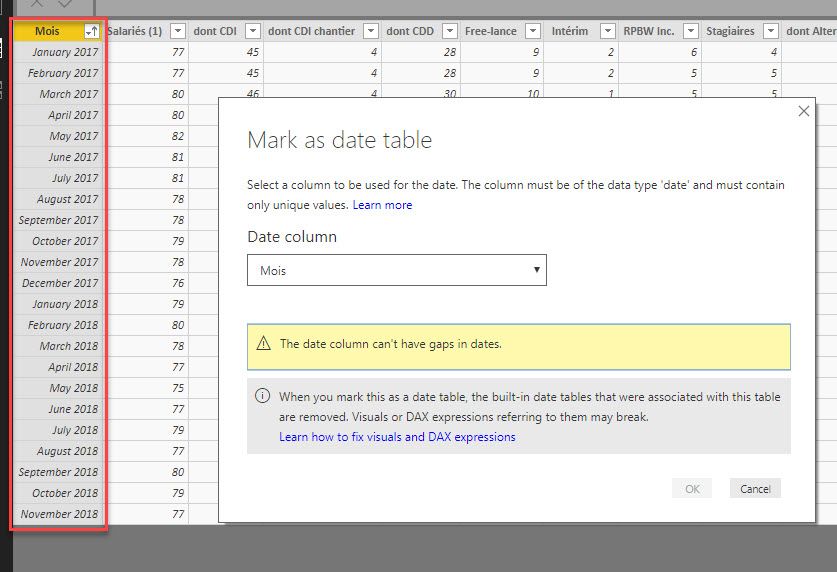
I mananged to clean up the null values from Excel (I needed to Edit the Data Source when i loaded it to figure it out) but now im stuck with the "The date column can't have gaps in dates" message when trying to Mark the table as dates.
Any idea why because as far as i can tell, i don't have a gap
Ok, i realize that there was a problem in the inital dataset.
I fixed it in Excel then hit Refresh but i still get an error about the gap
Making mroe progress but 🙂
I have no idea why but i can use the field now
I removed Quarter and day but now i can only see 1 year of data, any idea why?
Hi @Anonymous,
You can try to use date column on axis with hierarchy mode and keep 'year, month' level fields. Then expand each hierarchy level records and you will see you wanted.
Regards,
Xiaoxin Sheng
Share feedback directly with Fabric product managers, participate in targeted research studies and influence the Fabric roadmap.
Check out the February 2026 Power BI update to learn about new features.
| User | Count |
|---|---|
| 49 | |
| 40 | |
| 37 | |
| 14 | |
| 14 |
| User | Count |
|---|---|
| 86 | |
| 69 | |
| 37 | |
| 29 | |
| 26 |