Get certified for free when you join Fabric Data Days 2026 and dive into Fabric, Power BI, SQL, AI, and other essential data skills.
Join nowTry your skills in the Power BI Dataviz World Championship! Round one ends June 26. Join now
Dear All,
I have the following task that I kindly ask you to help me with :
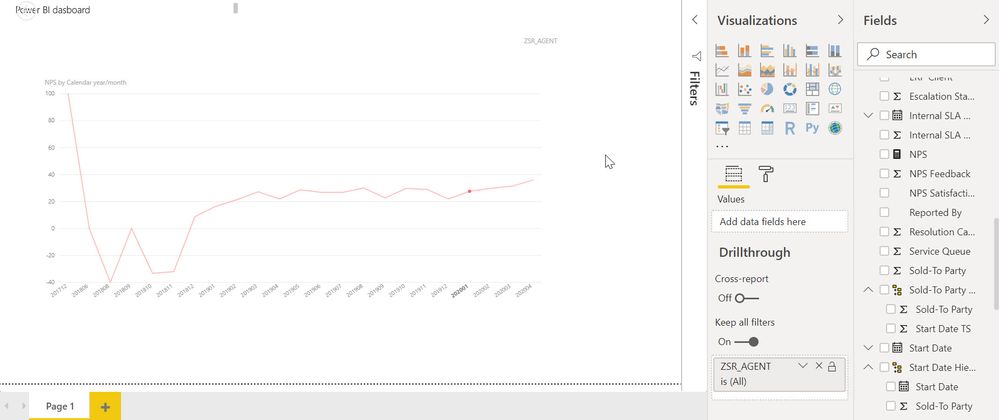
column YYYYMM , values across months
Column YYYYMM is separated from date.
I want to calculate the value of previous month YYYYMM-1 and show it on the chart
PREVIOUS month doesnt help me as its based on date
Thanks
Solved! Go to Solution.
HI @alextarki,
You can try this measure formula if it meets your requirement:
Measure =
VAR currYM =
MAX ( Table[YearMonth] )
VAR prevDate =
DATE ( LEFT ( currYM, 4 ), RIGHT ( currYM, 2 ) - 1, 1 )
VAR prevYM =
YEAR ( prevDate ) * 100
+ MONTH ( prevDate )
RETURN
CALCULATE (
SUM ( Table[Amount] ),
FILTER ( ALLSELECTED ( Table ), [YearMonth] = prevYM )
)
Regards,
Xiaoxin Sheng
Did this work for anyone ? I have tried the suggested measure definition exactly but still getting BLANKs for all the months. Been searching about this for a couple of days now. I am unabe to use PREVIOUSMONTH() becasue I do not have a proper date column with contiguous dates.
Thanks
How can I build the entire previous month value?
HI @alextarki,
You can try this measure formula if it meets your requirement:
Measure =
VAR currYM =
MAX ( Table[YearMonth] )
VAR prevDate =
DATE ( LEFT ( currYM, 4 ), RIGHT ( currYM, 2 ) - 1, 1 )
VAR prevYM =
YEAR ( prevDate ) * 100
+ MONTH ( prevDate )
RETURN
CALCULATE (
SUM ( Table[Amount] ),
FILTER ( ALLSELECTED ( Table ), [YearMonth] = prevYM )
)
Regards,
Xiaoxin Sheng
Don't miss out on Data Days, June 15 through August 7. Learn Fabric, Power BI, SQL, AI and more.
Check out the May 2026 Power BI update to learn about new features.
| User | Count |
|---|---|
| 24 | |
| 22 | |
| 21 | |
| 20 | |
| 14 |
| User | Count |
|---|---|
| 59 | |
| 53 | |
| 41 | |
| 31 | |
| 31 |