Join us at FabCon Atlanta from March 16 - 20, 2026, for the ultimate Fabric, Power BI, AI and SQL community-led event. Save $200 with code FABCOMM.
Register now!The Power BI Data Visualization World Championships is back! Get ahead of the game and start preparing now! Learn more
Dear All,
I have the following task that I kindly ask you to help me with :
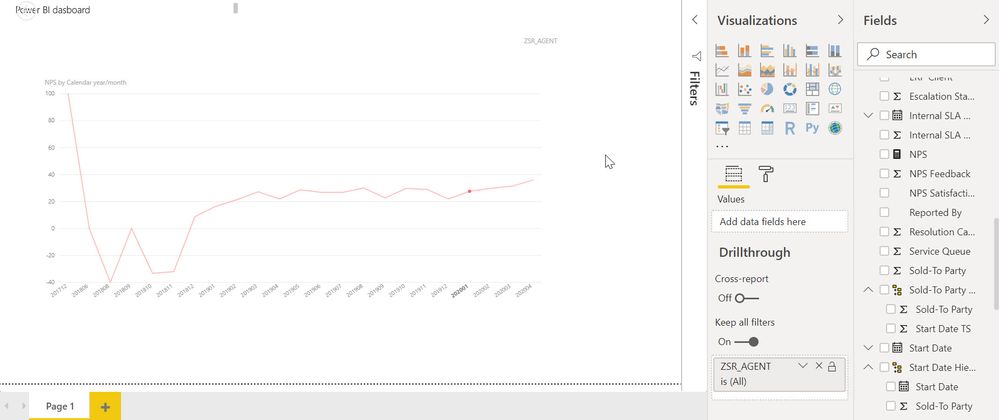
column YYYYMM , values across months
Column YYYYMM is separated from date.
I want to calculate the value of previous month YYYYMM-1 and show it on the chart
PREVIOUS month doesnt help me as its based on date
Thanks
Solved! Go to Solution.
HI @alextarki,
You can try this measure formula if it meets your requirement:
Measure =
VAR currYM =
MAX ( Table[YearMonth] )
VAR prevDate =
DATE ( LEFT ( currYM, 4 ), RIGHT ( currYM, 2 ) - 1, 1 )
VAR prevYM =
YEAR ( prevDate ) * 100
+ MONTH ( prevDate )
RETURN
CALCULATE (
SUM ( Table[Amount] ),
FILTER ( ALLSELECTED ( Table ), [YearMonth] = prevYM )
)
Regards,
Xiaoxin Sheng
Did this work for anyone ? I have tried the suggested measure definition exactly but still getting BLANKs for all the months. Been searching about this for a couple of days now. I am unabe to use PREVIOUSMONTH() becasue I do not have a proper date column with contiguous dates.
Thanks
How can I build the entire previous month value?
HI @alextarki,
You can try this measure formula if it meets your requirement:
Measure =
VAR currYM =
MAX ( Table[YearMonth] )
VAR prevDate =
DATE ( LEFT ( currYM, 4 ), RIGHT ( currYM, 2 ) - 1, 1 )
VAR prevYM =
YEAR ( prevDate ) * 100
+ MONTH ( prevDate )
RETURN
CALCULATE (
SUM ( Table[Amount] ),
FILTER ( ALLSELECTED ( Table ), [YearMonth] = prevYM )
)
Regards,
Xiaoxin Sheng
The Power BI Data Visualization World Championships is back! Get ahead of the game and start preparing now!
| User | Count |
|---|---|
| 41 | |
| 38 | |
| 36 | |
| 30 | |
| 28 |
| User | Count |
|---|---|
| 128 | |
| 88 | |
| 79 | |
| 67 | |
| 62 |