Join us at FabCon Atlanta from March 16 - 20, 2026, for the ultimate Fabric, Power BI, AI and SQL community-led event. Save $200 with code FABCOMM.
Register now!The Power BI Data Visualization World Championships is back! Get ahead of the game and start preparing now! Learn more
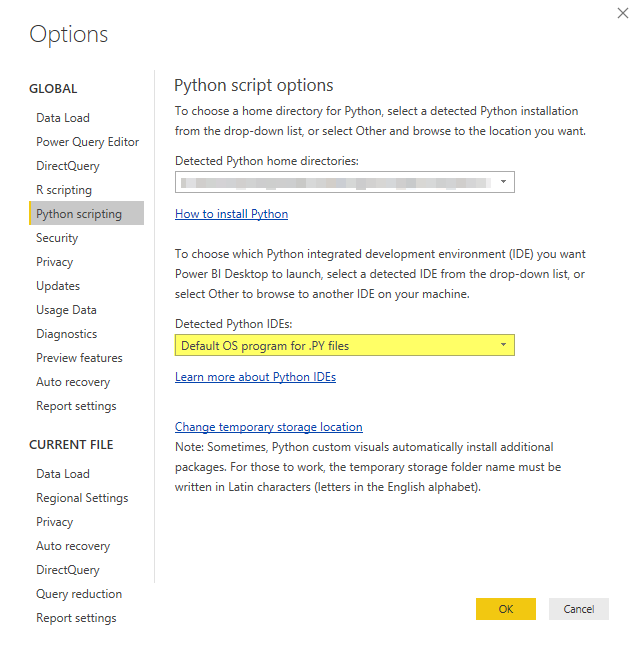
I'll to make a Python script in Power BI as data source. That script I want to write in VS Code (Visual Studio Code). The default app for .py files is VS Code and at the settings of Power BI under "Python scripting", I've selected "Default OS program for .PY files".
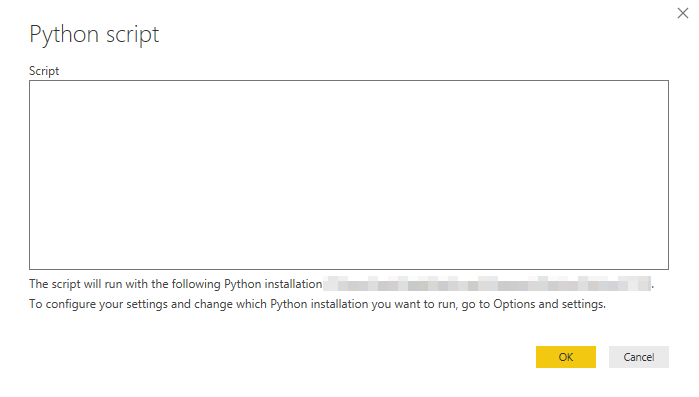
But everythime I'll to create a Python script, this window occure instead of VS Code.
I'm also not able to open VS Code on another way. I've added the path to VS Code, in the hope it would work, but it didn't...
I'll use VS Code 'cause you've syntax highlighting and error messages etc.
I have same problem
Hi @Anonymous ,
Have you read the guide docuement about running python script in Power BI Desktop?
Please refer to the steps in this document which gives an example for Visual Studio Code.
By default, Power BI Desktop will launch Visual Studio Code as the external Python IDE if it's installed on your local computer; if Visual Studio Code is not installed and you have Visual Studio, that will be launched instead. If neither of those Python IDEs is installed, the application associated with .PY files is launched.
Based on your screenshots, it seems that you may not install the Visual Studio Code as the external Python IDE on your local device.
Another reference: Use an external Python IDE with Power BI
Best Regards,
Cherry
@v-piga-msft: The option Visual Studio Code doesn't appear at the "Detected Python IDEs".
This Python IDEs I've installed:
The Power BI Data Visualization World Championships is back! Get ahead of the game and start preparing now!
| User | Count |
|---|---|
| 41 | |
| 37 | |
| 35 | |
| 34 | |
| 28 |
| User | Count |
|---|---|
| 134 | |
| 101 | |
| 71 | |
| 67 | |
| 65 |