
Join us at FabCon Atlanta from March 16 - 20, 2026, for the ultimate Fabric, Power BI, AI and SQL community-led event. Save $200 with code FABCOMM.
Register now!Get Fabric Certified for FREE during Fabric Data Days. Don't miss your chance! Request now
Hello,
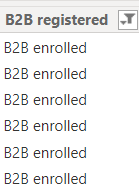
This is my table column. I want to display the COUNT of enrolled and not yet enrolled in every route.
Here's my table visual (left) in power bi. I can only display count of enrolled or not enrolled or both. I want to display the count of both enrolled and not enrolled in two separate columns in one table.
And in another column I need it to display a percent of the enrolled column. Let's say I have 100 enrolled accounts in route 1, I want to display a target of 90%. So the column will display 90.
Thank you!
Thanks for answering! It's my first time using power bi. So I am not so sure about the formula or expression to use.
Please help.
Hello @Anndre ,
so you prepare 3 seperate measure that would display the count of enrolled, count of not enrolled, and the percentage and add three of them to the values of the table and they will display beside each others.
If I answered your question, please mark my post as solution, Appreciate your Kudos 👍
Proud to be a Super User! | |
Thanks for answering! It's my first time using power bi. So I am not so sure about the formula or expression to use.
Please help.
Check out the November 2025 Power BI update to learn about new features.
Advance your Data & AI career with 50 days of live learning, contests, hands-on challenges, study groups & certifications and more!