cancel
Showing results for 
Search instead for 
Did you mean: 

The Power BI Data Visualization World Championships is back! Get ahead of the game and start preparing now! Learn more

Reply
Anonymous
Not applicable

Using a (data) parameter in measures, to change behaviour of buttons

Hi all,


After trying in all sorts of ways and looking at a lot of other forum posts, I still could not get it to work, so here's my question!


We deliver reports to a number of customers, some of which have a Basic subscription and some of which have a Plus subscription. How I would like it to work:

  • We have defined a parameter "CustomerName" in which we select which customer the report is for
  • We have defined a table "Subscriptions" in which we identify for each customer whether he has the Basic of Plus subscription

My goal is to create a measure which looks at the parameter value for CustomerName I have set, and then finds the subscription name in the Subscriptions-table. Using that measure, I can then build different other measures that can e.g. determine what text to display or to which destinations buttons should go.


However, I can't get it to work: I cannot 'extract' the parameter value in a measure. How should this be done?


Hereby you find a couple of screenshots to clarify.


I hope you can help, thanks in advance!


Regards,

Asjen
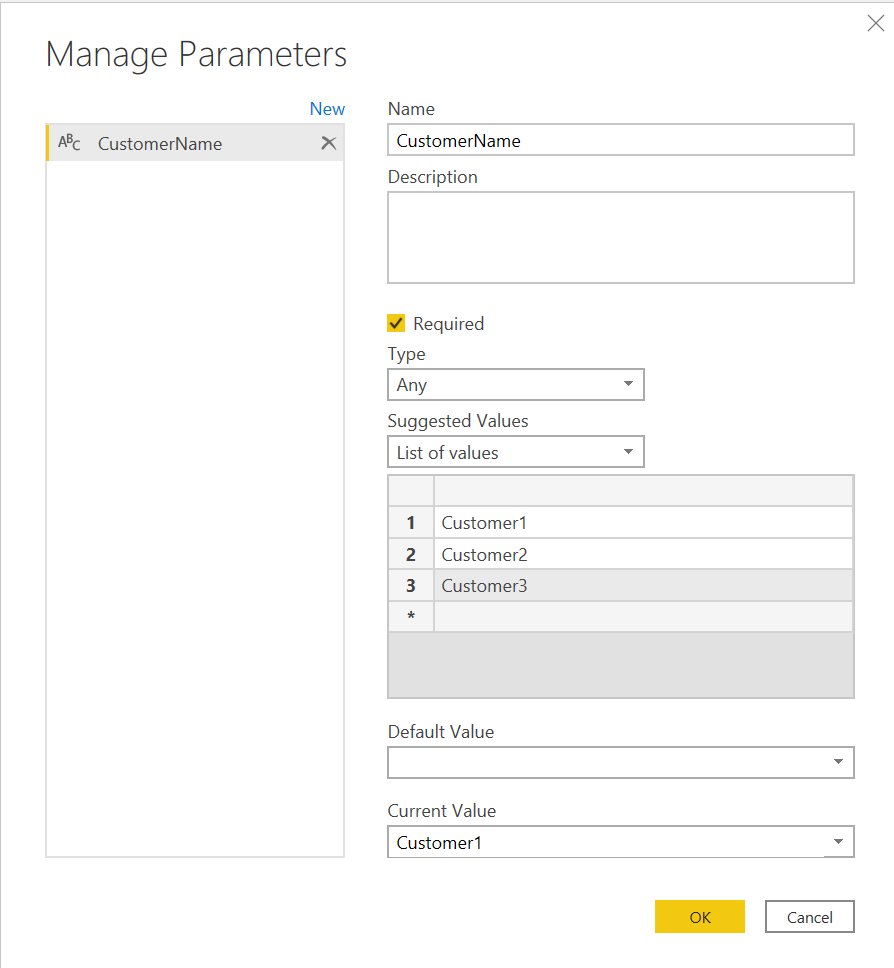
 

2021-04-15 16_45_13-Manage Parameters.png2021-04-15 16_49_00-Untitled - Power Query Editor.png2021-04-15 16_49_58-Untitled - Power BI Desktop.png

1 ACCEPTED SOLUTION
BA_Pete
Super User
Super User

Hi @Anonymous ,


I think you may need to pull your parameter values into their own queries to be able to reference their values in measures.


Try creating a blank query in Power Query and coding it like this:


let
  Source = #table({"paramCustomer"}, {{#"CustomerName"}})
in
  Source


This should give you a single-value table to reference in calculations.


Pete


Now accepting Kudos! If my post helped you, why not give it a thumbs-up?

Proud to be a Datanaut!


View solution in original post

2 REPLIES 2
BA_Pete
Super User
Super User

Hi @Anonymous ,


I think you may need to pull your parameter values into their own queries to be able to reference their values in measures.


Try creating a blank query in Power Query and coding it like this:


let
  Source = #table({"paramCustomer"}, {{#"CustomerName"}})
in
  Source


This should give you a single-value table to reference in calculations.


Pete


Now accepting Kudos! If my post helped you, why not give it a thumbs-up?

Proud to be a Datanaut!


Anonymous
Not applicable

Thank you!

Helpful resources

Announcements
Power BI DataViz World Championships

Power BI Dataviz World Championships

The Power BI Data Visualization World Championships is back! Get ahead of the game and start preparing now!

December 2025 Power BI Update Carousel

Power BI Monthly Update - December 2025

Check out the December 2025 Power BI Holiday Recap!

FabCon Atlanta 2026 carousel

FabCon Atlanta 2026

Join us at FabCon Atlanta, March 16-20, for the ultimate Fabric, Power BI, AI and SQL community-led event. Save $200 with code FABCOMM.
