We've captured the moments from FabCon & SQLCon that everyone is talking about, and we are bringing them to the community, live and on-demand. Starts on April 14th. Register now
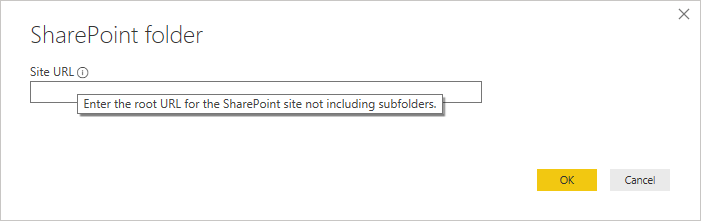
I have a number of CSV files in a SharePoint folder that I would like to combine and use as a datasource much the same way you can use the Folder connector. But, when I select SharePoint Folder, it only wants the root URL for the site not including subfolders. The site contains a ton of other stuff that I dont want to combine and then filter out afterwards.
How can I acces the files in a particular subfolder?
Solved! Go to Solution.
Hi @Anonymous ,
When using the Sharepoint folder you need to give the root folder (as you refer) the trick for this is then to select a file for the function that is on the folder you need to make the transformation, and when you go to the query where the implementation of the function is made, right after the first step (where you have all the information of the files/folders) you filter out by file location only the folder you need.
So you are not filtering at the first step but is still doable.
Believe this is a limitation of the connector.
Regards
Miguel Félix
Proud to be a Super User!
Check out my blog: Power BI em PortuguêsI had the same issue.
In the end, I initially allowed it to load the whole SharePoint subsite and then went into the advanced editor and fixed it up in there:
Under the:
Source = SharePoint.Files("https://acme.sharepoint.com/sites/MySubsite", [ApiVersion = 15]),
line, I added an additional line:
#"Filtered Rows" = Table.SelectRows(Source, each ([Folder Path] = "https://acme.sharepoint.com/sites/MySubsite/Shared Documents/General/FolderName/")), including the comma at the end.
And changed the next line down, that was referencing Source, to reference #"Filtered Rows".
And that seemed to work.
Hi @Anonymous ,
When using the Sharepoint folder you need to give the root folder (as you refer) the trick for this is then to select a file for the function that is on the folder you need to make the transformation, and when you go to the query where the implementation of the function is made, right after the first step (where you have all the information of the files/folders) you filter out by file location only the folder you need.
So you are not filtering at the first step but is still doable.
Believe this is a limitation of the connector.
Regards
Miguel Félix
Proud to be a Super User!
Check out my blog: Power BI em PortuguêsIf you have recently started exploring Fabric, we'd love to hear how it's going. Your feedback can help with product improvements.
A new Power BI DataViz World Championship is coming this June! Don't miss out on submitting your entry.
Share feedback directly with Fabric product managers, participate in targeted research studies and influence the Fabric roadmap.
| User | Count |
|---|---|
| 57 | |
| 38 | |
| 33 | |
| 19 | |
| 16 |
| User | Count |
|---|---|
| 68 | |
| 66 | |
| 41 | |
| 34 | |
| 24 |