This time we’re going bigger than ever. Fabric, Power BI, SQL, AI and more. We're covering it all. You won't want to miss it.
Learn moreLevel up your Power BI skills this month - build one visual each week and tell better stories with data! Get started
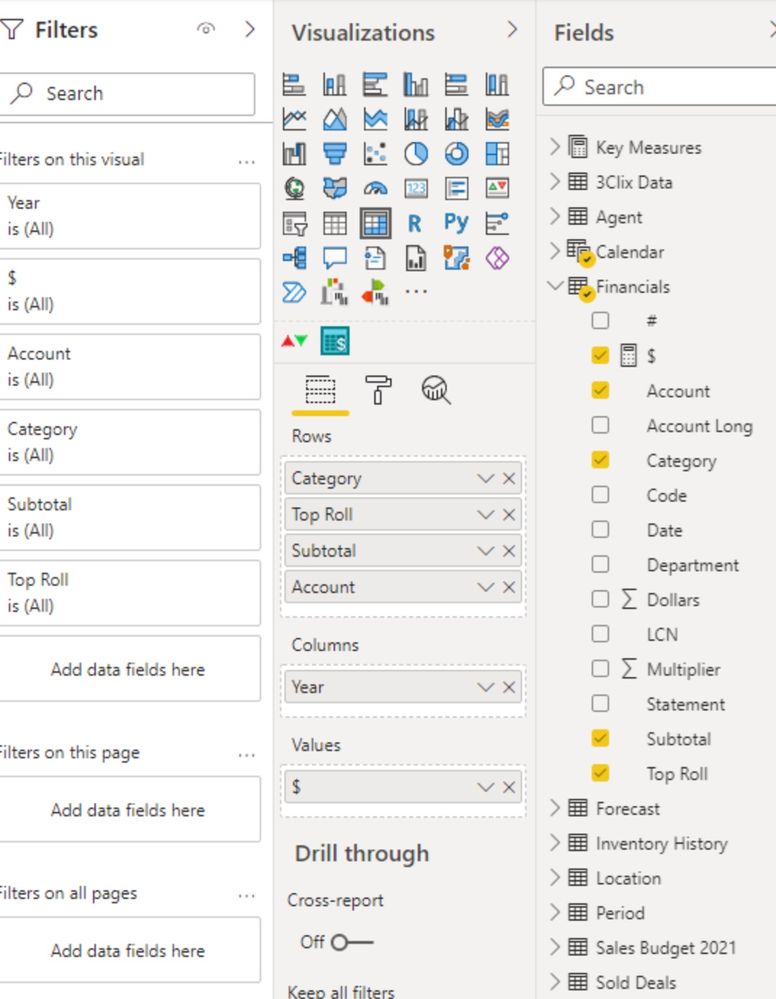
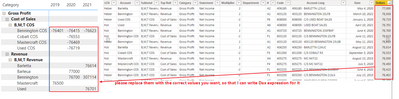
I am realitively new to Power BI. I am attempting to use a multiplier (negative if expense) to construct an income statement. It appears to work at the bottom level of the grouping, however the sub totals are wildly exaggerated. Attached is an example of the problem, along with the table. I'm hoping it's a simple formula error. Please help.
Hi @ShrimpSurf
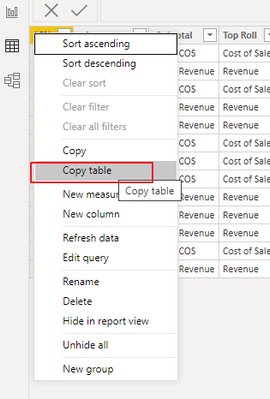
You can use Copy table function to share some sample data,
And please provide the correct value you want based on the sample picture, thank you.
Best Regards,
Community Support Team _Tang
If this post helps, please consider Accept it as the solution to help the other members find it more quickly.
This measure will not work like that. Use should use SUMX instead in this case.
But you can create calculated column in your table like this:
InvertedAmount$ = Financials[Multiplier] * Financials[Dollars]
And then you can create a measure like $ = SUM(Financials[InvertedAmount$])
Appreciate your Kudos !!!
Proud to be a Super User!
Hi @ShrimpSurf
Can you post a sample data as text, use the table tool in the editing bar
please see this post regarding How to Get Your Question Answered Quickly:
https://community.powerbi.com/t5/Community-Blog/How-to-Get-Your-Question-Answered-Quickly/ba-p/38490
Appreciate your Kudos!!
LinkedIn:www.linkedin.com/in/vahid-dm/
See attached.
Hi @ShrimpSurf
Don't send an image, we can not copy and past data from image.
Please copy and past data here in a table or text format to be able to copy and past that
Appreciate your Kudos!!
LinkedIn: www.linkedin.com/in/vahid-dm/
I'm sorry Vahid, I do not know how to do that?
Check out the April 2026 Power BI update to learn about new features.
Sign up to receive a private message when registration opens and key events begin.
If you have recently started exploring Fabric, we'd love to hear how it's going. Your feedback can help with product improvements.
| User | Count |
|---|---|
| 36 | |
| 29 | |
| 29 | |
| 21 | |
| 18 |
| User | Count |
|---|---|
| 68 | |
| 39 | |
| 33 | |
| 24 | |
| 23 |