This time we’re going bigger than ever. Fabric, Power BI, SQL, AI and more. We're covering it all. You won't want to miss it.
Learn moreLevel up your Power BI skills this month - build one visual each week and tell better stories with data! Get started
Hey Everyone -
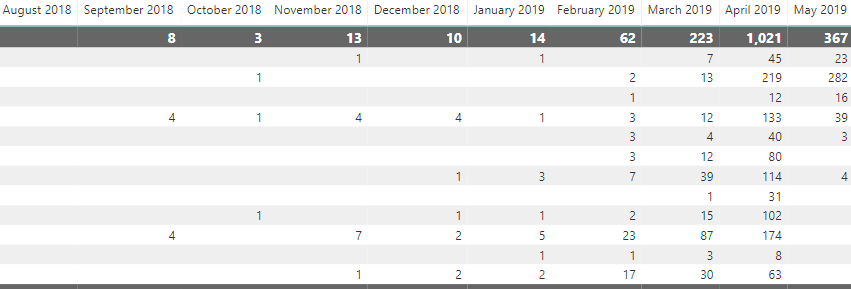
I've got a matrix which is laid out in a summary format (below). The numbers are just counts of each row/month the dataset is ~50columns deep and isn't the cleanest so I'm cleaning it in another matrix (same orginal data set).
How would I go about giving the user the ability to click on one of the summary numbers/rows/subtotals and have the filter apply to the second tab?
Alternativly - can I create a 'see records' with custom columns?
Hi @dtm644
Is this matrix from your original data or a matrix visual on a Power BI report?
"click on one of the summary numbers/rows/subtotals and have the filter apply to the second tab"
What does this mean?
Click on 8 (for example), then ??
Best Regards
Maggie
Check out the April 2026 Power BI update to learn about new features.
Sign up to receive a private message when registration opens and key events begin.
If you have recently started exploring Fabric, we'd love to hear how it's going. Your feedback can help with product improvements.
| User | Count |
|---|---|
| 35 | |
| 32 | |
| 25 | |
| 22 | |
| 18 |
| User | Count |
|---|---|
| 65 | |
| 35 | |
| 32 | |
| 25 | |
| 23 |