cancel
Showing results for 
Search instead for 
Did you mean: 

July 7 - July 17 | Round 2 of the Power BI Dataviz World Championships. Don't miss your chance! Learn more

Reply
panchag
Regular Visitor

Using Web Service Connection in Excel and Power BI


I'm not able to work  even a simple example mentioned here.


https://docs.microsoft.com/en-us/power-bi/desktop-tutorial-importing-and-analyzing-data-from-a-web-p...


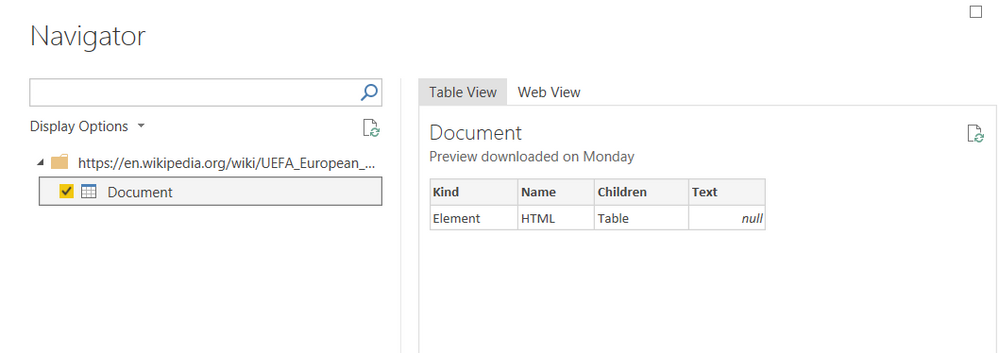
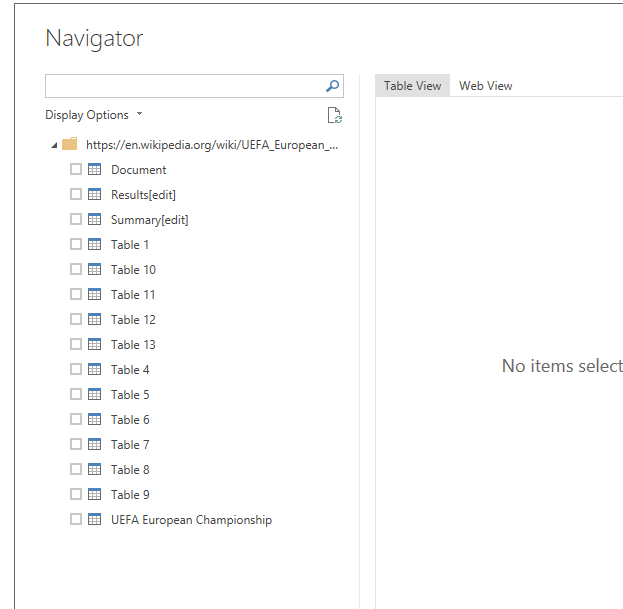
I was able toc onnect to web service but  it does not show any results from that web page   except teh screen below.


Do we need to check any other security restrictions ? I'm able to view the page via browser,

2018-11-09_12-16-17.png

3 REPLIES 3
v-juanli-msft
Community Support
Community Support

Hi @panchag

It is weird, i test on my site, it runs successfully as the link.

4.png


My power bi desktop version is 

Version: 2.63.3272.40262 64-bit (October 2018)


Do you connect to the web url with power bi or excel?


If it still trouble connecting to the web source as the link said, please try the following workaround.

in Edit Queries, create a blank query, open the Advanced editor, past the code in.

let
    Source = Web.Page(Web.Contents("https://en.wikipedia.org/wiki/UEFA_European_Championship"))
in
    Source

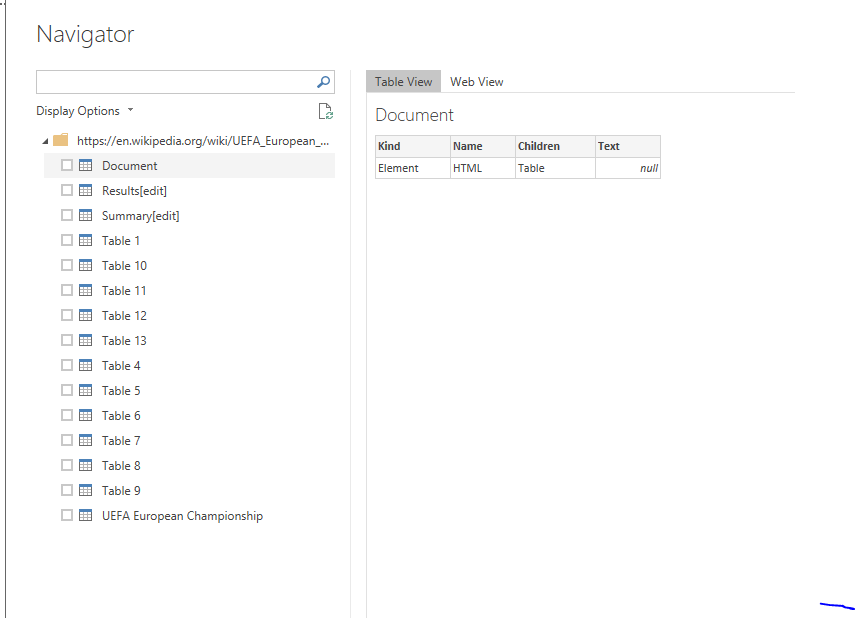
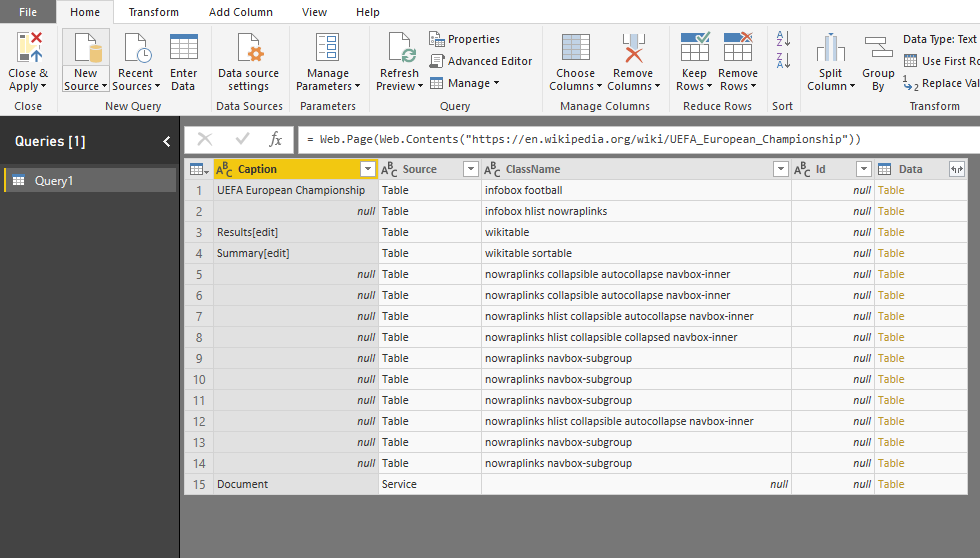
you will see 

5.png


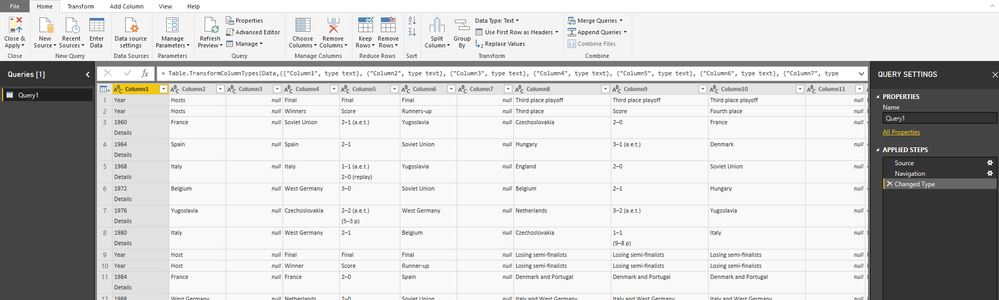
click on the "Table" (yellow and bold character) of the third line(the "Results[edit]" line)

you could get the table expand

6.png


Here are two pbix

"Using Web Service Connection" use the way the link suggested

"web service2" use the way i metioned above


Best Regards

Maggie


Thanks Maggie. It looks like i have som Antivirus running and preventing the data 


By the way , were you able to work with any WSDL  URL?

Hi @panchag

It seems you could access to data currently, right? if so, could you kindly mark this thread as a solution?

Regarding connecting with WSDL URL, it is another question, right?

According to this link, i can get the wsdl file from a webservice's url, then use the WSDL URL to get data, it also give me the data as below

7.png


Best Regards

Maggie


Helpful resources

Announcements
FabCon and SQLCon Barcelona 2026

FabCon & SQLCon – Barcelona 2026

Join us in Barcelona for FabCon and SQLCon, the Fabric, Power BI, SQL, and AI community event. Save €200 with code FABCMTY200.

60 days of Data Days Carousel

Data Days 2026

Join Data Days 2026: 60 days of free live/on-demand sessions, challenges, study groups, and certification opportunities.

Power BI DataViz World Championships carousel

Power BI DataViz World Championships - June 2026

A new Power BI DataViz World Championship is coming this June! Don't miss out on submitting your entry.

Top Solution Authors