Don't miss your chance to take exam DP-600 or DP-700 on us!
Request nowLearn from the best! Meet the four finalists headed to the FINALS of the Power BI Dataviz World Championships! Register now
I needed some help with the RLS in my model.
Trying to set up RLS on my dimensions so that it gets filtered in to the transaction as well. But, i was
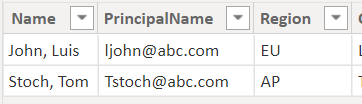
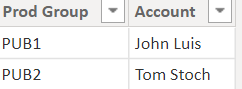
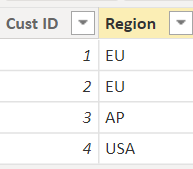
I have 2 dimension table with Products and region info. I have the user information with the region name tied to it.
Luis has responsibility of specific products and i need to show only the sales that Luis is tied from transactions
How to set the RLS on the dimesniosn so that it is driven dynamically based on the user info. Luis is in EU region and i don't want to hardcode this in the RLS. How to model this dynamically?
Pbix is https://drive.google.com/file/d/1yxPLYii4V_uIvKkTxk30wbvbl_hSNzqO/view?usp=sharing
Solved! Go to Solution.
Hi @Anonymous ,
I updated your sample pbix file, please check whether that is what you want.
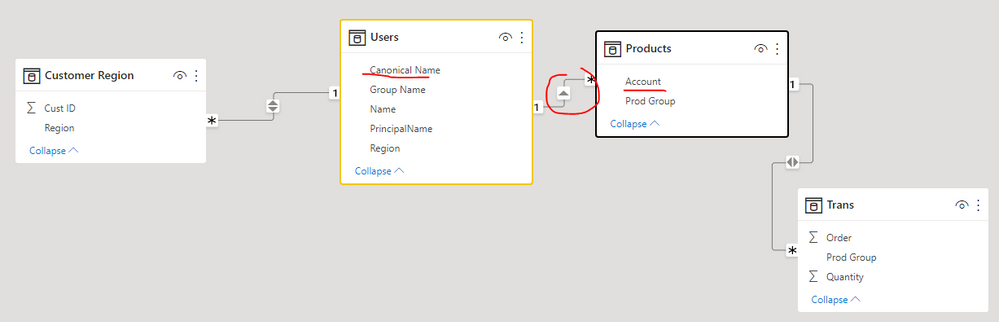
1. Create relationship between table Users and Products
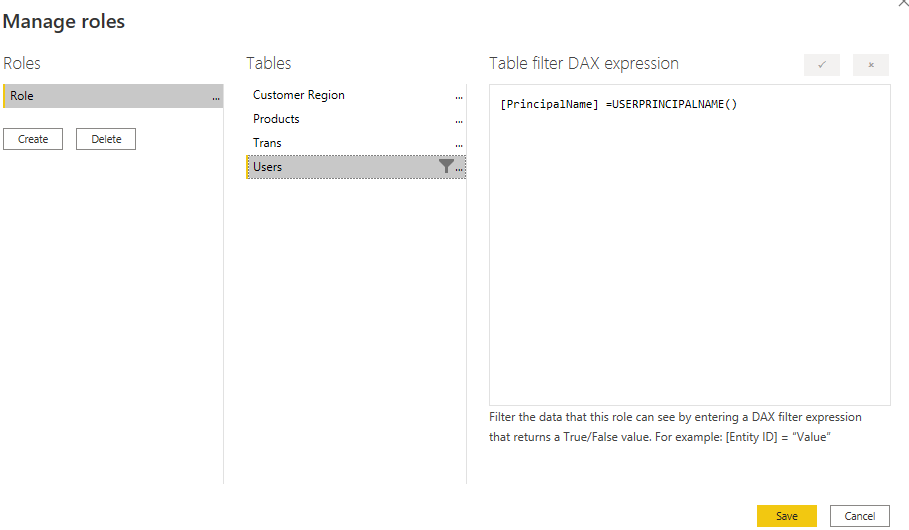
2. Create a role for the table Users with the formula as below
[PrincipalName] =USERPRINCIPALNAME()
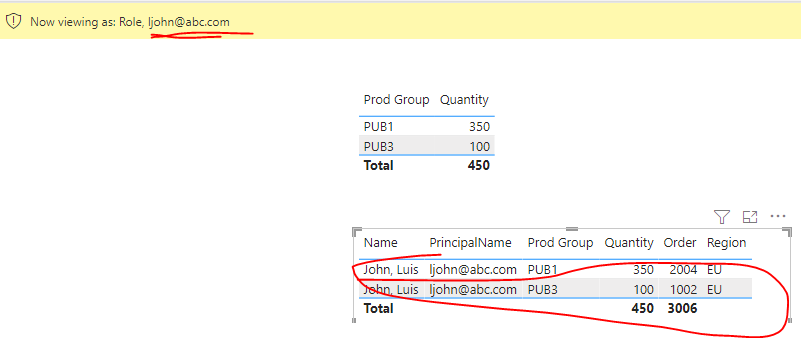
3. Test role
In addition, you can refer the content in the following links to get it.
Dynamic Row Level Security with Power BI Made Simple
Best Regards
Hi @Anonymous ,
I updated your sample pbix file, please check whether that is what you want.
1. Create relationship between table Users and Products
2. Create a role for the table Users with the formula as below
[PrincipalName] =USERPRINCIPALNAME()
3. Test role
In addition, you can refer the content in the following links to get it.
Dynamic Row Level Security with Power BI Made Simple
Best Regards
@Anonymous , Based on what I got
The first and the third table should join on the region.
And in you should create a role to filter the first table
table1[email] = userprincipalname()
How to use Row Level Security (RLS): https://youtu.be/NfdIA0uS6Nk
Thanks @amitchandak
If i join the user and the region that is going to be a many to many relation.
Sorry if i didn't explain this properly. My intention is to drive this in such a way that if the user is assigned the Region in the AD ( which is the first table - User ) that should drive the region filter in the dimension also.
Share feedback directly with Fabric product managers, participate in targeted research studies and influence the Fabric roadmap.
Check out the February 2026 Power BI update to learn about new features.
| User | Count |
|---|---|
| 53 | |
| 49 | |
| 33 | |
| 16 | |
| 15 |
| User | Count |
|---|---|
| 85 | |
| 70 | |
| 38 | |
| 28 | |
| 25 |