Don't miss your chance to take the Fabric Data Engineer (DP-700) exam on us!
Learn moreNext up in the FabCon + SQLCon recap series: The roadmap for Microsoft SQL and Maximizing Developer experiences in Fabric. All sessions are available on-demand after the live show. Register now
Hi,
I'm trying to build a report that our company will be looking at weekly. We have various goals we try to reach each week, and I'm trying to figure out the best way to integrate this into a report.
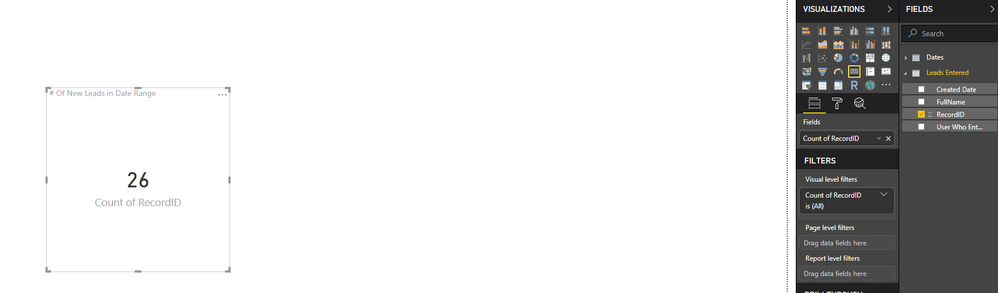
For example one of our "KPI"s we look at is count of leads created in a week. I have this displaying in a Card.
Let's say my goal is 15. If the # leads created is >= 15 in the week, I want it to show green else if < 15 I want it to show red. Not exactly sure if I should be using the KPI visualization or a formatting some how? I will be adding more tables / goals / visualizations to this report!
Any insight or advice would be great!
Thanks,
Solved! Go to Solution.
Hi @Anonymous ,
You can create a new measure to set your goal.
goal = 15
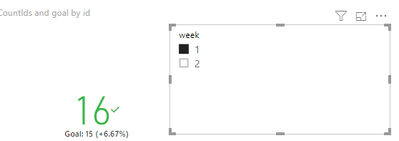
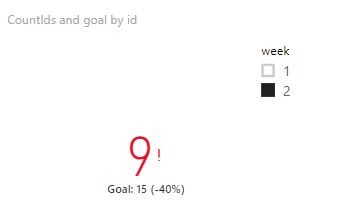
Suppose week1 has 16 IDs, and week2 has 9 IDs. Create a calculated column and use these fields to get a KPI visual.
CountIds = CALCULATE ( COUNT ( Sheet2[id] ), ALLEXCEPT ( Sheet2, Sheet2[week] ) )
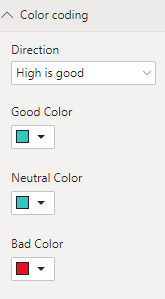
You can set the color in the “Color Coding”
Best Regards,
Eads
If this post helps, then please consider Accept it as the solution to help the other members find it more quickly.
Hi @Anonymous ,
You can create a new measure to set your goal.
goal = 15
Suppose week1 has 16 IDs, and week2 has 9 IDs. Create a calculated column and use these fields to get a KPI visual.
CountIds = CALCULATE ( COUNT ( Sheet2[id] ), ALLEXCEPT ( Sheet2, Sheet2[week] ) )
You can set the color in the “Color Coding”
Best Regards,
Eads
If this post helps, then please consider Accept it as the solution to help the other members find it more quickly.
If you have recently started exploring Fabric, we'd love to hear how it's going. Your feedback can help with product improvements.
A new Power BI DataViz World Championship is coming this June! Don't miss out on submitting your entry.
Share feedback directly with Fabric product managers, participate in targeted research studies and influence the Fabric roadmap.
| User | Count |
|---|---|
| 50 | |
| 44 | |
| 42 | |
| 19 | |
| 19 |
| User | Count |
|---|---|
| 69 | |
| 68 | |
| 33 | |
| 32 | |
| 32 |