cancel
Showing results for 
Search instead for 
Did you mean: 

The Power BI Data Visualization World Championships is back! Get ahead of the game and start preparing now! Learn more

Reply
rpbraga
Frequent Visitor

Update on the drill down behavior of the Grouped Bar Chart.

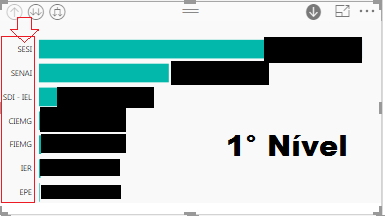
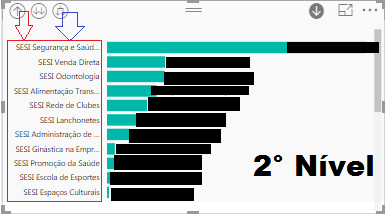
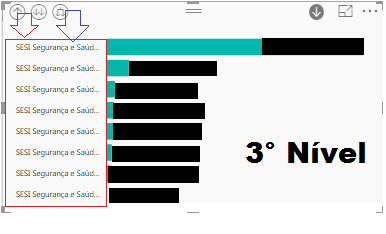
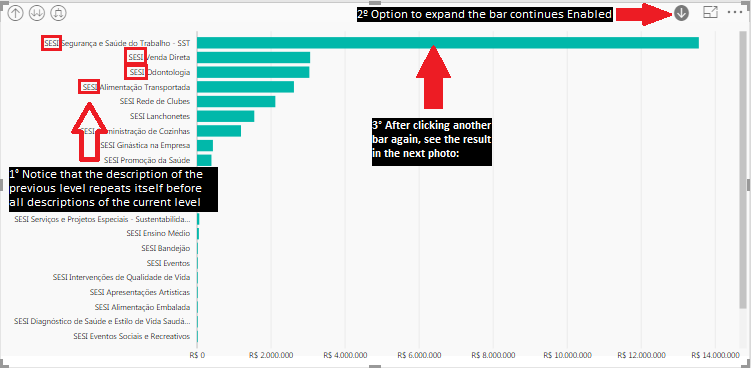
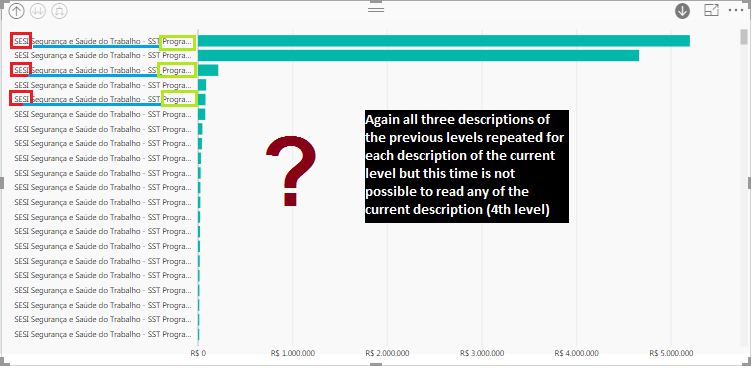
After upgrading to 64-bit Version: 2.45.4704.442 (April 2017), the drill down of the grouped bar chart is behaving differently, compromising the view.


The chart is taking information from the previous level to the next level (see example below).


I need an option where i can disable the information of the previous levels that are brought to the next levels.


Example:


Drill Down Level 1Drill Down Level 1Drill Down Level 2Drill Down Level 2Drill Down Level 3Drill Down Level 3


1 ACCEPTED SOLUTION

thanks all.


The new update from the power bi of may brougth the solution of the problem of the Topic above.


View solution in original post

4 REPLIES 4
v-haibl-msft
Microsoft Employee
Microsoft Employee

@rpbraga


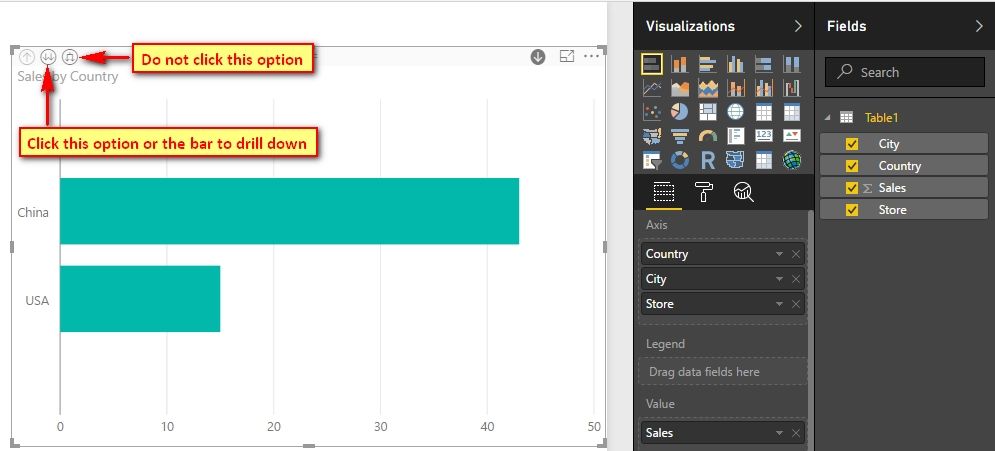
Please click "go to the next level" but not "Expand all down one level" as below screenshot.


Update on the drill down behavior of the Grouped Bar Chart._1.jpgUpdate on the drill down behavior of the Grouped Bar Chart._2.jpg


Best Regards,
Herbert

Herbert, @v-haibl-msft, thank you for the reply.
i've tried that, but it doesn't solve the whole problem, because if i want to drill down the especific chart, it continues taking information from the previous level to the next level.
If i click the button you mentioned, it drills down to the next level despite the selected bar.
But i need to drill down selecting a bar to in order to analise its informations.
After the upgrade, if i drill down to analise the especific bar, it apears with the informations of the previous level.
Please check if the version you are using is updated to the same i'm using: 64-bit Version: 2.45.4704.442 (April 2017).

See another example (the problem is when i click this button):


PB11.pngPBI22.pngPBI33.pngPBI44.png

Good afternoon @v-haibl-msft!!!

Any news?

thanks all.


The new update from the power bi of may brougth the solution of the problem of the Topic above.


Helpful resources

Announcements
Power BI DataViz World Championships

Power BI Dataviz World Championships

The Power BI Data Visualization World Championships is back! Get ahead of the game and start preparing now!

December 2025 Power BI Update Carousel

Power BI Monthly Update - December 2025

Check out the December 2025 Power BI Holiday Recap!

FabCon Atlanta 2026 carousel

FabCon Atlanta 2026

Join us at FabCon Atlanta, March 16-20, for the ultimate Fabric, Power BI, AI and SQL community-led event. Save $200 with code FABCOMM.