cancel
Showing results for 
Search instead for 
Did you mean: 

July 7 - July 17 | Round 2 of the Power BI Dataviz World Championships. Don't miss your chance! Learn more

Reply
tryingPowerBI
Frequent Visitor

Unable to connect to SQL server

Hello, does anyone have the same issue before?


I was trying to connect SQL server, called it server A and server B. 

I can connect both servers on other apps, and I have no problems to get databases. 


On Power BI, I can only connect to server A. 

On server B, it shows --- Details: "Microsoft SQL: Connection Timeout Expired.  The timeout period elapsed while attempting to consume the pre-login handshake acknowledgment.  This could be because the pre-login handshake failed or the server was unable to respond back in time.  The duration spent while attempting to connect to this server was - [Pre-Login] initialization=18201; handshake=14361; "


There are something I tried but nothing work:

  • use IP address instead of server name 
  • setup "command timeout in minutes" to 2, 10, 100, 100000
  • write a custom SQL statement in “SQL statement”
  • turn off firewall 
  • open port 1433


Anyone can help on this issue? Thanks!!!

5 REPLIES 5
Vicky_Song
Impactful Individual

@tryingPowerBI


1). Do you try to connect to SQL on Server B via Power BI Desktop or Power BI online service?

2). Did you ever tried to connect to that SQL via SSMS on the same machine you have questions?

3). Can you successfully ping Server B IP address?

Hi, 


I am trying to connect SQL on Server B via Power BI Desktop. 

I tried to ping the IP address, it was 100% receive. And I could connect SQL via SSMS on the same machine. 


Anything I can do on it?


Thanks for your help!!!

@tryingPowerBI, do you still need further help for your issue? 

@tryingPowerBI, could you please help to provde the following information?


  1. Version of Power Bi
  2. Version of his SQL Server version number as well.
  3. Also see if the user can try to connect through Excel using Power Query, and see if that would work.
  4. Find the SQL ports they are using, the standard is 1433
  5. Capture a Network trace

Download link for Wireshark

Wireshark:

  1. Download and install Wireshark from the link above.
  2. Open the application as an Administrator using Right Click > Run as Administrator
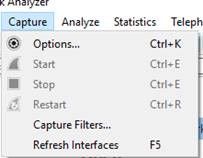
  3. Click on Capture > Options at the top

T1.jpg

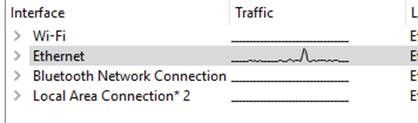
4. Select the connection that the traffic is processing on.  In my screenshot below, this is Etherne
T2.jpg

5. Click on Start

T3.jpg

6. Recreate the connection and/or refresh issue

7. As soon as the issue is recreated, come back into Wireshark and click on "Stop"

T4.jpg

8. Save the file by going to File > Save As


Download Link for Message Analyzer

Steps to capture the network trace:


Message Analyzer:

  1. Download and install Message Analyzer from the above link then open the application as an Administrator using Right Click > Run as Administrator
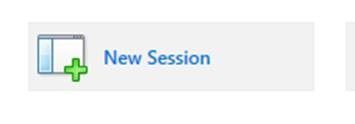
  2. Click on "New Session"

T5.jpg

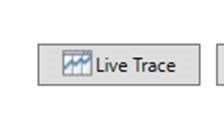
3. Click on Live Trace

T6.jpg

4. Ensure that you are using "Localhost" as the Target Computer

T7.jpg

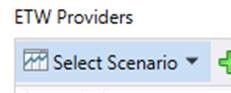
5. Click on Select Scenario

T8.jpg

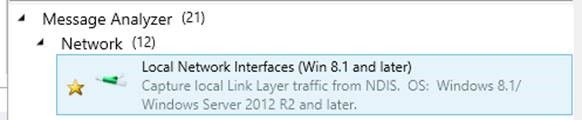
6. Select "Local Network Interfaces"

T9.jpg

7. Change the Parsing Level to "Network Analysis"

T10.jpg

8. Click on Start

9. Recreate the connection and/or refresh issue

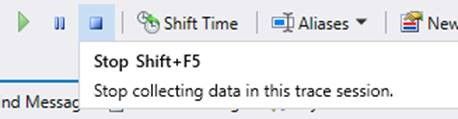
10. As soon as the issue is recreated, come back into Message Analyzer and click on "Stop"
T11.jpg

11. Save the file by going to File > Save As


@tryingPowerBI, your issue seems very strange to me. I'm trying to involve other senior engineers to have a check on it. 

Helpful resources

Announcements
FabCon and SQLCon Barcelona 2026

FabCon & SQLCon – Barcelona 2026

Join us in Barcelona for FabCon and SQLCon, the Fabric, Power BI, SQL, and AI community event. Save €200 with code FABCMTY200.

60 days of Data Days Carousel

Data Days 2026

Join Data Days 2026: 60 days of free live/on-demand sessions, challenges, study groups, and certification opportunities.

Power BI DataViz World Championships carousel

Power BI DataViz World Championships - June 2026

A new Power BI DataViz World Championship is coming this June! Don't miss out on submitting your entry.

Top Solution Authors