Join us at FabCon Atlanta from March 16 - 20, 2026, for the ultimate Fabric, Power BI, AI and SQL community-led event. Save $200 with code FABCOMM.
Register now!Get Fabric Certified for FREE during Fabric Data Days. Don't miss your chance! Request now
Hello Team,
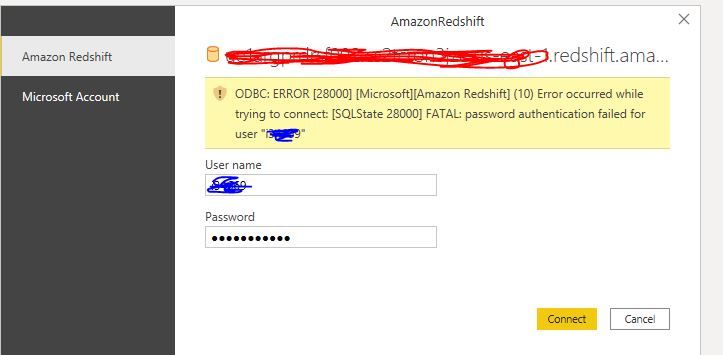
I am unable to connect to redshift and getting below error.
ODBC: ERROR [28000] [Microsoft][Amazon Redshift] (10) Error occurred while trying to connect: [SQLState 28000] FATAL: password authentication failed for user "********"
Solved! Go to Solution.
Hi @Anonymous ,
It is a known defect with Redshift connector if password contains any of the following special characters:
@
%
}
{
+
;
<space>
As a workaround, remove the above mentioned special characters from the password to make this work.
This issue is addressed in 10.3 HF-012, 10.8 and on wards. It will connect to Redshift if the password contains any of these characters: [ % , { , } ,+ , ; ,<space>].
Note that @ character cannot be used due to limitations in Redshift.
Some exceptions have already been mentioned in the Redshift documentation. Following is the extract from the same:
"It can be any printable ASCII character (ASCII code 33 to 126) except ' (single quotation mark), " (double quotation mark), \, /, @, or space".
For more details, please refer to:
Quotas and limits in Amazon Redshift - Amazon Redshift
Best Regards,
Jianbo Li
If this post helps, then please consider Accept it as the solution to help the other members find it more quickly.
Hi All, I have the same issue and couldn't be resolved with the steps provided:
Details: "ODBC: ERROR [08S01] [Microsoft][Amazon Redshift] (10) Error occurred while trying to connect: [SQLState 08S01] timeout expired
"
Hello, Thanks for the information.
I have tried the above solution but it dint work.
The reason is i am trying to connect with IAM Role and there is some issue with it.
Thanks,
Naveen
Hi @Anonymous ,
It is a known defect with Redshift connector if password contains any of the following special characters:
@
%
}
{
+
;
<space>
As a workaround, remove the above mentioned special characters from the password to make this work.
This issue is addressed in 10.3 HF-012, 10.8 and on wards. It will connect to Redshift if the password contains any of these characters: [ % , { , } ,+ , ; ,<space>].
Note that @ character cannot be used due to limitations in Redshift.
Some exceptions have already been mentioned in the Redshift documentation. Following is the extract from the same:
"It can be any printable ASCII character (ASCII code 33 to 126) except ' (single quotation mark), " (double quotation mark), \, /, @, or space".
For more details, please refer to:
Quotas and limits in Amazon Redshift - Amazon Redshift
Best Regards,
Jianbo Li
If this post helps, then please consider Accept it as the solution to help the other members find it more quickly.
Hi,
I still get the same error even if the password is just alpha-numeric.
Check out the November 2025 Power BI update to learn about new features.
Advance your Data & AI career with 50 days of live learning, contests, hands-on challenges, study groups & certifications and more!