Join us at FabCon Atlanta from March 16 - 20, 2026, for the ultimate Fabric, Power BI, AI and SQL community-led event. Save $200 with code FABCOMM.
Register now!The Power BI Data Visualization World Championships is back! Get ahead of the game and start preparing now! Learn more
Hi
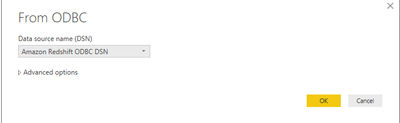
I am trying to Connect to Amazon Redshift From ODBC.
The error shows me like below,
We encountered an error while trying to connect
Details: "ODBC: ERROR [08S01] [Amazon][Amazon Redshift] (10) Error occurred while trying to connect: [SQLState 08S01] could not translate host name "your_Redshift_server" to address: Unknown host
"
Could someone please help me with how to connect to Redshift From ODBC.
Thanks in Advance
I have the same issue. I have put in a ticket to Microsoft. Do you still have this issue or did you solve it?
Hi @Anonymous ,
There are some points to you can considerate:
1.Make sure type the correct Amazon Redshift server and database name, also type the correct hostname.
2.Please check if the network issues(such as IP issues).
3.This maybe a permission/authentication error. Please go to “File –> Options and Settings –> Data Source Settings”, under “Global permissions”, select any old Amazon Redshift data source connections and click on clear permission in Power BI Desktop, then connect to it and check if it is successful.
You can refer to the similar issues: https://docs.aws.amazon.com/redshift/latest/mgmt/connecting-refusal-failure-issues.html
https://github.com/sqlalchemy-redshift/sqlalchemy-redshift/issues/106
Best Regards,
Amy
If this post helps, then please consider Accept it as the solution to help the other members find it more quickly.
FIrst of all thanks for the reply !
I have searched and followed up the steps described in simillar tickets with no success whatsoever. There are currently no other connections available in my global settings since i've removed anything else related to Amazon Redshift.
As for the first 2 bullet points i made sure that everything is ok.
That's why i'm confused about this issue....
The Power BI Data Visualization World Championships is back! Get ahead of the game and start preparing now!
| User | Count |
|---|---|
| 41 | |
| 38 | |
| 36 | |
| 30 | |
| 28 |
| User | Count |
|---|---|
| 128 | |
| 88 | |
| 79 | |
| 67 | |
| 62 |