Hi everyone,
I have made an Stocks Report using as example Source CSVs. It works OK, giving me all what I need, but indeed it's a bit slow.
The main problem is that once I migrated this report to my CUBE in SSAS, well, things have gotten even worse, with warnings about that my Azure doesnt have enough resources, and asking me to upgrade. The thing is that actually I did it, and still in some cases is claiming for even more resources (for instance when I filter more months for some calculations). So it's clear that its a DAX issue I think.
Heres the error:
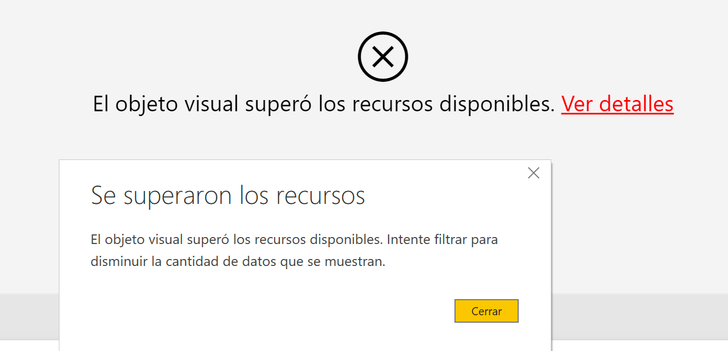
(Not enough resources, consider to use filters and reduce data)
So, I believe that the main responsable here is this measure:
*Cant Equipos =
VAR __table = CALCULATETABLE(SUMMARIZE('Fact Stock Equipos',[esap_cod],"ultimo_mov",CALCULATE([*Ultimo Mov],all('Fact Stock Equipos'[aprt_estado]))),filter(values('Fact Stock Equipos'[esap_cod]),[*Filtro Ultimo Estado]=1))
RETURN
COUNTX(__table,[ultimo_mov])
It counts the last movement of each article in our stock.
And uses this other measures also:
*Ultimo Mov =
VAR CurrentDate = (max('Dim Date'[Date]))
VAR Results =
CALCULATE(LASTDATE('Fact Stock Equipos'[fecha]),
filter(all('Dim Date'),
('Dim Date'[Date] <= CurrentDate)),all('Dim Tipos de Estado'),USERELATIONSHIP('Dim Date'[Date],'Fact Stock Equipos'[fecha]))
RETURN
Results
*Filtro Ultimo Estado = IF([*Ultimo Estado]=SELECTEDVALUE('Dim Tipos de Estado'[cod_estado]),1,0)
*Ultimo Estado =
VAR CurrentDate = (max('Dim Date'[Date]))
VAR Results =
CALCULATE(LASTNONBLANKVALUE('Dim Date'[Date],max('Fact Stock Equipos'[aprt_estado])),
filter(all('Dim Date'),
('Dim Date'[Date] <= CurrentDate)),all('Dim Tipos de Estado'),USERELATIONSHIP('Dim Date'[Date],'Fact Stock Equipos'[fecha]))
RETURN
Results
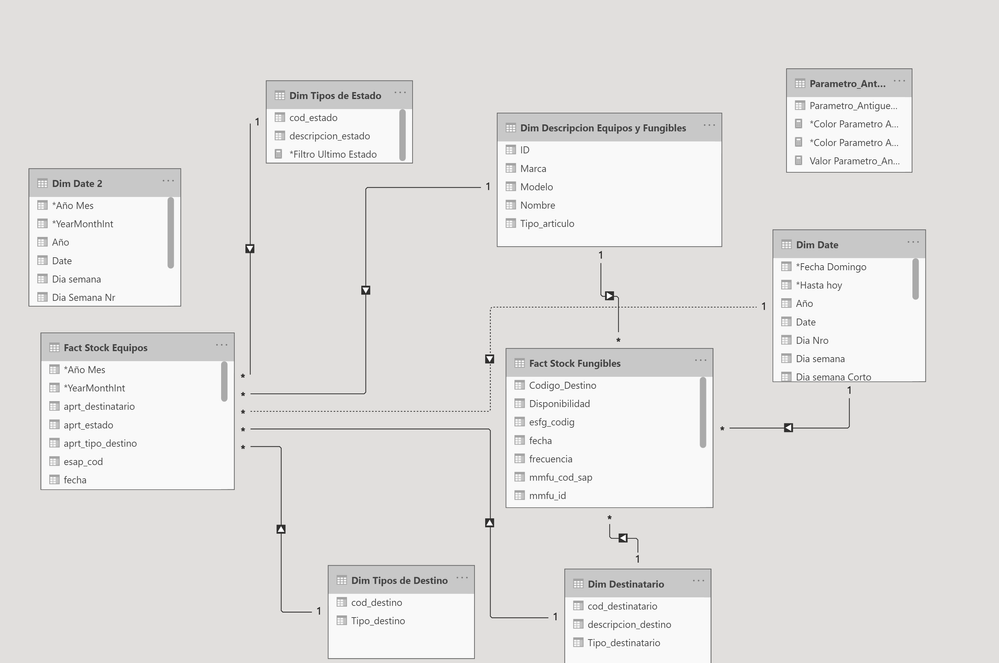
And this is the model:
Any ideas of what I should do?
Thanks a lot!