This time we’re going bigger than ever. Fabric, Power BI, SQL, AI and more. We're covering it all. You won't want to miss it.
Learn moreLevel up your Power BI skills this month - build one visual each week and tell better stories with data! Get started
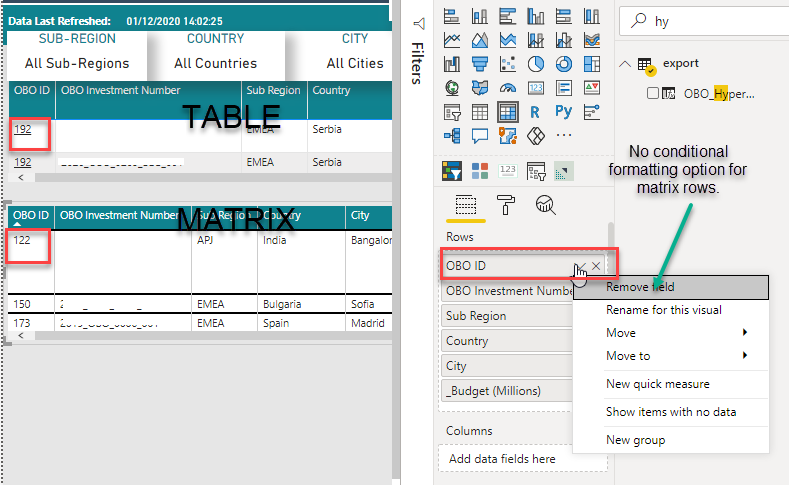
I had a table displaying data and was able to add a URL link for each column row (see image below), but the users wanted to be able to freeze columns and therefore as tables doesnt support that, had to swap the table for a matrix, but now I cant conditional format matrix rows and the option is present.
Anyone know a workaround to be able to add URL links to Matrix rows? or alternatively, get frozen columns in a table visual.
Thanks in advance,
Solved! Go to Solution.
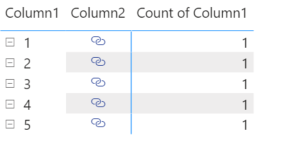
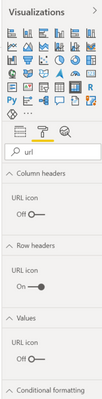
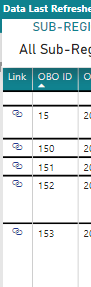
@StuartSmith Oops my first reply was wrong, so I deleted it! You can instead add the URL field in then format it to be a little link for a matrix. That works for both headers and values section links. Just make sure the "URL icon" is toggled on if you want it to be short, in row header, column header, or values section.
Edit: Documentation link for you too Add hyperlinks (URLs) to a table or matrix - Power BI | Microsoft Docs
Respectfully,
Zoe Douglas (DataZoe)
Follow me on LinkedIn at https://www.linkedin.com/in/zoedouglas-data
See my reports and blog at https://www.datazoepowerbi.com/
Thanks,
@StuartSmith Oops my first reply was wrong, so I deleted it! You can instead add the URL field in then format it to be a little link for a matrix. That works for both headers and values section links. Just make sure the "URL icon" is toggled on if you want it to be short, in row header, column header, or values section.
Edit: Documentation link for you too Add hyperlinks (URLs) to a table or matrix - Power BI | Microsoft Docs
Respectfully,
Zoe Douglas (DataZoe)
Follow me on LinkedIn at https://www.linkedin.com/in/zoedouglas-data
See my reports and blog at https://www.datazoepowerbi.com/
Check out the April 2026 Power BI update to learn about new features.
Sign up to receive a private message when registration opens and key events begin.
If you have recently started exploring Fabric, we'd love to hear how it's going. Your feedback can help with product improvements.
| User | Count |
|---|---|
| 30 | |
| 24 | |
| 23 | |
| 17 | |
| 16 |
| User | Count |
|---|---|
| 61 | |
| 35 | |
| 29 | |
| 23 | |
| 22 |