Share feedback directly with Fabric product managers, participate in targeted research studies and influence the Fabric roadmap.
Sign up nowGet Fabric certified for FREE! Don't miss your chance! Learn more
Hi! I'm trying to get address data on all US ports. I can get it port by port if I get data from (for example) https://www.searates.com/port/galveston_us.htm - is there a way to get a table with all ports though? Thanks!
Solved! Go to Solution.
Hi @FernandoB ,
Based on my test, you could refer to below steps:
Get data from web:https://docs.microsoft.com/en-us/power-bi/desktop-tutorial-importing-and-analyzing-data-from-a-web-p...
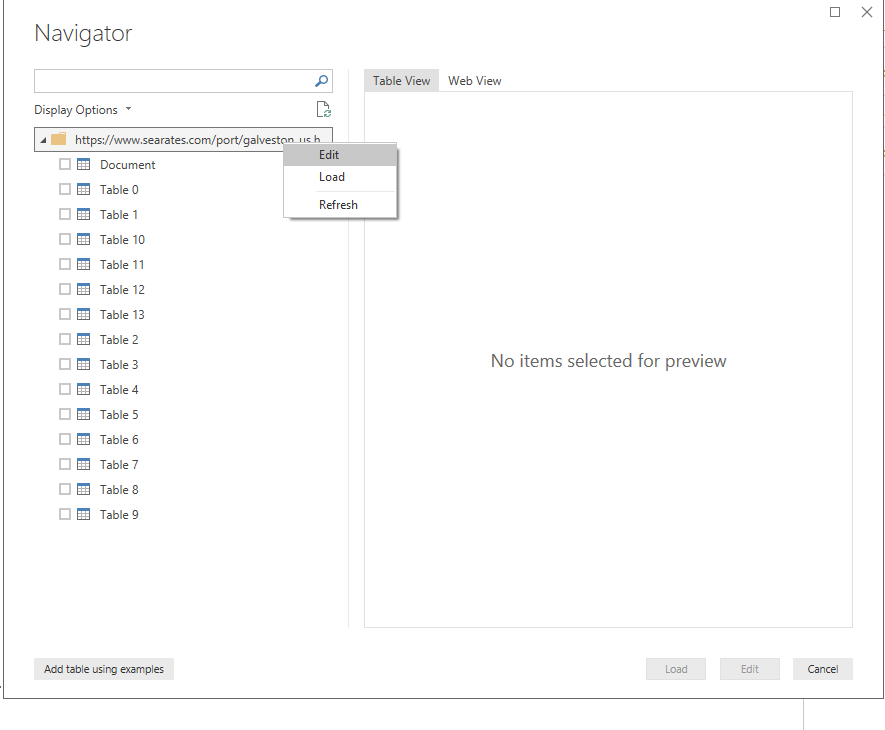
Right click the folder and click edit:
Click the expand button:
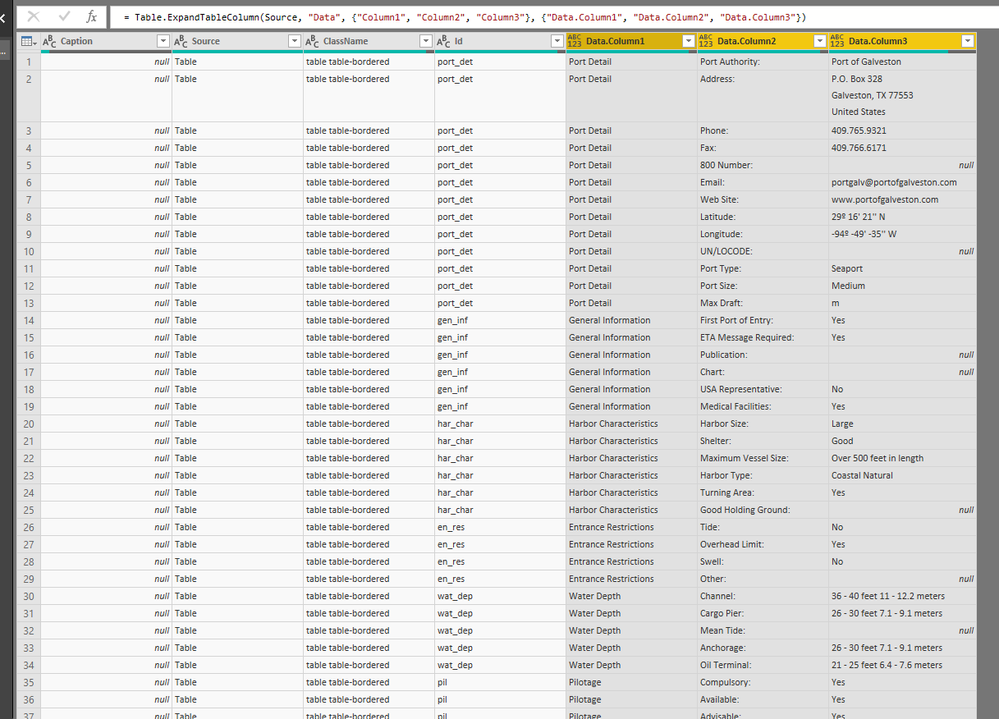
Now you could get the whole table:
Regards,
Daniel He
Hi @FernandoB ,
Based on my test, you could refer to below steps:
Get data from web:https://docs.microsoft.com/en-us/power-bi/desktop-tutorial-importing-and-analyzing-data-from-a-web-p...
Right click the folder and click edit:
Click the expand button:
Now you could get the whole table:
Regards,
Daniel He
Share feedback directly with Fabric product managers, participate in targeted research studies and influence the Fabric roadmap.
| User | Count |
|---|---|
| 68 | |
| 59 | |
| 44 | |
| 20 | |
| 15 |
| User | Count |
|---|---|
| 104 | |
| 102 | |
| 37 | |
| 26 | |
| 25 |