Join us at FabCon Atlanta from March 16 - 20, 2026, for the ultimate Fabric, Power BI, AI and SQL community-led event. Save $200 with code FABCOMM.
Register now!The Power BI Data Visualization World Championships is back! Get ahead of the game and start preparing now! Learn more
Hi! I'm trying to get address data on all US ports. I can get it port by port if I get data from (for example) https://www.searates.com/port/galveston_us.htm - is there a way to get a table with all ports though? Thanks!
Solved! Go to Solution.
Hi @FernandoB ,
Based on my test, you could refer to below steps:
Get data from web:https://docs.microsoft.com/en-us/power-bi/desktop-tutorial-importing-and-analyzing-data-from-a-web-p...
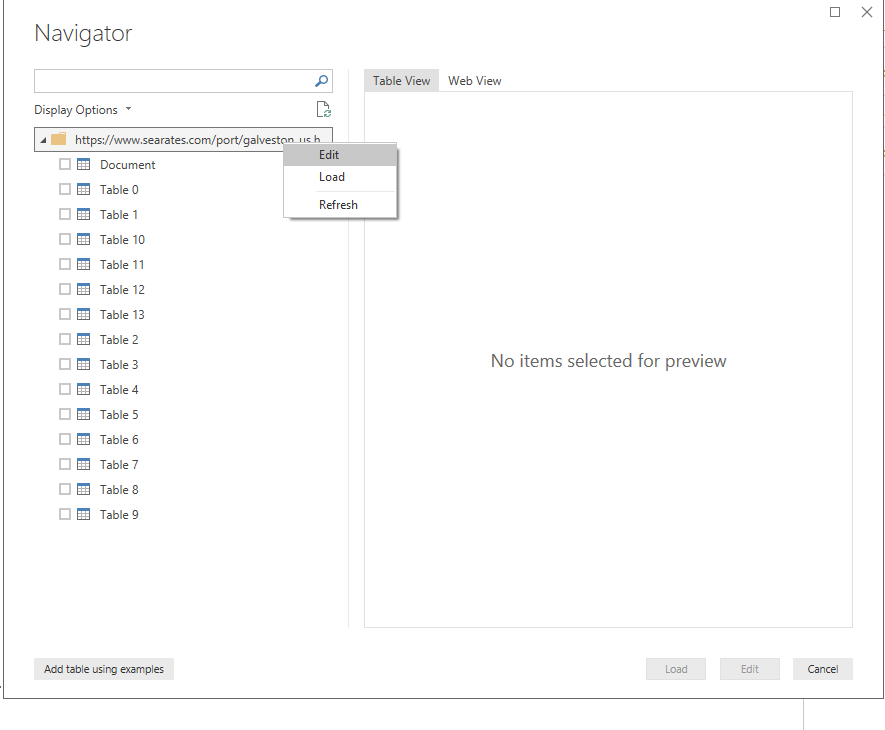
Right click the folder and click edit:
Click the expand button:
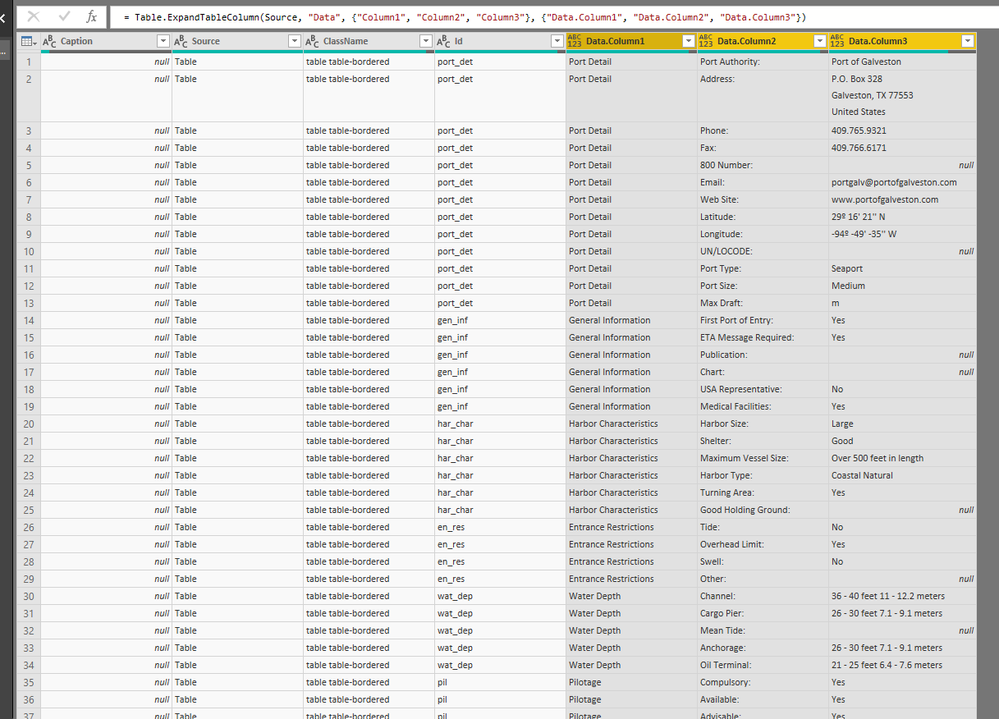
Now you could get the whole table:
Regards,
Daniel He
Hi @FernandoB ,
Based on my test, you could refer to below steps:
Get data from web:https://docs.microsoft.com/en-us/power-bi/desktop-tutorial-importing-and-analyzing-data-from-a-web-p...
Right click the folder and click edit:
Click the expand button:
Now you could get the whole table:
Regards,
Daniel He
The Power BI Data Visualization World Championships is back! Get ahead of the game and start preparing now!
| User | Count |
|---|---|
| 53 | |
| 42 | |
| 34 | |
| 34 | |
| 21 |
| User | Count |
|---|---|
| 143 | |
| 125 | |
| 100 | |
| 81 | |
| 63 |