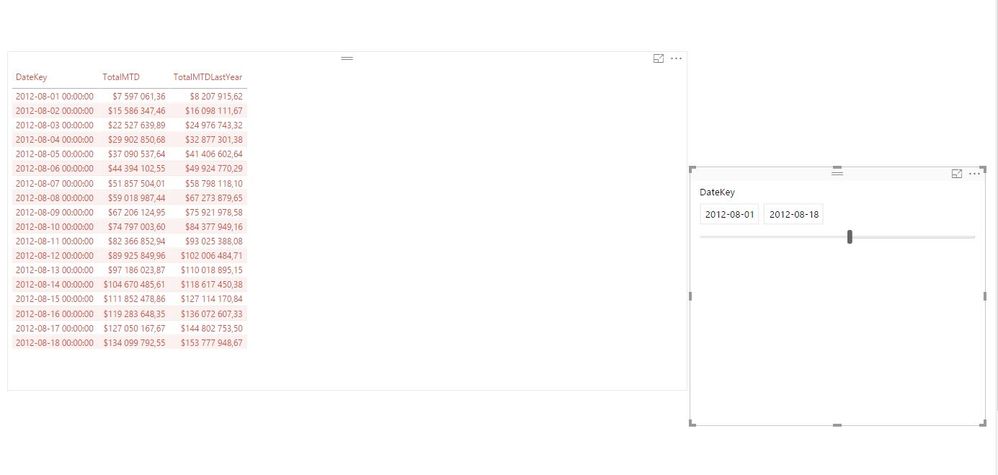
I'm trying to get true TY vs LY month to date comparisons, e.g. If today is August 18th, I want to compare amounts from August 1st - August 18th inclusive from August 2016 to the same range of dates in August 2017. I have this working using a multi-step process:
RevisedMTD = CALCULATE(SUM(Sheet1[Amt]),DATESBETWEEN('DimDate'[Date],[Start Date], ([Start Date]+DAY(TODAY())-1)))
RevisedMTDLY = CALCULATE(SUM(Sheet1[Amt]),DATESBETWEEN('DimDate'[Date],[Start Date LY], [Start Date LY Current Day]))
Start Date LY = DATEADD(STARTOFMONTH('DimDate'[Date]),-1,YEAR)
Start Date LY Current Day = [Start Date LY] + DAY(TODAY())-1
Start Date = STARTOFMONTH('DimDate'[Date])
If I try to calculate the prior year MTD total by using something like this: = TOTALMTD([YTD Sales],SAMEPERIODLASTYEAR(DATESMTD('DimDate'[DATE])))
I get the full amount for that total month from last year NOT the amount from the first of the month through the current day's date in the month.
Guessing there must be a simpler way to do this comparison than what I am presently doing. Grateful for any insights. Thanks!