cancel
Showing results for 
Search instead for 
Did you mean: 

The Power BI Data Visualization World Championships is back! It's time to submit your entry. Live now!

Reply
annapurna
Helper I
Helper I

Tree map issue

Hi,
I am new to power bi .
 Any one could u please give me solution how i can change  different color  for  slicer check box in power bi. And aslo i dont want region heading in tree map rectangle box. i want country names and sales  values top of tree map recntangle box.i am trying this many times but problem is not solved.
 
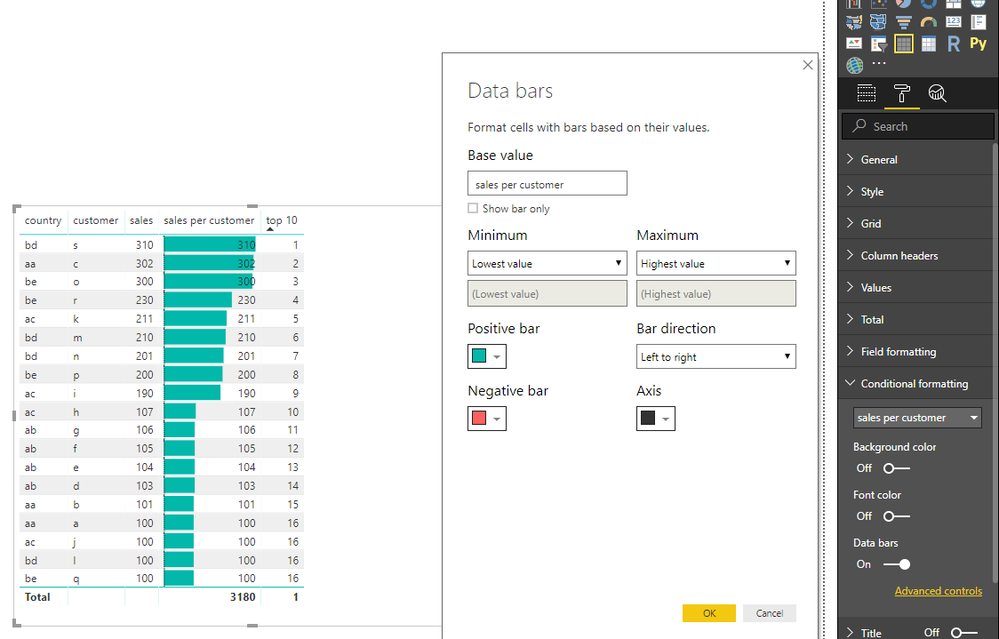
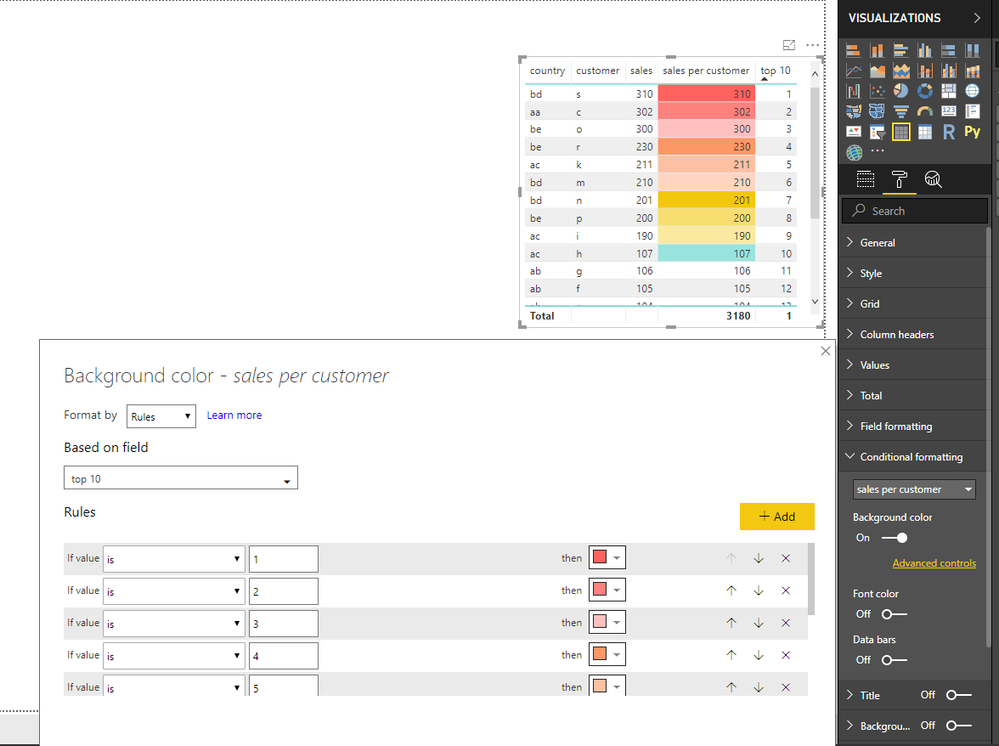
i took one table and apply conditional formatting top 10  customers .i want different color only each customer sales bar in table visual.how can i can change it. 
Please give me solution.
 
Thanks in adance
1 REPLY 1
v-juanli-msft
Community Support
Community Support

Hi @annapurna

Question1: Any one could u please give me solution how i can change  different color  for  slicer check box in power bi. 

You could change the color of selection items, but it would apply to all items, it is impossible to change each item to different color.


Question2: i want country names and sales  values top of tree map recntangle box

Drag "country" to "Group" field, "sales value" to "Value" field, if it doesn't help, please show me an example of your dataset.


Question3: i took one table and apply conditional formatting top 10  customers .i want different color only each customer sales bar in table visual.how can i can change it.

How do you define the "Top10" customers, it only depends on the sales for the customer, right?

you could only show data bar and change the color for the positive or negative value. 

However, you could change the front or backdround color differenly for each customer.

More detalis here: https://docs.microsoft.com/en-us/power-bi/desktop-conditional-table-formatting
8.png

9.png 


Best Regards

Maggie


Helpful resources

Announcements
Power BI DataViz World Championships

Power BI Dataviz World Championships

The Power BI Data Visualization World Championships is back! It's time to submit your entry.

December 2025 Power BI Update Carousel

Power BI Monthly Update - December 2025

Check out the December 2025 Power BI Holiday Recap!

FabCon Atlanta 2026 carousel

FabCon Atlanta 2026

Join us at FabCon Atlanta, March 16-20, for the ultimate Fabric, Power BI, AI and SQL community-led event. Save $200 with code FABCOMM.