I have an Azure SQL DB that is storing JSON data in one of the columns. Long story on why it is structured this way, but the short answer is "No, I can't change the way the data is stored." This is what the data looks like:
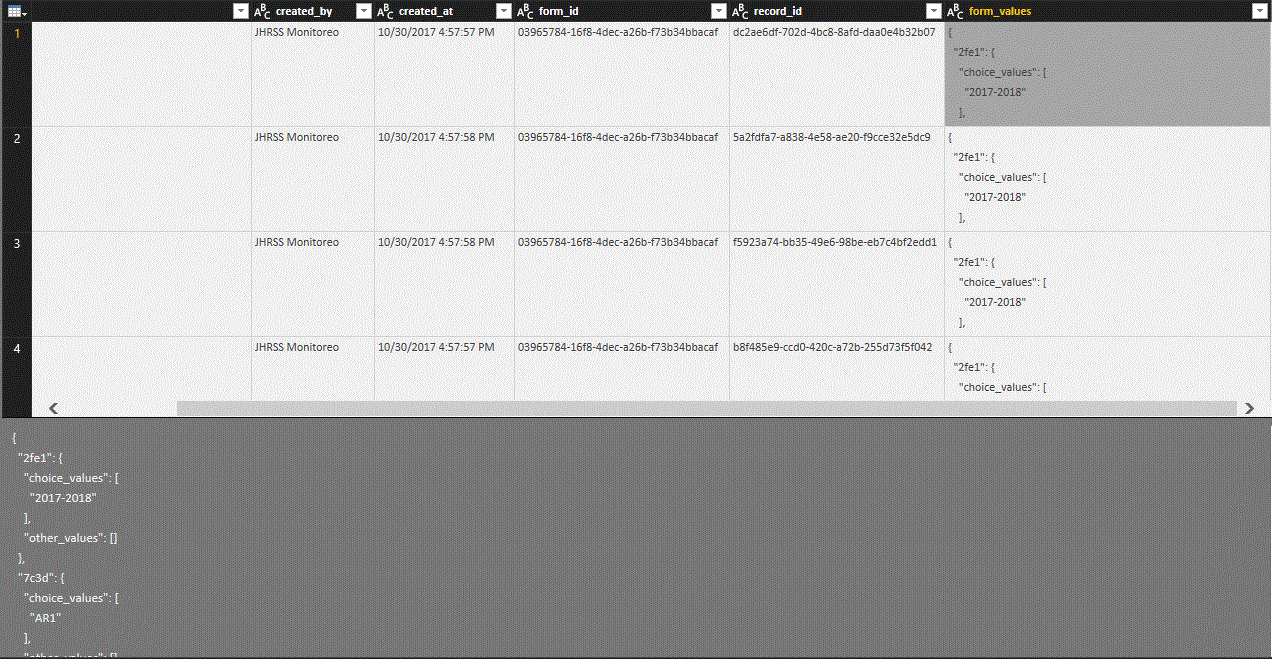
Each variable has a four digit label [e.g. "7x3d"], and then has either a single value [e.g. "12"] or an array of two nested variables, each with their own values or array of values [e.g.{"choice_values":["ABC", "123"], "other_values": ["XKCD"]}.
The challenge I am facing is how to convert the JSON String of data into useable values. My approach is to use some mix of split by delimiter, filter, and or replace characters to split the "form_values" column into two columns (like an unpivoted table) attribute name ["7x3d"] and then values ["12"]. What I cannot figure out is the right mix of steps in Power Query to transform the column.
Two Questions:
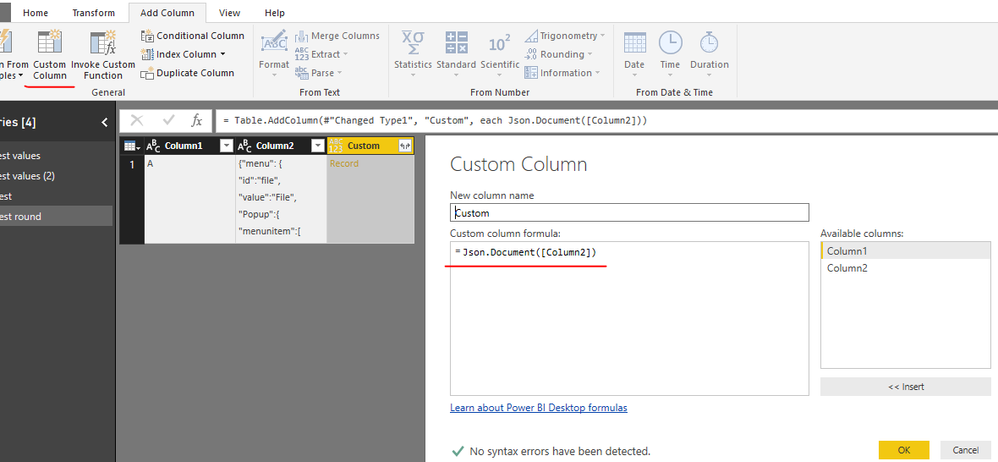
- Am I on the right track? Or is there some other function (maybe Text.ToBinary?) that can parse the JSON string? Is there a way to have Power BI recognize that this specific column inside my SQL DB is actually a JSON and then use the typical approach for transforming JSON records/lists/etc. in the avanced editor?
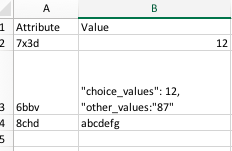
- If my approach is sound, is there anyone smarter than I who can figure out how to split the individual cells with each JSON record into rows by variable name, without losing the nested arrays? (see my manual example below)