

Don't miss your chance to take exam DP-600 or DP-700 on us!
Request nowLearn from the best! Meet the four finalists headed to the FINALS of the Power BI Dataviz World Championships! Register now
Hi all,
I have a SharePoint folder which holds a number of large csv files. I want to set up a query which opens all the files in the folder and puts the data into a single view. I was wondering if this is possible and how I can achieve this, noting that:
I've been looking around the community and I've seen solutions when using a folder as the data source, however I haven't been able to find anything for SharePoint folders. Could somebody please point me in the right direction?
Solved! Go to Solution.
Hey Lydia,
Thanks for the reply. The headers in the CSV are not exactly identical as it also contains some additional metadata. I think because of this, it's not able to automatically detect that they are headers and end up leaving them in the dataset as well.
I've figured it out however. After combining the files, I needed to remove the headers from the pre-generated transfomration sample file to get rid of all the header information.
Thanks
@schau,
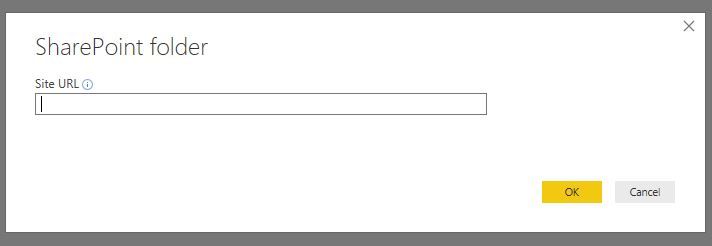
Do all the CSV files have same data columns and same column name? If so, enter the root URL of your SharePoint site in the SharePoint Folder connector, then just click the double arrows in Query Editor to combine the CSV files and put data into a single view. And once you add new CSV files in the SharePoint folder, just click "Refresh Preview" button in Query Editor to bring new data.
Regards,
Lydia
Hey Lydia,
Thanks for the reply. The headers in the CSV are not exactly identical as it also contains some additional metadata. I think because of this, it's not able to automatically detect that they are headers and end up leaving them in the dataset as well.
I've figured it out however. After combining the files, I needed to remove the headers from the pre-generated transfomration sample file to get rid of all the header information.
Thanks
@schau,
Glad to hear that the issue is solved. Please mark appropriate replies as solutions, that way, other community members would easily find the solution when they get same issues.
Regards,
Lydia
Share feedback directly with Fabric product managers, participate in targeted research studies and influence the Fabric roadmap.
Check out the February 2026 Power BI update to learn about new features.
| User | Count |
|---|---|
| 50 | |
| 40 | |
| 37 | |
| 14 | |
| 14 |
| User | Count |
|---|---|
| 85 | |
| 69 | |
| 38 | |
| 29 | |
| 27 |