cancel
Showing results for 
Search instead for 
Did you mean: 

Learn from the best! Meet the four finalists headed to the FINALS of the Power BI Dataviz World Championships! Register now

Reply
A_Barny
Frequent Visitor

Top 10 does not work correctly

Hi everyone,


I have a problem on my mesure and I don't know why. I try to do a TOP10 of YTD quantity by Customers.  I want the TOP 9 Customers and the last will be the "Others" customers.


For do that, I did 2 mesures :


Mesure = RANKX(ALL('A - Dimensions'[Customer DO - ABC]);'D - YTD Measures'[YTD Qty])

and 


top 10 = IF('A - Dimensions'[Mesure]<10; 'A - Dimensions'[Customer DO - ABC] ;"Top Others")

When I try validate my last mesures my computer crash because this resquest need to do many calculate but I don't understand why.


Exemple of Data :


CustomersYTD QtyMesure TOP 10
Customers 33991 1
Customers 53892 2
Customers 13503 3
Customers 22604 4
Customers 42345 5
Customers 102226 6
Customers 152007 7
Customers 121578 8
Customers 101569 -->9
Customers 614810 Others
Customers 810011 Others
Customers 139912 Others
Customers 94913 Others
Customers 142914 Others
Customers 11215 Others


This is what I try to do with the name of others customers too :
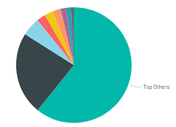
 

pie chart.PNG


Can you help me to understand it and fix it ?


Thanks a lot,

Alex


1 ACCEPTED SOLUTION
Anonymous
Not applicable

HI @A_Barny,


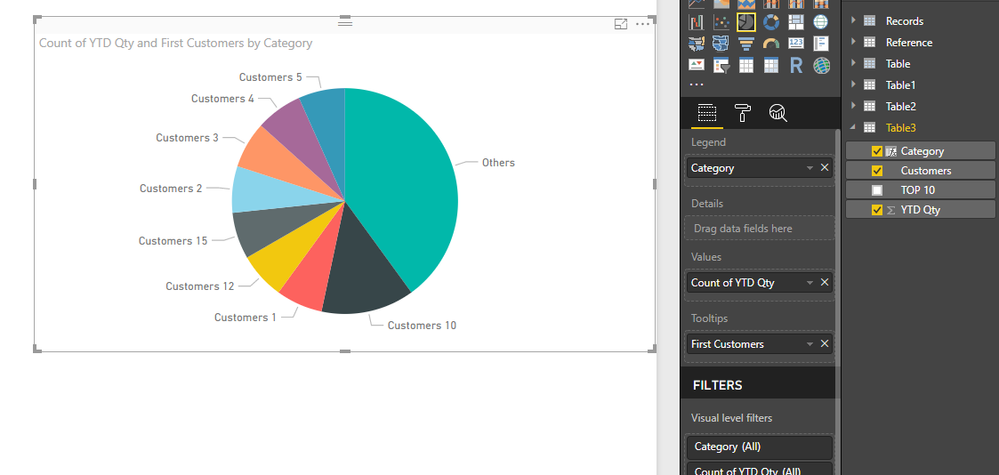
You can add new calculate to replace top 10 values, then use new column as category.

Category = IF([TOP 10]<>"Others",[Customers],[TOP 10])

3.PNG


Regards,

Xiaoxin Sheng

View solution in original post

4 REPLIES 4
Anonymous
Not applicable

HI @A_Barny,


You can add new calculate to replace top 10 values, then use new column as category.

Category = IF([TOP 10]<>"Others",[Customers],[TOP 10])

3.PNG


Regards,

Xiaoxin Sheng

Greg_Deckler
Community Champion
Community Champion

Do you have some sample data you can share? Please see this post regarding How to Get Your Question Answered Quickly: https://community.powerbi.com/t5/Community-Blog/How-to-Get-Your-Question-Answered-Quickly/ba-p/38490


Follow on LinkedIn
@ me in replies or I'll lose your thread!!!
Instead of a Kudo, please vote for this idea
Become an expert!: Enterprise DNA
External Tools: MSHGQM
YouTube Channel!: Microsoft Hates Greg
Latest book!:
DAX For Humans

DAX is easy, CALCULATE makes DAX hard...

I added modifications on the first post

Anyone have idea ? Smiley Mad

Helpful resources

Announcements
Join our Fabric User Panel

Join our Fabric User Panel

Share feedback directly with Fabric product managers, participate in targeted research studies and influence the Fabric roadmap.

February Power BI Update Carousel

Power BI Monthly Update - February 2026

Check out the February 2026 Power BI update to learn about new features.

FabCon Atlanta 2026 carousel

FabCon Atlanta 2026

Join us at FabCon Atlanta, March 16-20, for the ultimate Fabric, Power BI, AI and SQL community-led event. Save $200 with code FABCOMM.