cancel
Showing results for 
Search instead for 
Did you mean: 

We've captured the moments from FabCon & SQLCon that everyone is talking about, and we are bringing them to the community, live and on-demand. Starts on April 14th. Register now

Reply
shakeelsyed
Helper I
Helper I

Toggle Options for selection

Hi, 


I am trying to achieve something which is very dynamic and on a special request from my client.


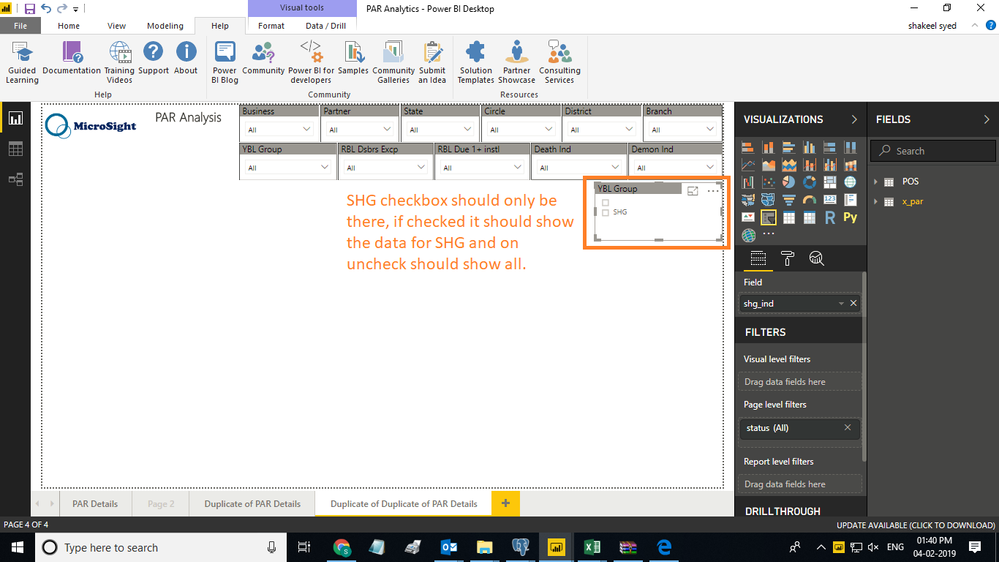
I am using dropdown slicer to filter out un-wanted data(exceptions) from raw data and there I am having a "Product" column which has single value and other rows are in that column are blank, now my client want to see only product that is there in the column and if the prodcut is selected then it should show product details else if unchecked then it should show all the data in the table.


below screenshot defines the requirement clearly, there is a slier called "YBL Group" and in there is a product called "SHG" and othere rows are showing blank in that slicer, now client want to see only product with check option and if its uncheck then it should show the entire details and if I use page level filters to remove blank values then my entire report is having only "SHG" Product details in it, I have taken a similar screenshot from power bi communicty website.


can anyone help me on this.??


Regards,

Shakeel

powerbicomm.pngSHG.png

1 ACCEPTED SOLUTION

@shakeelsyed,


It is prety much close but I need something like shown in attached when checkbox is checked that particular action should take place else it should be blank.


In the attached sample "Email" Checkbox is active means it will send the email or show data of replies whenever happened and if unchecked then it will not show any data/mail.


is this possible in power bi ?


I'm afraid currently power bi doesn't support this kind of feature. You may submit your idea here.


Community Support Team _ Jimmy Tao

If this post helps, then please consider Accept it as the solution to help the other members find it more quickly.

View solution in original post

3 REPLIES 3
v-yuta-msft
Community Support
Community Support

@shakeelsyed,


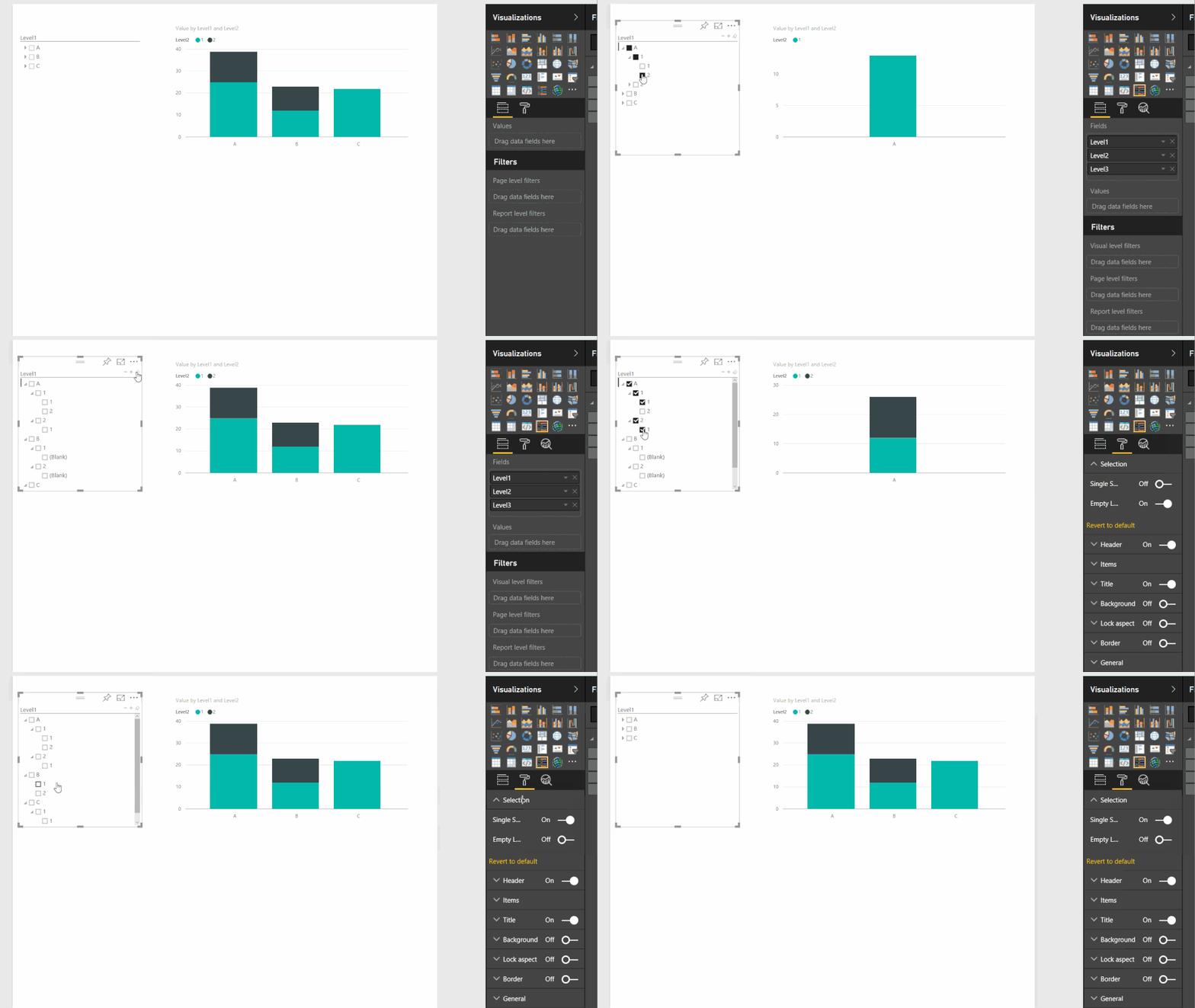
Hierarchy slicer may meet your requirement, please refer to: https://appsource.microsoft.com/en-us/product/power-bi-visuals/WA104380820?tab=Overview.


HierarchySlicerUsage.gif  


Community Support Team _ Jimmy Tao

If this post helps, then please consider Accept it as the solution to help the other members find it more quickly.

@v-yuta-msft


Thank you very much for your reply,


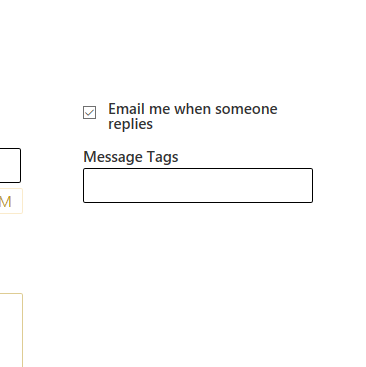
It is prety much close but I need something like shown in attached when checkbox is checked that particular action should take place else it should be blank.


In the attached sample "Email" Checkbox is active means it will send the email or show data of replies whenever happened and if unchecked then it will not show any data/mail.


is this possible in power bi ?

Regards,

Shakeel


PowerBi.png

@shakeelsyed,


It is prety much close but I need something like shown in attached when checkbox is checked that particular action should take place else it should be blank.


In the attached sample "Email" Checkbox is active means it will send the email or show data of replies whenever happened and if unchecked then it will not show any data/mail.


is this possible in power bi ?


I'm afraid currently power bi doesn't support this kind of feature. You may submit your idea here.


Community Support Team _ Jimmy Tao

If this post helps, then please consider Accept it as the solution to help the other members find it more quickly.

Helpful resources

Announcements
New to Fabric survey Carousel

New to Fabric Survey

If you have recently started exploring Fabric, we'd love to hear how it's going. Your feedback can help with product improvements.

Power BI DataViz World Championships carousel

Power BI DataViz World Championships - June 2026

A new Power BI DataViz World Championship is coming this June! Don't miss out on submitting your entry.

Join our Fabric User Panel

Join our Fabric User Panel

Share feedback directly with Fabric product managers, participate in targeted research studies and influence the Fabric roadmap.

March Power BI Update Carousel

Power BI Community Update - March 2026

Check out the March 2026 Power BI update to learn about new features.