Join us at FabCon Atlanta from March 16 - 20, 2026, for the ultimate Fabric, Power BI, AI and SQL community-led event. Save $200 with code FABCOMM.
Register now!The Power BI Data Visualization World Championships is back! Get ahead of the game and start preparing now! Learn more
I need to create a table from two tables by combining distinct values but at the same time using filter to remove any blank values
NEWTable1 = DISTINCT(UNION(VALUES(Table1[Dept_ID]), VALUES(Table2[DeptID])))
When it create this new table "NEWTable1", it needs to filter out blank values from Table1 and Table2 which have Dept_ID or DeptID blanks. So that the new column created from these two tables won't have any blank values.
Table1
| A100 |
| A101 |
| A103 |
| A104 |
Table2
| B201 |
| B204 |
| B205 |
| B205 |
NewTable1
| A100 |
| A101 |
| A103 |
| A104 |
| B201 |
| B204 |
| B205 |
| B205 |
Solved! Go to Solution.
Hi @RJS849,
Please try:
NEWTable1 =
FILTER (
DISTINCT ( UNION ( VALUES ( Table1[Dept_ID] ), VALUES ( Table2[DeptID] ) ) ),
[Dept_ID] <> BLANK ()
)
Best regards,
Yuliana Gu
Hi @RJS849,
Please try:
NEWTable1 =
FILTER (
DISTINCT ( UNION ( VALUES ( Table1[Dept_ID] ), VALUES ( Table2[DeptID] ) ) ),
[Dept_ID] <> BLANK ()
)
Best regards,
Yuliana Gu
Hi,
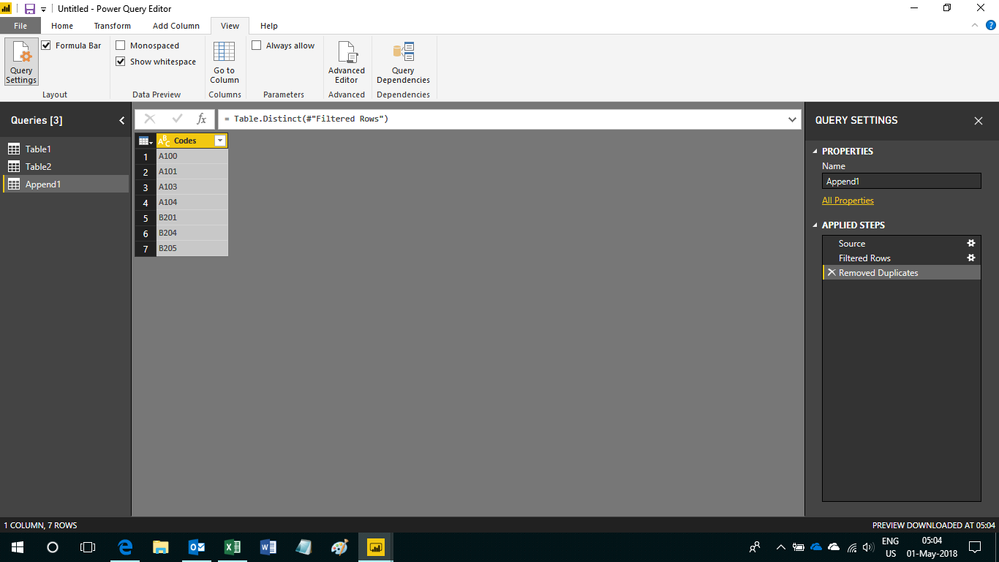
You can solve it using thise code in the Query Editor
let
Source = Table.Combine({Table1, Table2}),
#"Filtered Rows" = Table.SelectRows(Source, each ([Codes] <> "")),
#"Removed Duplicates" = Table.Distinct(#"Filtered Rows")
in
#"Removed Duplicates"
The Power BI Data Visualization World Championships is back! Get ahead of the game and start preparing now!
| User | Count |
|---|---|
| 66 | |
| 44 | |
| 43 | |
| 36 | |
| 23 |
| User | Count |
|---|---|
| 196 | |
| 125 | |
| 105 | |
| 77 | |
| 56 |