cancel
Showing results for 
Search instead for 
Did you mean: 

The Power BI Data Visualization World Championships is back! Get ahead of the game and start preparing now! Learn more

Reply

Text box with action/button with text

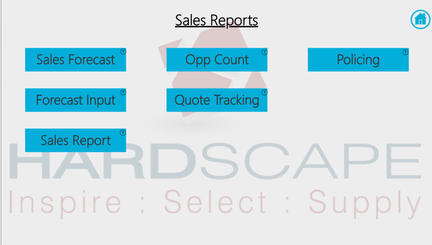
I have been utilising different buttons and bookmarks in my report to provide an app like experience for report users. Some buttons like the home icon are simple and self explanatory however there are some where I need to use a textbox for it, see menu page below for example. Currently the only way I know how to make this work is to have a text box with a background and then put a shape over it with no background or line with the action assigned. It would be ideal if I could achieve this with 1 visual!


Cheers,


Josh


Buttons.png


4 REPLIES 4
Anonymous
Not applicable

@JoshSHardscape 
The best alternative is to use Snipping Tool or Paint (whichever captures the best image quality for you), create an image of the desired shapes, and insert these images back into the report.
Bookmark actions can easily be assigned to these images with tooltip information, etc.
Hope this helps!

Anonymous
Not applicable

Hi @JoshSHardscape,


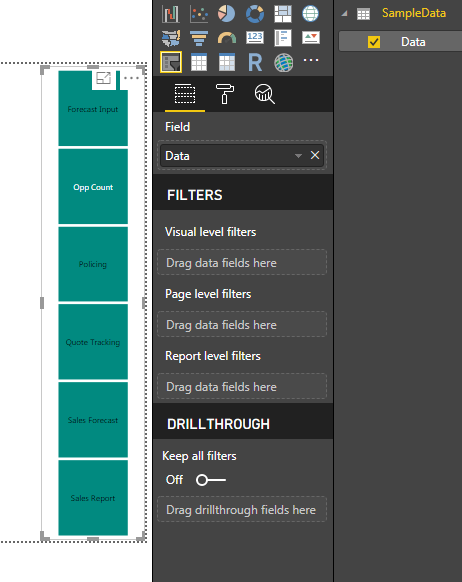
You can use Normal Slicer filter, just create a data table using Enter Data in Power BI Desktop, then create a Slicer and change the Slicer format > General > Orientation to Horizontal, and that should do that job.


But the only thing is, this will work as Slicer not as a bookmark. If you need bookmars then you need to use the Buttons only, becuase they have Action property.

WorkaroundWorkaround

TomMartens
Super User
Super User

Hey,


basically I'm using Affinity Designer to create "images" that contain text.


Maybe this gives you an idea.


Regards,

Tom


Did I answer your question? Mark my post as a solution, this will help others!

Proud to be a Super User!
I accept Kudos 😉
Hamburg, Germany

I think if I had to go this far then it would be easier to make these images in paint or something and just assign the action to them? Although I was hoping to keep it all in BI and not have to hop into other programs to help out!

Helpful resources

Announcements
Power BI DataViz World Championships

Power BI Dataviz World Championships

The Power BI Data Visualization World Championships is back! Get ahead of the game and start preparing now!

December 2025 Power BI Update Carousel

Power BI Monthly Update - December 2025

Check out the December 2025 Power BI Holiday Recap!

FabCon Atlanta 2026 carousel

FabCon Atlanta 2026

Join us at FabCon Atlanta, March 16-20, for the ultimate Fabric, Power BI, AI and SQL community-led event. Save $200 with code FABCOMM.