Join us at FabCon Atlanta from March 16 - 20, 2026, for the ultimate Fabric, Power BI, AI and SQL community-led event. Save $200 with code FABCOMM.
Register now!The Power BI Data Visualization World Championships is back! Get ahead of the game and start preparing now! Learn more
Hi
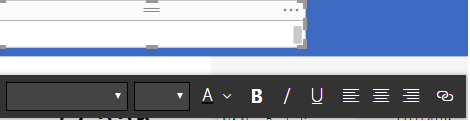
I'm trying to center a text box over the top of my report.
However I can't due the text box header preventing me to drag the text box.
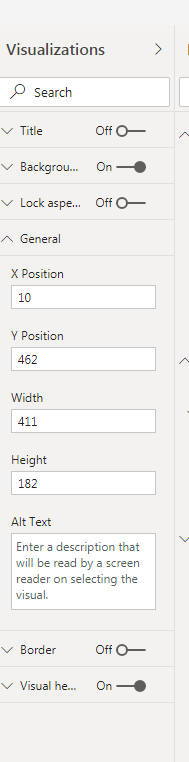
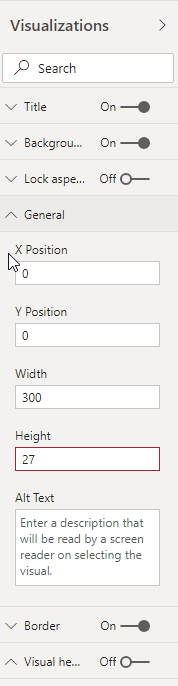
Disabling the header the normal way (Visualization -> Visual header -> off) doesnt' work because it will only disappear in the View mode and I won't be able to move the text box there.
Setting the position to 0 takes the Header into account so it's the same.
Is there any way to solve this?
Solved! Go to Solution.
@Anonymous
You may check https://docs.microsoft.com/en-us/power-bi/desktop-visual-elements-for-reports#enabling-improved-visual-headers-for-existing-reports.
@Anonymous
Select the text box and try setting/changing the X and Y position under General
If this helps, mark it as a solution.
Kudos are nice too.
Hi,
Sadly this doesn't work. I'd already tried it, check my original post.
thanks anyway
@Anonymous
Are you saying you can't even choose the text box? Did you try selecting the text box in selection pane?
View->Selection Pane.
Could you share the pbix file?
If this helps, mark it as a solution.
Kudos are nice too
@Anonymous
You may check https://docs.microsoft.com/en-us/power-bi/desktop-visual-elements-for-reports#enabling-improved-visual-headers-for-existing-reports.
The Power BI Data Visualization World Championships is back! Get ahead of the game and start preparing now!
| User | Count |
|---|---|
| 38 | |
| 37 | |
| 33 | |
| 32 | |
| 29 |
| User | Count |
|---|---|
| 132 | |
| 88 | |
| 82 | |
| 68 | |
| 64 |