Join us at FabCon Atlanta from March 16 - 20, 2026, for the ultimate Fabric, Power BI, AI and SQL community-led event. Save $200 with code FABCOMM.
Register now!The Power BI Data Visualization World Championships is back! Get ahead of the game and start preparing now! Learn more
Hr/Lin KM =
var t=
SUMMARIZE('Table1','Table1'[Pass],
"Sum KM",SUM('Table1'[Linear KM]),
"Sum Time",SUM('Table1'[Hours]))
return SUMX(t,[Sum Time]/[Sum KM])I currently have the above formula in reference to my original post:
https://community.powerbi.com/t5/Desktop/Divide-SUMs-based-on-another-column-then-SUM-results/m-p/46...
It works wonderfully and I am currently using it with a Gauge visualizer to display a metric. However, I want to create a target metric that is static and the target keeps matching my value. The target should always be the average of all values when I filter to a single reference.
Hi @Anonymous
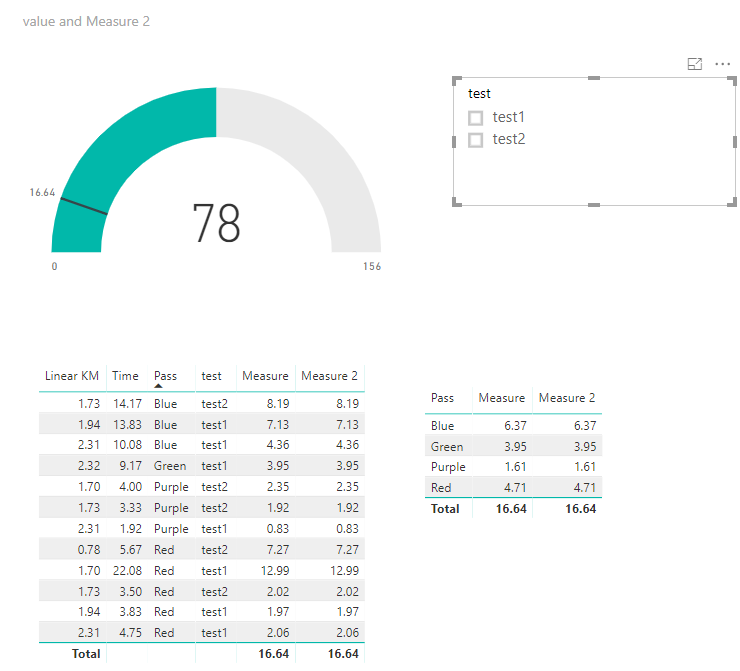
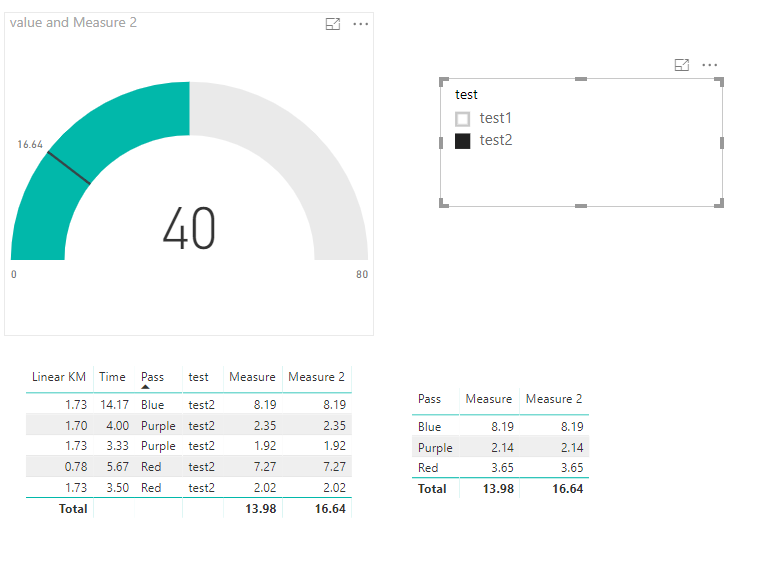
If my understanding is correct, you want the target value keeps the same value regardless of the selection from the slicer.
Based on your previous measure, create a column
column = var t=SUMMARIZE('Table1',Table1[Pass],"Sum KM",SUM(Table1[Linear KM]),"Sum Time",SUM(Table1[Time]))
return SUMX(t,[Sum Time]/[Sum KM])
Then create measures
Measure = var t=SUMMARIZE('Table1',Table1[Pass],"Sum KM",SUM(Table1[Linear KM]),"Sum Time",SUM(Table1[Time]))
return SUMX(t,[Sum Time]/[Sum KM])
Measure 2 = IF(HASONEVALUE(Table1[Pass]),[Measure],MAX([column]))
Best Regards
Maggie
This still doesn't quite get me where I want.
I still want it to be a dynamic target, depending on filtering.
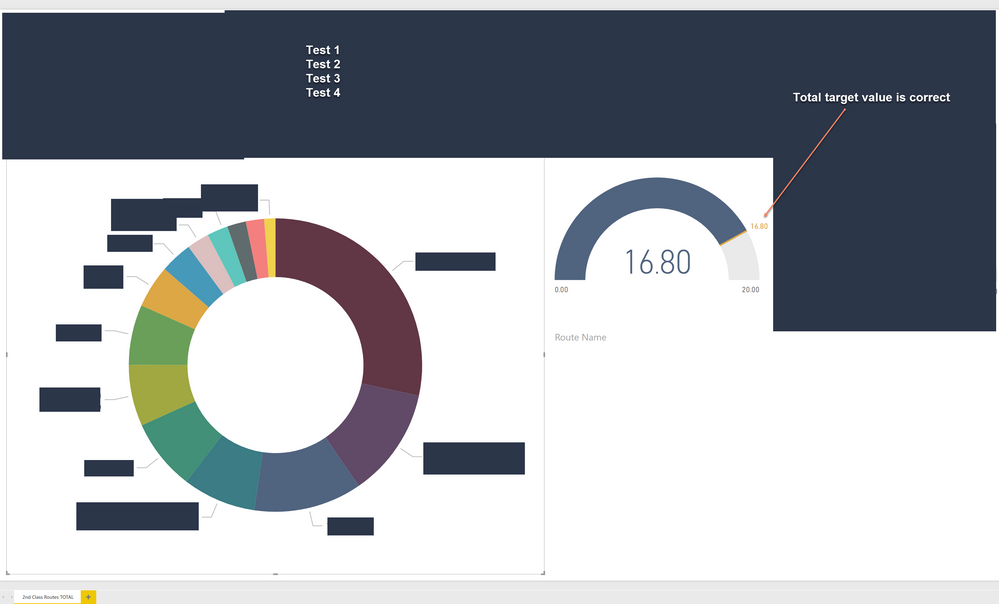
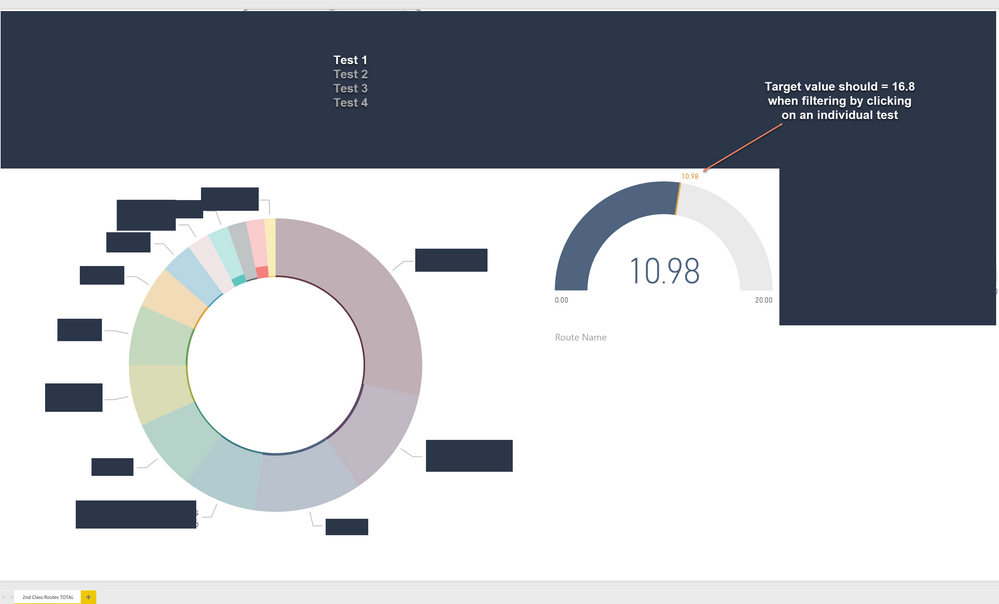
If I filter by a single task, then I want the target to stay as if it were counting all values of all the tasks, but if i filter by a value on the pie chart, I want the target for that to be for all the tasks of that single value.
Hi @Anonymous,
Can you provide a pbix file with both the actual and target measures defined.
Thanks,
Proud to be a Super User!
@richbenmintzIt is company info and I don't think I can share the file. I have attached images of the behavior that I am looking for.All Tests
Filter 1 Test
The Power BI Data Visualization World Championships is back! Get ahead of the game and start preparing now!
| User | Count |
|---|---|
| 38 | |
| 36 | |
| 33 | |
| 30 | |
| 28 |
| User | Count |
|---|---|
| 128 | |
| 88 | |
| 79 | |
| 67 | |
| 62 |