Share feedback directly with Fabric product managers, participate in targeted research studies and influence the Fabric roadmap.
Sign up nowGet Fabric certified for FREE! Don't miss your chance! Learn more
Hello Team,
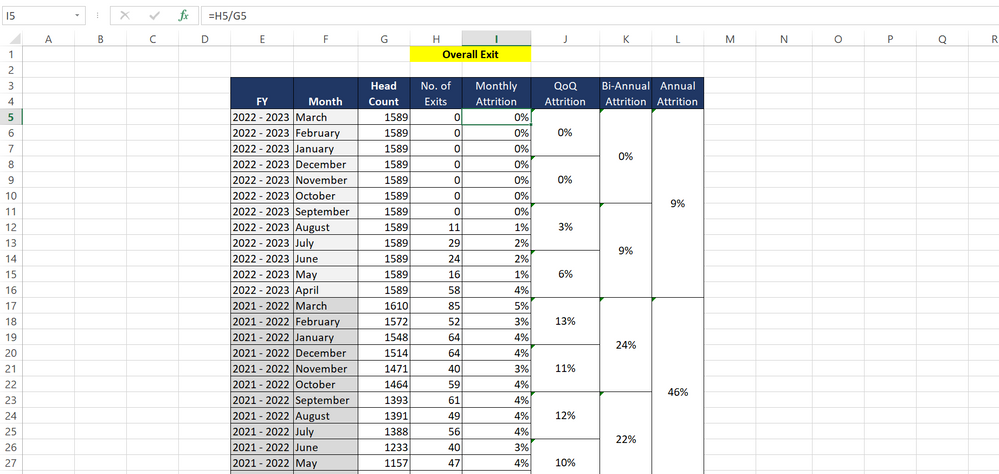
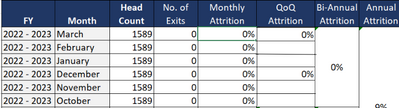
Please find the image , Can we do it in table visual??
Kindly suggest some ideas to achieve this format.
Thanks,
Gladies
Solved! Go to Solution.
Hi @gladies123
Thanks for reaching out to us.
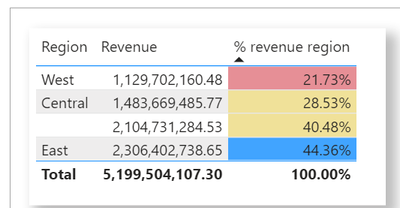
Multiple cells cannot be merged in the table visual. But you can use conditional formatting or display only one value on multiple lines.
(1)
Apply conditional table formatting in Power BI - Power BI | Microsoft Docs
(2)
Best Regards,
Community Support Team _Tang
If this post helps, please consider Accept it as the solution to help the other members find it more quickly.
Hi @gladies123
Thanks for reaching out to us.
Multiple cells cannot be merged in the table visual. But you can use conditional formatting or display only one value on multiple lines.
(1)
Apply conditional table formatting in Power BI - Power BI | Microsoft Docs
(2)
Best Regards,
Community Support Team _Tang
If this post helps, please consider Accept it as the solution to help the other members find it more quickly.
Share feedback directly with Fabric product managers, participate in targeted research studies and influence the Fabric roadmap.
If you love stickers, then you will definitely want to check out our Community Sticker Challenge!
Check out the January 2026 Power BI update to learn about new features.
| User | Count |
|---|---|
| 62 | |
| 62 | |
| 42 | |
| 21 | |
| 18 |