Join us at FabCon Atlanta from March 16 - 20, 2026, for the ultimate Fabric, Power BI, AI and SQL community-led event. Save $200 with code FABCOMM.
Register now!The Power BI Data Visualization World Championships is back! Get ahead of the game and start preparing now! Learn more
Hi 😊 everyone,
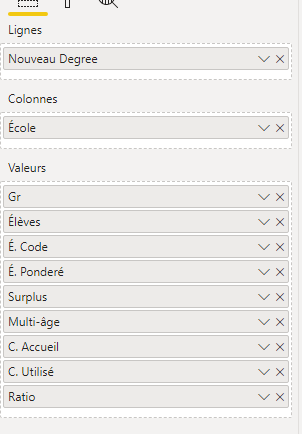
I would like to separate with either an space or line bold. Look the yellow line in the picture. I have many "ecoles" and I would like to see them cleaner with a division line in bold or something similar.
Solved! Go to Solution.
Create a measure:
Blank = BLANK()
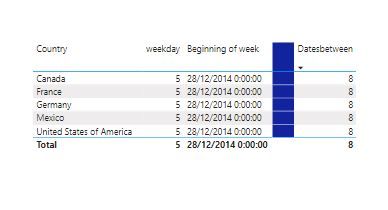
Add it to the visual between the measures you wish to separate (or at the bottom of the values bucket to create a separation between column values) and then format it to your liking:
Proud to be a Super User!
Paul on Linkedin.
Create a measure:
Blank = BLANK()
Add it to the visual between the measures you wish to separate (or at the bottom of the values bucket to create a separation between column values) and then format it to your liking:
Proud to be a Super User!
Paul on Linkedin.
One way to achieve this is by turning off the auto-width of column first. Then inserting a line shape to overlay on top of your table/matrix and formatting with diff color/width.
If this post helps, then please consider Accept it as the solution and give thumbs up to help the other members find it more quickly.
Thanks,
Dheeraj
The Power BI Data Visualization World Championships is back! Get ahead of the game and start preparing now!
| User | Count |
|---|---|
| 39 | |
| 37 | |
| 33 | |
| 32 | |
| 29 |
| User | Count |
|---|---|
| 132 | |
| 86 | |
| 85 | |
| 68 | |
| 64 |