cancel
Showing results for 
Search instead for 
Did you mean: 

Data Days is here! Join us now for 60+ days of learning, challenges, and connection. Learn more

Reply
Anonymous
Not applicable

Table (Row level calculation)

Hi Team  I have 6 columns ex:column 1,column 2 ,column 3,column 4 ,column 5 ,column 6..I want to add in power bi table visual  I want filter  visual should contain column names as filter 1:Column 1 and column 2 as values to select  and filter 2 should have column 3 and column 4 as value to select and table visual out put should be as below  Column 1+column 2 column 6 column 3 +column 4 column 7 Data is getting divided beacuse as per power bi it wont accept row level calculation ..Can you please guide anyone it could be great help Thanks Nandish

3 REPLIES 3
Icey
Community Support
Community Support

Hi @Anonymous ,


Please check if my undersatnding is correct.


I think you are having trouble in the following example.


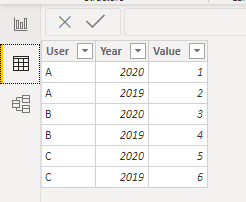
Sample data is as follows.

sample.png


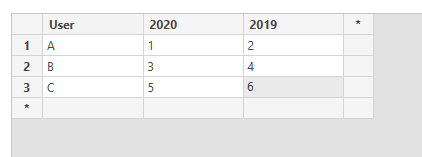
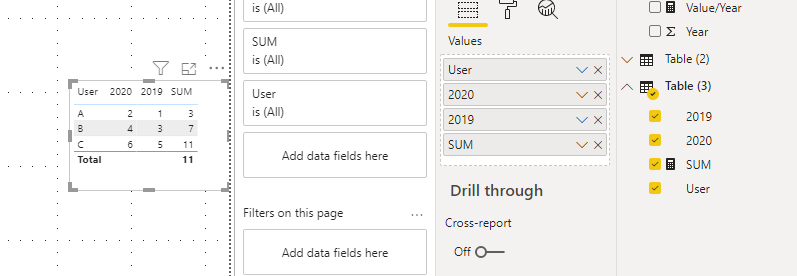
You want to calculate the sum of the values of A and B. Then you split 2019 and 2020 to get the following table. At last you get the sum of 2019 and 2020 as follows.

sample2.png

SUM = MAX('Table (3)'[2019])+MAX('Table (3)'[2020])

 sample3.png


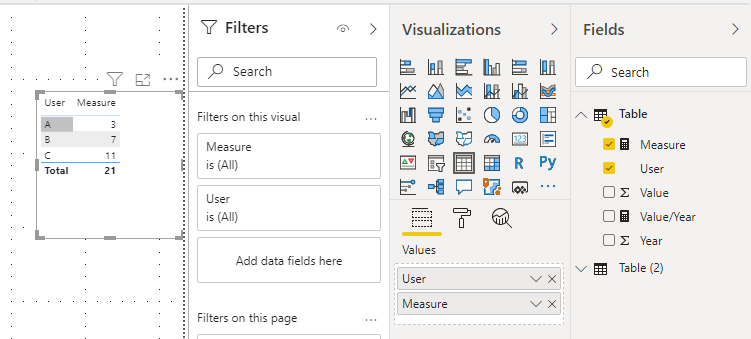
Actually, you dont need to do this. You can use ALLEXCEPT function to calculate in the first table. You can write your measure like so.

Measure =
CALCULATE (
    SUM ( 'Table'[Value] ),
    ALLEXCEPT ( 'Table', 'Table'[User] )
)

sample4.png


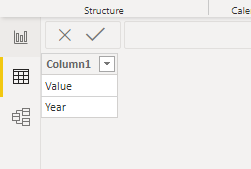
If you still need the filter with column names. You can create a new table as below.

filter.png

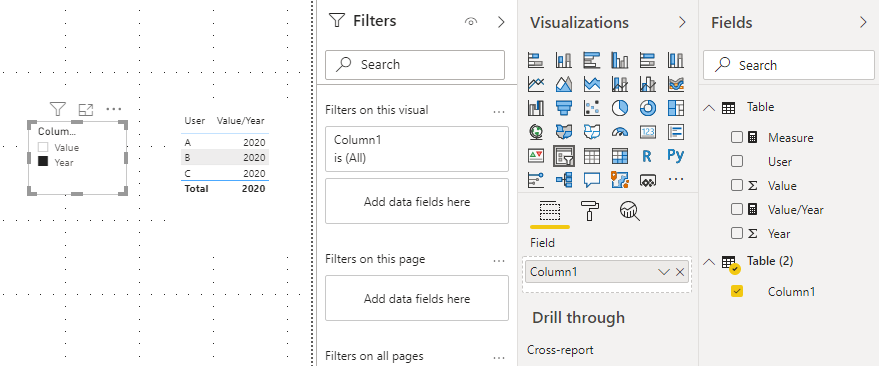
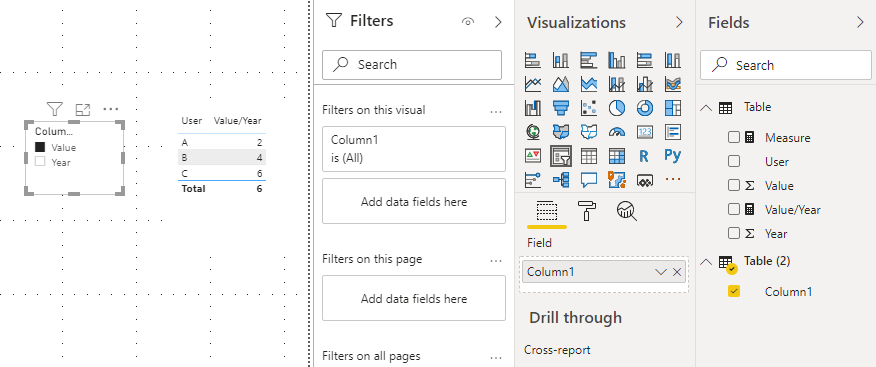
Then you can write a measure.

Value/Year = 
VAR tt =
    SELECTEDVALUE ( 'Table (2)'[Column1] )
RETURN
    SWITCH ( tt, "Value",MAX('Table'[Value]), "Year",MAX('Table'[Year]
))

filter3.pngfilter2.png

You can check more details from here.


Best Regards,

Icey


If this post helps, then please consider Accept it as the solution to help the other members find it more quickly.

Pragati11
Super User
Super User

HI @Anonymous ,


Please add detail to your question. This is not making any sense to me.

https://community.powerbi.com/t5/Community-Blog/How-to-Get-Your-Question-Answered-Quickly/ba-p/38490


Thanks,

Pragati

Best Regards,

Pragati Jain


MVP logo


LinkedIn | Twitter | Blog YouTube 

Did I answer your question? Mark my post as a solution! This will help others on the forum!

Appreciate your Kudos!!

Proud to be a Super User!!

camargos88
Community Champion
Community Champion

@Anonymous ,


Can you give some example with dummy data ?


Did I answer your question? Mark my post as a solution!

Proud to be a Super User!


Helpful resources

Announcements
Fabric Data Days is here Carousel

Fabric Data Days 2026

Don't miss out on Data Days, June 15 through August 7. Learn Fabric, Power BI, SQL, AI and more.

May Power BI Update Carousel

Power BI Monthly Update - May 2026

Check out the May 2026 Power BI update to learn about new features.

Power BI DataViz World Championships carousel

Power BI DataViz World Championships - June 2026

A new Power BI DataViz World Championship is coming this June! Don't miss out on submitting your entry.